Want to get a WhatsApp Business number without using your personal phone?
I completely understand. Mixing personal and business conversations on the same number gets messy fast.
Here’s the thing: getting a dedicated WhatsApp Business number is straightforward, but there are some traps that can waste your time and money.
I’ve helped hundreds of business owners with their WhatsApp Business number setup, and I’m going to walk you through exactly what works.
In this guide, you’ll learn two reliable methods for WhatsApp Business dedicated number acquisition, what to avoid (seriously, some popular virtual number options will get you deregistered), and region-specific tips if you’re setting up a WhatsApp Business number in India, Brazil, the US, Southeast Asia, or Europe.
In This Article
- How to Get a WhatsApp Business Number: Two Reliable Methods
- Why You Can't Just Use Any Phone Number (And Why That Matters)
- Why Use WhatsApp for Business Communication?
- Method 1: Get a Dedicated Mobile Line (Recommended for Most Users)
- Method 2: WhatsApp Business Landline Verification
- What Doesn't Work (And What to Avoid)
- Can I Use Google Voice for WhatsApp Business?
- Can I Use a Prepaid SIM for WhatsApp Business?
- How Do I Set Up a WhatsApp Business Number Without My Personal Phone?
- Can I Use a Virtual Number for WhatsApp Business?
- Can I Use VoIP Business Phone Services Like OpenPhone or Grasshopper?
- What About Forum "Hacks" and Workarounds?
- Region-Specific Costs and Requirements (2026)
- Now Connect Your WhatsApp Number to Your Website
- Frequently Asked Questions
- Can I use the same number for regular WhatsApp and WhatsApp Business?
- What happens if I don't use my WhatsApp Business number for a while?
- Can I transfer my WhatsApp Business number to a new phone?
- Do I need a business license or registration to get a WhatsApp Business number?
- Can I change my WhatsApp Business number later?
- How much does WhatsApp Business cost?
- What's the difference between WhatsApp Business and WhatsApp Business API?
- Can multiple people manage the same WhatsApp Business account?
- You're Ready to Start Using WhatsApp for Your Business
How to Get a WhatsApp Business Number: Two Reliable Methods
You have two proven options for getting a dedicated WhatsApp Business number: use a prepaid mobile SIM card (or eSIM), or verify with an existing business landline.
Both work reliably across most countries.
- Method 1: Dedicated Mobile Line (Recommended) – Get a prepaid SIM card or eSIM from a local carrier. Takes 15-30 minutes to set up. Costs $2-30 depending on your country. Works everywhere.
- Method 2: Business Landline – Use your existing traditional landline number. Free if you already have one. Verification happens via voice call instead of SMS. Only works with real landlines, not VoIP services.
Most business owners go with Method 1 because it’s flexible, affordable, and you can manage WhatsApp from your phone.
Let me break down exactly how each method works.
Why You Can’t Just Use Any Phone Number (And Why That Matters)
Before we get into the how-to, you need to understand why WhatsApp is picky about numbers.
This isn’t WhatsApp being difficult. It’s actually protecting you and your customers from spam.
WhatsApp’s Verification System Blocks Most Virtual Numbers
WhatsApp Business requires a phone number that can receive SMS messages or voice calls for verification.
That sounds simple, but here’s the catch: WhatsApp actively blocks virtual numbers and VoIP services (Voice over Internet Protocol—phone service delivered via internet rather than traditional phone lines).
Services that are commonly blocked include:
- Google Voice (blocked in most regions, especially US/Canada)
- Grasshopper and similar VoIP business phone services
- Most Twilio-generated numbers in the US and Europe
- Online SMS receiving services and temporary number providers
- Skype numbers
As of 2025-2026, WhatsApp has been steadily tightening verification requirements.
A virtual number that worked six months ago through some workaround might suddenly stop working after WhatsApp updates its detection system.
The platform is moving toward what they call “verified identity”, which means prioritizing physical telecommunications infrastructure over digital convenience.
There’s a technical reason behind this.
WhatsApp’s verification system now uses device-level signals, specifically your phone’s IMEI (International Mobile Equipment Identity) and IMSI (International Mobile Subscriber Identity), to create a unique fingerprint of your hardware and SIM card combination.
VoIP numbers don’t have this physical hardware anchor, which is why the platform flags them as high-risk.
The Real Cost of Choosing the Wrong Number
Here’s what I’ve seen happen to business owners who took shortcuts:
You spend three months building trust with 200 customers via WhatsApp. One morning, your number gets deregistered. All those conversations? Gone. No way to notify your customers. They think you’ve disappeared.
Think about it this way: A prepaid SIM costs $10.
Rebuilding customer trust after a blocked number? Nearly impossible. The few dollars you save upfront aren’t worth the risk of losing your entire customer communication channel.
Why Use WhatsApp for Business Communication?
Before we dive into the setup process, let’s talk about why this matters.
WhatsApp isn’t just another messaging app. It’s how over 2 billion people worldwide prefer to communicate with businesses.
In countries like India, Brazil, and across Southeast Asia, asking customers to email you or fill out a contact form feels outdated. They want to message you on WhatsApp.
Here’s why WordPress site owners are adding WhatsApp to their business toolkit:
- Instant connection with website visitors – Someone lands on your pricing page at 11 PM with a question. Instead of waiting for a response to an email they might send, they can message you directly on WhatsApp and get an answer when you’re available.
- Higher open rates than email – WhatsApp messages have a 98% open rate compared to email’s 20%. Your customers actually see your messages. See this post on WordPress live chat vs email for more details.
- Build trust through real conversations – Text-based chat feels more personal than email. You’re having a conversation, not sending formal correspondence.
- Works on every device your customers use – Desktop, mobile, tablet. Your customers can reach you however they prefer.
- No app download required for customers – They’re already using WhatsApp chat. You’re meeting them where they are.
Method 1: Get a Dedicated Mobile Line (Recommended for Most Users)
This is the method I recommend to most business owners.
You get a separate phone number specifically for your business WhatsApp account. It’s reliable, works in every country, and gives you the flexibility to manage your business communications separately from your personal messages.
You have two ways to do this: buy a physical prepaid SIM card, or use an eSIM if your phone supports it.
Both work perfectly. It just depends on whether you want to use a second physical SIM or keep everything digital.
Option A: Buy a Prepaid SIM Card for WhatsApp Business
Using a prepaid SIM for WhatsApp Business is the most straightforward and reliable option for getting a dedicated business number, and it works everywhere in the world.
Here’s exactly what you need to do:
Visit any mobile carrier store or authorized retailer in your area.
In the US, that’s T-Mobile, AT&T, or Mint Mobile stores. In India, head to Jio or Airtel. In Brazil, look for TIM or Claro.
You get the idea: any major carrier works.
Bring a government-issued ID. Requirements vary by country but you’ll generally need some form of identification to register the SIM card. This is standard procedure, not something to worry about.
Ask for the cheapest prepaid plan that includes SMS capability. You don’t need an expensive plan with lots of data or calling minutes. You’re only using this number for WhatsApp verification and occasional business use.
In my testing, the absolute cheapest prepaid option from any major carrier works perfectly.
Option B: Use an eSIM
An eSIM is a digital SIM card embedded in modern smartphones that lets you activate a cellular plan without a physical SIM card.
If your phone supports eSIM (most iPhones since iPhone XS and many newer Android phones do), you can add a second number without buying a second device or even visiting a store.
This is especially useful if you travel internationally or if you want to keep everything on one device with dual SIM capability (the ability to use two phone numbers on one device simultaneously).
For local eSIMs, check with your carrier. In the US, T-Mobile and AT&T offer eSIM activation. In other countries, major carriers increasingly support eSIM for prepaid plans.
For international options, services like Airalo offer eSIMs for multiple countries.
However, be careful: many travel-focused eSIMs are data-only and won’t work for WhatsApp verification because they can’t receive SMS or voice calls.
You need a “full service” eSIM with an actual phone number. When in doubt, a local carrier eSIM is more reliable than international travel eSIMs.
Step-by-Step Setup Process
Once you have your SIM or eSIM activated, here’s exactly how to set up WhatsApp Business:
- Download WhatsApp Business – This is a separate app from regular WhatsApp. Search for “WhatsApp Business” in your app store. It’s the official app from Meta with a green icon that says “Business.”
- Open the app and agree to terms – Standard stuff. WhatsApp will ask for permissions to access your contacts and send notifications.
- Enter your new business phone number – Use the dedicated number from your prepaid SIM or eSIM, not your personal number. Include the full country code.
- Wait for SMS verification – WhatsApp will send a 6-digit code via text message. Enter it when it arrives. This usually happens within 30 seconds.
- If SMS fails, use voice call – Sometimes SMS verification doesn’t work with certain carriers. This is completely normal. After about a minute, WhatsApp will show a “Call me instead” button. Tap it, answer the automated call, and listen for your 6-digit code.
- Set up your business profile – Add your business name, category, description, business hours, and website URL. This information appears when customers view your profile, so fill it out completely.
In my testing across multiple countries and carriers, the voice call option worked 100% of the time when SMS verification failed.
If you see the SMS verification timeout, don’t panic. Just wait for the call option to appear.
Important: Keep Your Number Active
Here’s something that catches people off guard: prepaid SIM cards get deactivated if you don’t use them.
Most carriers will cancel your number after a period of inactivity, typically 60-75 days in Brazil, 90 days in India and Indonesia, and 120-180 days in the Philippines.
Check your specific carrier’s policy when you purchase the SIM.
The fix is simple: set a calendar reminder every 60 days to either send a text message or make a quick call from that number.
Literally a 10-second task prevents losing your entire business communication channel. I have a recurring reminder on my phone that says “Keep business SIM active” and I just send myself a text message. Problem solved.
Some carriers also require periodic top-ups to keep the number active. Check your carrier’s specific policy when you buy the SIM. It’s usually mentioned on the packaging or the carrier’s website.
Method 2: WhatsApp Business Landline Verification
This option only works if you already have a traditional business landline.
If you’re starting from scratch, Method 1 (getting a mobile line) is more practical and gives you more flexibility. But if you’ve got a landline sitting there, you can absolutely use it for WhatsApp Business.
The key word here is “traditional.”
I’m talking about a real landline from a major telecommunications company. The kind that’s been around for decades. Not a modern VoIP-based business phone service, which I’ll explain in a moment.
The WhatsApp Business Landline Verification Process
Verifying WhatsApp Business with a landline works a bit differently than with a mobile number. Here’s the exact process:
- Open WhatsApp Business and enter your landline number – Include the full country code, area code, and number. For example, in the US: +1 (555) 123-4567.
- Wait for SMS verification to timeout – This will happen. Landlines can’t receive text messages, so this step will always fail. This is completely expected behavior.
- Tap “Call me instead” – After about 60 seconds, WhatsApp will show this option. Tap it immediately.
- Answer your landline phone – Within a few seconds, your business phone will ring. Answer it.
- Listen for the 6-digit code – An automated voice will slowly read out your verification code, usually twice. Write it down.
- Enter the code in the app – Type the 6-digit code into WhatsApp Business and you’re verified.
One thing I’ve learned from helping business owners through this: make sure someone is physically near the phone to answer it.
The automated call happens quickly after you tap “Call me,” and if nobody answers, you’ll have to wait before you can try again.
What Type of Landline Actually Works
This is where it gets tricky. Many modern “landlines” aren’t actually traditional landlines. They’re VoIP services that look and act like landlines but run over the internet.
WhatsApp can detect this and will often block these numbers.
Here’s a simple breakdown:
✓ Works reliably:
- Traditional landlines from major telecom carriers (AT&T, Verizon, BT, Deutsche Telekom, etc.)
- POTS lines (Plain Old Telephone Service—the original copper wire phone lines)
- Legacy business lines that have been in service for years
✗ Often fails or gets blocked:
- VoIP-based business phone systems (RingCentral, some Grasshopper plans, 8×8)
- Cloud-based phone services marketed as “virtual landlines”
- Cable company phone services (hit or miss—some work, some don’t)
- Any phone service that routes calls through the internet rather than traditional phone lines
How do you know which type you have?
If you’re paying under $20/month for your business phone line and it was set up in the last few years, it’s probably VoIP.
If you’ve had the same business phone number for a decade and it’s from your local phone company, it’s probably a traditional landline.
When in doubt, ask your phone service provider directly: “Is this a traditional landline or a VoIP service?” They’ll know, and it’ll save you from wasting time trying to verify a number that won’t work.
What Doesn’t Work (And What to Avoid)
Before you waste time and money, here’s what experienced users have learned doesn’t work, at least not reliably.
I’m including this section because I’ve seen too many business owners go down these paths, get their numbers blocked, and lose months of customer conversations.
Can I Use Google Voice for WhatsApp Business?
No. Google Voice is a VoIP service, and WhatsApp actively blocks most VoIP numbers from verification, especially in the US and Europe.
Even if you find a workaround that works today, it’s likely to stop working after WhatsApp’s next verification system update.
Can I Use a Prepaid SIM for WhatsApp Business?
Yes, absolutely. A prepaid SIM card is actually the most reliable way to get a WhatsApp Business number. Prepaid SIMs from major carriers work perfectly for WhatsApp Business verification and are often cheaper than postpaid plans.
Just make sure you keep the SIM active with occasional top-ups (every 60-90 days depending on your carrier) to prevent deactivation. In my testing across multiple countries, prepaid SIMs from carriers like Jio and Airtel in India, TIM and Claro in Brazil, and T-Mobile and Mint Mobile in the US all work flawlessly for WhatsApp Business setup.
How Do I Set Up a WhatsApp Business Number Without My Personal Phone?
To set up a WhatsApp Business number without using your personal phone number, you need to get a separate, dedicated phone number.
The most reliable method is purchasing a prepaid SIM card from a major carrier in your country. Once you have the SIM, download the WhatsApp Business app (separate from regular WhatsApp), enter your new dedicated business number, verify it via SMS or voice call, and complete your business profile.
This keeps your personal and business communications completely separate. You can use the same physical phone if it supports dual SIM, or use an eSIM as your second line.
Can I Use a Virtual Number for WhatsApp Business?
No, virtual numbers are not reliable for WhatsApp Business. You’ll find plenty of services advertising “WhatsApp-compatible virtual numbers”, which are SMS receiving services, temporary number providers, and online phone number rentals.
Here’s the truth: virtual numbers for WhatsApp Business work until they don’t.
WhatsApp periodically purges virtual number WhatsApp Business accounts.
When your number gets blocked, there’s no appeal process. You can’t contact WhatsApp support and explain that you’re a legitimate business.
The number is gone, your account is gone, and all your customer conversations are gone.
The business model of these virtual number services depends on recycling numbers between users.
That means the virtual number you’re using today might have been used by someone else last month who violated WhatsApp’s terms.
You inherit that history, and WhatsApp’s systems flag the number accordingly.
Can I Use VoIP Business Phone Services Like OpenPhone or Grasshopper?
In most cases, no. These are VoIP-based services that WhatsApp’s verification system is designed to detect and block. Some users report occasional success with certain providers, but the success rate is low and unpredictable.
Based on my experience, you might get through initial verification. Everything looks fine for a few weeks. Then one day you open WhatsApp Business and it asks you to verify again. You try, and verification fails.
No warning, no explanation, just a blocked number.
For a business-critical communication channel, the risk isn’t worth it. A prepaid SIM costs $10-30 and works reliably.
A VoIP service that fails after you’ve onboarded 100 customers costs you far more in lost relationships and trust.
What About Forum “Hacks” and Workarounds?
I know it’s tempting when you see a Reddit thread claiming “I got it to work with [obscure method].” I’ve been there.
Someone shares a clever workaround involving modified APKs, or specific VPN configurations, or timing the verification in a particular way.
The problem: WhatsApp updates its verification system regularly, sometimes monthly.
What worked three months ago often breaks without warning. You won’t know it’s broken until you try to verify again or until WhatsApp deregisters your number during one of their periodic security sweeps.
Think about the math: A prepaid SIM costs $10-30 and works reliably for years. A workaround that fails after you’ve built a customer base of 200 people?
You’re starting over from zero, trying to find and re-establish contact with every customer. The “savings” from the clever workaround just cost you your entire business communication channel.
I’m not saying this to be discouraging. I’m saying it because I’ve helped dozens of business owners recover from this exact situation, and it’s painful every single time.
Do it right the first time with a proper mobile number or landline, and you’ll never have to worry about it.
Region-Specific Costs and Requirements (2026)
The actual cost and process of getting a WhatsApp Business number varies significantly depending on where you’re located.
Information accurate as of February 2026. Requirements may change. Always verify with local carriers before purchasing.
| Region/Country | Typical Cost | Popular Carriers | ID Required | Setup Time | Special Notes |
|---|---|---|---|---|---|
| India | Under ₹200 ($1.50-3 USD) | Jio, Airtel, Vi | Aadhaar card | Same day | India is WhatsApp’s largest market. Verification is optimized and smooth |
| Brazil | R$15-25 ($3-5 USD) | TIM, Claro, Vivo | CPF number | Same day | Prepaid chips available at carrier stores and many newsstands |
| United States | $10-30 USD | T-Mobile, AT&T, Mint Mobile | Government ID | Same day | Avoid VoIP services. Stick with carrier prepaid SIMs |
| Canada | $15-35 CAD | Rogers, Fido, Koodo | Government ID | Same day | Similar to US. Carrier SIMs work, VoIP doesn’t |
| Philippines | ₱50-100 ($1-2 USD) | Globe, Smart | Valid ID | Immediate | Extremely affordable, widely available at stores and sari-sari shops |
| Indonesia | Rp20,000-50,000 ($1-3 USD) | Telkomsel, XL, Indosat | KTP (ID card) | Same day | Registration required but process is quick |
| Malaysia | RM10-20 ($2-5 USD) | Maxis, Celcom, Digi | MyKad/passport | Same day | Tourist SIMs work but may deactivate faster |
| Thailand | ฿50-150 ($1-4 USD) | AIS, TrueMove, dtac | Passport/ID | Immediate | Available at 7-Eleven stores and carriers |
| United Kingdom | £5-15 GBP | EE, O2, Vodafone | Photo ID + proof of address | Same day | In-person carrier visit typically required for registration |
| Germany | €10-20 EUR | Telekom, Vodafone, O2 | ID + address registration | Same day | PostIdent verification may be required |
| France | €5-15 EUR | Orange, SFR, Bouygues | Photo ID + proof of address | Same day | EU regulations require ID verification |
How to Get a WhatsApp Business Number in India
Getting a WhatsApp Business number in India is one of the easiest processes globally.
India is WhatsApp’s largest market with over 500 million users, so verification is extremely smooth with local SIMs.
Head to any Jio, Airtel, or Vi store with your Aadhaar card. The SIM activation process includes mandatory KYC (Know Your Customer) verification, but it’s standardized and happens same-day.
For WhatsApp Business number setup in India, prepaid plans start incredibly cheap at under ₹200 for initial activation.
One tip: Jio offers specific “WhatsApp Business” plans in some regions with additional features. Not necessary, but worth asking about if you’re planning heavy usage.
How to Get a WhatsApp Business Number in Brazil
Brazil is WhatsApp’s second-largest market. Getting a prepaid chip (as they call SIM cards) for your WhatsApp Business number in Brazil is straightforward.
You’ll need a CPF number (Brazilian tax ID), but if you’re a foreign business owner operating in Brazil, many carriers accept passport registration.
For WhatsApp Business dedicated number setup in Brazil, TIM, Claro, and Vivo all offer prepaid options starting around R$15-25. You can buy these at carrier stores, but they’re also available at many newsstands and convenience stores, which is convenient.
VoIP blocking is less aggressive in Brazil than in the US, but I still recommend using a proper carrier SIM for your WhatsApp Business number. The reliability difference is worth the minimal cost.
How to Get a WhatsApp Business Number in the USA
This is where most US users fail when trying to get a WhatsApp Business number.
Popular business phone services like Google Voice, Grasshopper, and OpenPhone are VoIP-based and won’t work reliably for WhatsApp Business verification.
For a dedicated WhatsApp Business number in the USA, stick with carrier prepaid SIMs. T-Mobile prepaid plans start around $10-15 for basic service. AT&T prepaid is similar. Mint Mobile offers ultra-cheap plans ($15/month) that work perfectly for WhatsApp Business setup.
You can buy these SIMs at carrier stores, Best Buy, Target, or even Amazon. Activation is same-day. Bring a government-issued ID: driver’s license or passport works fine.
One additional note for US-based businesses: as of 2025, WhatsApp has implemented stricter review processes for marketing messages from +1 numbers due to spam concerns.
This makes having a legitimate, carrier-based WhatsApp Business number even more critical. Accounts using VoIP numbers are scrutinized more heavily and face higher rejection rates for business messaging features.
How to Get a WhatsApp Business Number in Southeast Asia (Philippines, Indonesia, Malaysia, Thailand)
These countries offer some of the most affordable and accessible prepaid SIM options globally. Costs range from $1-5 USD equivalent, and availability is widespread.
Following the 2022 SIM Card Registration Act, every Philippine number must be tied to verified identity.
Globe and Smart SIMs are available everywhere in convenience stores, malls, even small sari-sari shops. You’ll need a valid ID for registration, but the process takes minutes.
Indonesia requires KTP (national ID card) registration, and the process is quick with carriers like Telkomsel, XL, and Indosat.
As of 2026, Indonesia has moved toward biometric registration for all SIM cards, requiring face-matching at carrier outlets (GraPARI for Telkomsel, for example).
One important note: if you purchased your smartphone abroad, you’ll need to register the device’s IMEI (International Mobile Equipment Identity) with Indonesian Customs before you can use a local SIM card.
Malaysia and Thailand make it incredibly easy for both residents and tourists. In Thailand, you can literally buy a prepaid SIM at 7-Eleven with just your passport.
One caution: Tourist SIMs may have shorter expiration periods (30-90 days) compared to resident plans. Check the specific validity period when you purchase, and set reminders to top up before expiration.
Europe
EU regulations require ID verification for all SIM card purchases, so you’ll typically need to visit a carrier store in person. Bring a photo ID (passport or national ID card) and proof of address.
In Germany, some carriers require PostIdent verification, which adds a day or two to the process. France requires proof of address in addition to photo ID. The UK is similar: photo ID plus proof of address.
Prepaid SIM costs across the EU range from €5-20 for initial activation. Major carriers (Telekom, Vodafone, O2, Orange, EE) all work reliably for WhatsApp Business.
Important: Avoid Skype numbers and Twilio-powered virtual services in Europe. WhatsApp blocking is aggressive in the EU, and virtual numbers get flagged quickly.
Now Connect Your WhatsApp Number to Your Website
You’ve got your WhatsApp Business number set up and verified. That’s the hard part done.
Now let’s make it easy for your website visitors to reach you with a single click.
Here’s the thing: adding your WhatsApp number to your website manually means copying phone numbers, creating click-to-chat links, or hoping visitors remember to save your number.
Most visitors won’t bother. They’ll leave your site and you’ll never hear from them.
WPChat solves this by putting WhatsApp directly on your WordPress site. A visitor sees your chat widget, clicks it, and WhatsApp opens instantly with your pre-written greeting already loaded. They just type their message and hit send.
That’s it!
What WPChat Does
WPChat is designed specifically for WordPress site owners who want to connect with visitors via WhatsApp.
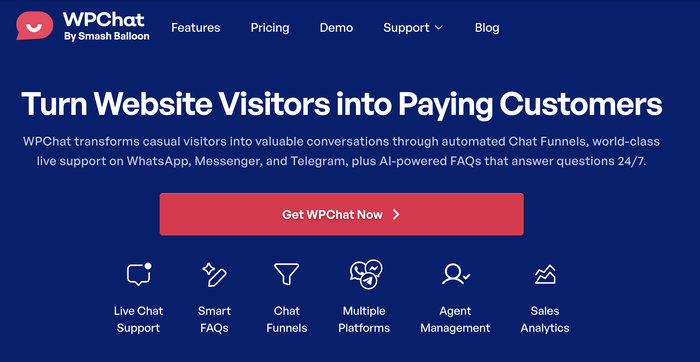
Here’s how it works:
- Add a floating chat widget to your site – It appears on every page (or specific pages you choose), so visitors can reach you from anywhere on your site.
- Set a custom welcome message – Visitors see your greeting before they send their first message. Something like “Hi! How can I help you today?” makes them feel welcome and tells them what to expect.
- Place click-to-chat buttons strategically – Add WhatsApp buttons to your pricing page, product pages, contact page, or anywhere you want to make it easy for visitors to ask questions.
- Works on mobile and desktop – On mobile, it opens the WhatsApp app. On desktop, it opens WhatsApp Web. Your visitors use whatever they’re comfortable with.
- No coding required – If you can install a WordPress plugin, you can set up WPChat. The interface is designed for non-technical users.
I’ve used WPChat on multiple WordPress sites, and what I appreciate most is how it removes friction.
Visitors don’t have to find your phone number, save it to their contacts, open WhatsApp, and start a conversation. They just click and they’re talking to you.
Use WPChat to Add WhatsApp Chat to Your Site →
Frequently Asked Questions
Can I use the same number for regular WhatsApp and WhatsApp Business?
No. A phone number can only be registered to one WhatsApp app at a time, either regular WhatsApp or WhatsApp Business, not both.
If you try to register a number already in use on regular WhatsApp, the app will prompt you to migrate your account to WhatsApp Business. This moves all your chat history and contacts over, but you can’t use the number on both apps simultaneously.
That’s exactly why most business owners get a separate dedicated number for WhatsApp Business.
What happens if I don’t use my WhatsApp Business number for a while?
Prepaid SIM cards typically deactivate after a period of inactivity: 60-75 days in Brazil, 90 days in India and Indonesia, and 120-180 days in the Philippines. Check your specific carrier’s policy, as it varies. Also, WhatsApp may deregister numbers that show no activity for 120+ days.
Can I transfer my WhatsApp Business number to a new phone?
Yes. You can transfer your WhatsApp Business account to a new phone using the built-in migration feature.
Go to Settings → Chats → Chat backup, then follow the transfer process when you set up WhatsApp Business on your new device. Your chat history, business profile, and all settings move with you.
Just make sure you have your SIM card (or can receive calls/texts on your business number) to verify on the new device.
Do I need a business license or registration to get a WhatsApp Business number?
No. The phone number itself, whether it’s a prepaid SIM or landline, doesn’t require business documentation in most countries. You’re just buying a regular phone number.
The “business” part is the WhatsApp Business app, which is free and open to anyone. You don’t need to prove you have a registered business to download and use it.
However, some countries do require ID verification to buy any SIM card (for anti-fraud purposes), but that’s not specific to business use.
Can I change my WhatsApp Business number later?
Yes, but with an important caveat. You can change your number in WhatsApp Business settings by going to Settings → Account → Change number. Your account data, groups, and settings transfer to the new number automatically.
However, your contacts won’t be automatically notified of the change. You’ll need to message them individually with your new number. That’s why I always recommend choosing your business number carefully from the start rather than planning to change it later.
How much does WhatsApp Business cost?
The WhatsApp Business app itself is completely free. There are no monthly fees, no subscription costs, and no charges for sending messages to your customers.
You’re only paying for the phone number itself, the prepaid SIM or carrier plan, which typically costs $2-30 depending on your country.
After that initial cost, you might have occasional top-ups to keep your prepaid plan active (usually $5-10 every few months), but there are no WhatsApp-related fees at all.
What’s the difference between WhatsApp Business and WhatsApp Business API?
WhatsApp Business is the free app for small businesses that you download on your phone. It’s what we’ve been discussing in this entire guide.
WhatsApp Business API is a completely different product for large enterprises that want to integrate WhatsApp into their customer service systems, send automated messages, and handle conversations through multiple team members.
The API requires approval from Meta, costs money based on message volume, and is overkill for most small businesses. If you’re a solo business owner or small team, stick with the regular WhatsApp Business app.
Can multiple people manage the same WhatsApp Business account?
Not directly on the phone app. WhatsApp Business is designed to be used on one device at a time.
However, you can use WhatsApp Web or WhatsApp Desktop on up to four computers simultaneously while your phone stays logged in. This lets multiple team members respond to messages from their computers while the primary account runs on the business phone.
For larger teams needing more advanced multi-user features, you’d need to look at the WhatsApp Business API, but that’s a much more complex (and expensive) solution.
You’re Ready to Start Using WhatsApp for Your Business
You now have a verified WhatsApp Business number that won’t get blocked, set up the right way.
Your customers can reach you on the platform they already use every day. No learning curve, no app downloads, just instant communication.
If you want to make it even easier by putting WhatsApp directly on your WordPress website so visitors can message you with one click, WPChat is built exactly for that.
No technical skills required, just a simple plugin that connects your WhatsApp Business number to your site.