Choosing the right tools for your website can feel overwhelming.
Adding a live chat plugin seemed like the obvious solution, but the thought of picking the wrong one was just another stressor on my long to-do list.
If you’re looking for a Tawk.to alternative for WordPress, you’ve likely felt that same pressure.
You need a tool that helps you connect with your audience, but it has to be easy to use, powerful, and affordable.
I’m here to help you cut through the noise. I’ve spent a lot of time testing and working with different WordPress chat plugins on various websites.
In this comparison, I’ll break down everything you need to know about WPChat and Tawk.to. We will look at their key features, ease of use, support, and pricing.
My goal is to give you a clear and honest look at both options so you can make a confident decision for your site.
WPChat vs. Tawk.to: Which One is Better?
In case you’re short on time, here’s a quick summary to help you decide between the 2 options:
- Choose WPChat if you want a powerful, user-friendly chat plugin that works beautifully inside your WordPress dashboard. It’s best for small businesses, eCommerce stores, and anyone serious about using chat to grow their revenue.
- Choose Tawk.to if your only requirement is a free chat tool for basic conversations. It’s best for hobby bloggers or personal projects where budget is the absolute top priority over features and convenience.
Our Overall Pick: WPChat is our top recommendation. It provides a far superior user experience and more powerful features directly within your WordPress admin area.
With that, I’ll go into detail and compare the 2 options so you can decide if WPChat is the best Tawk.to alternative.
Key Features
When I compare tools, I look beyond the feature list. I want to see how those features actually help you achieve your goals, like getting more leads or providing better support.
WPChat’s Features
WPChat comes packed with features designed to encourage visitors to chat with you.
I was immediately impressed with its integration with the biggest messaging platforms out there: WhatsApp, Telegram, Messenger, and Instagram.
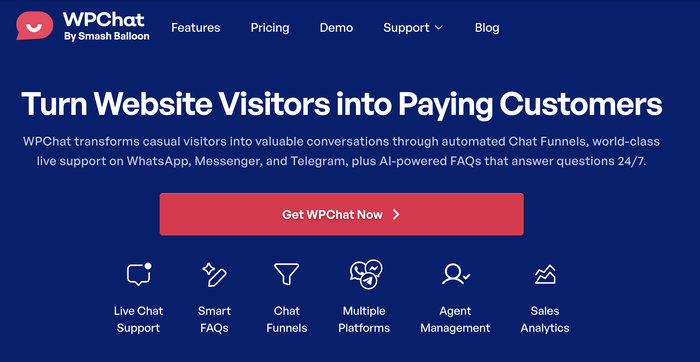
To make things quick and easy, WPChat will let visitors pick a platform they already trust, then redirect them to your chat on their platform of choice.
So, visitors can use a messaging platform they’re already using regularly – no complex signups needed.
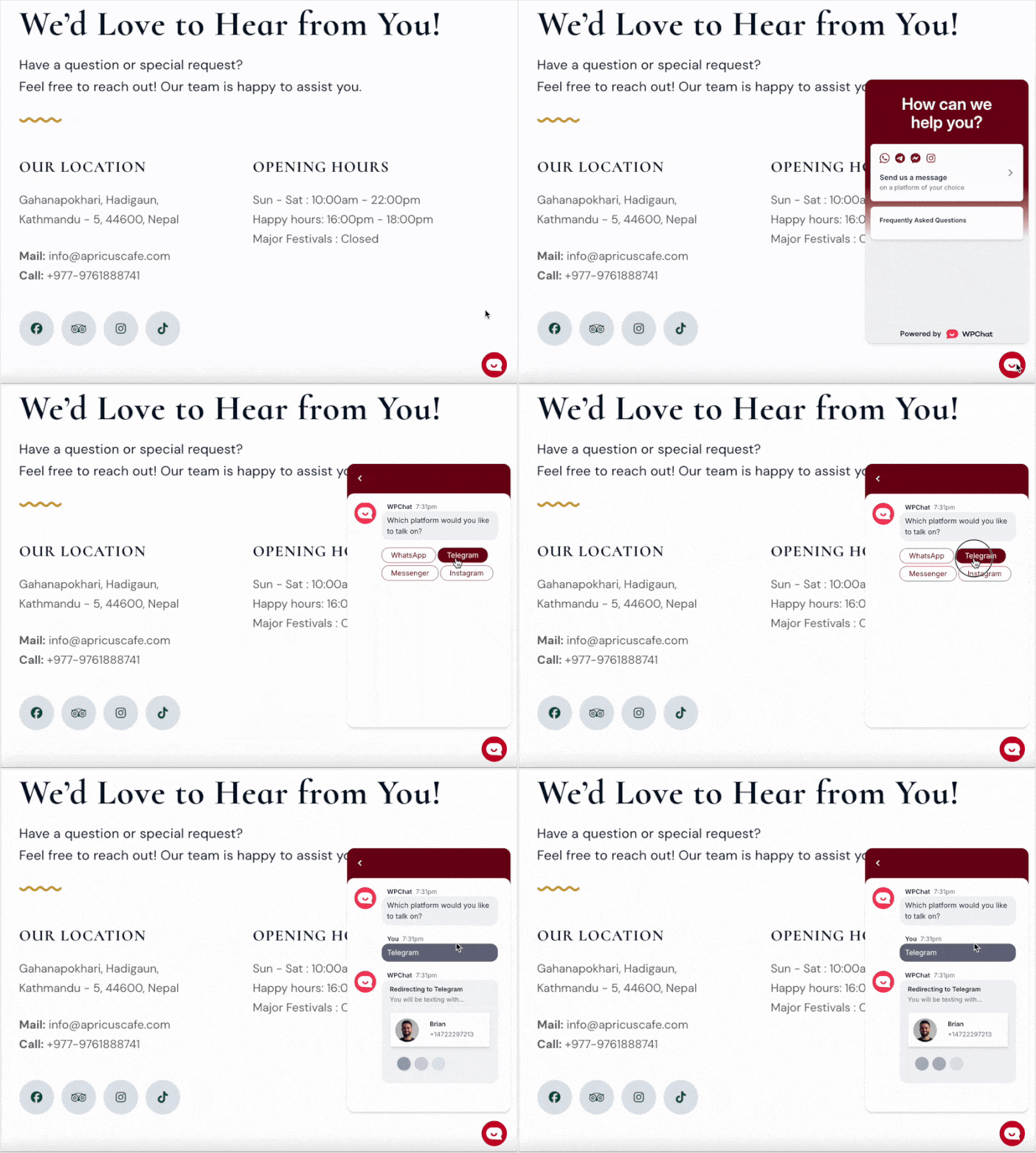
You can also set up FAQs to answer visitor questions and reduce the load on your support team.
For my test eCommerce site, the automatic chat funnels were a game-changer, allowing me to generate leads and answer questions automatically even when offline.
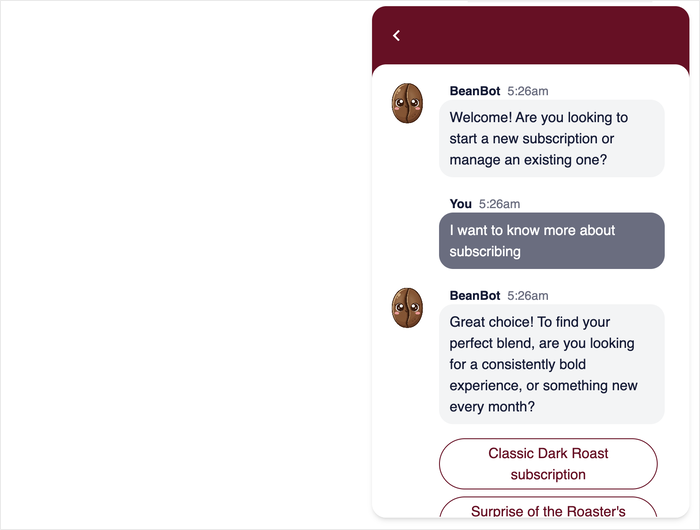
Since the plugin was made with teamwork in mind, you can set up different agents to represent members of your support team.
After that, you can set up profile pictures, active hours, and contact details for each agent. In the background, WPChat will automatically assign chats to different agents to balance the workload.
Tawk.to’s Features
Tawk.to, on the other hand, offers solid core chat functionality for free. You get the basic chat widget, visitor monitoring, and canned responses.
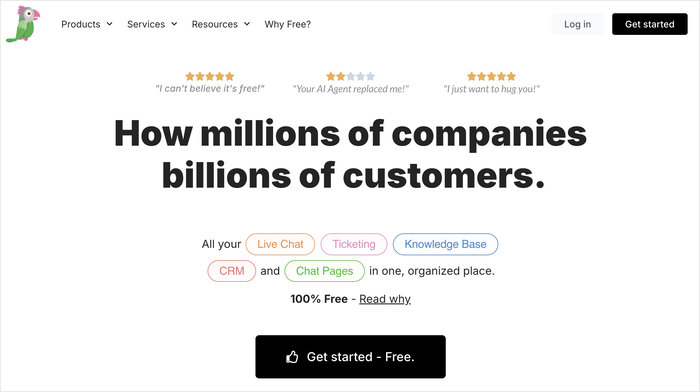
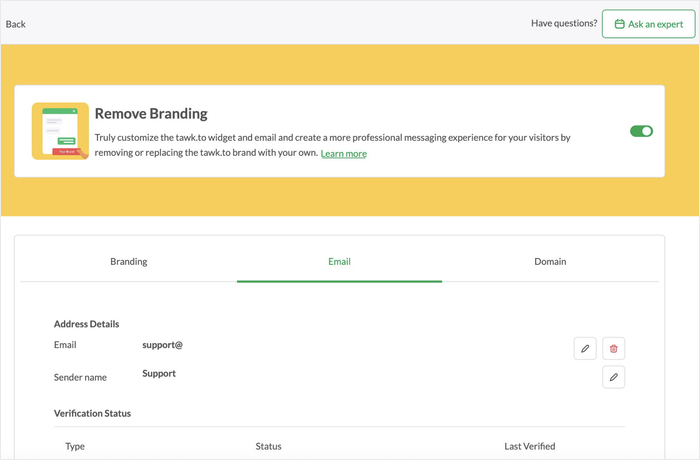
To remove the Tawk.to branding or get more advanced capabilities like AI assist, you often have to rely on their paid add-ons, which can complicate things.
If you’re using Tawk.to for an eCommerce or business website, having to pay to remove the branding can become an issue.
The difference is in the focus. WPChat is built to be a complete conversion tool within WordPress, while Tawk.to is a standalone free chat service that you can add to your site.
Winner
WPChat. It’s a complete package that’s designed specifically to help WordPress site owners grow their business. For a free tool, Tawk.to also has a surprising number of available features.
Ease of Use
A tool is only useful if you can actually use it without pulling your hair out. This is where the difference between WPChat and Tawk.to becomes crystal clear.
Ease of Use With WPChat
Setting up WPChat was an incredibly smooth experience. Since it’s a WordPress plugin, everything is managed from your admin dashboard.
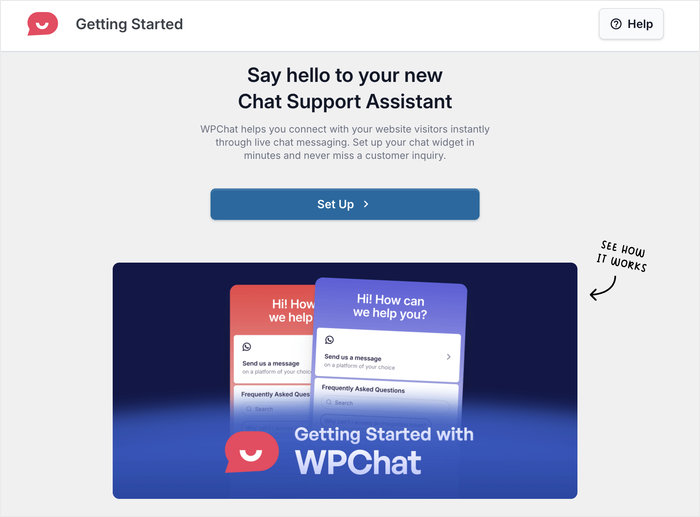
I installed the plugin, followed a simple setup wizard, and had the chat widget running on my site in under five minutes.
Adding the WPChat widget to your site is just a matter of selecting where you want to show the widget, then clicking a button.
Even the widget customizer is designed for ease of use. You get all the design options on the left with a live preview to keep track of the changes.
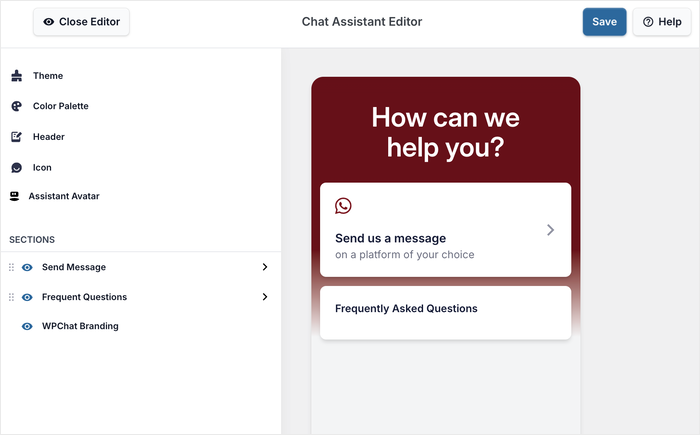
The interface feels modern and intuitive, just like using WordPress itself.
Ease of Use With Tawk.to
Tawk.to’s setup process involves a few more steps. You have to sign up for an account on their website, create your property, and then insert widget code into your WordPress site.
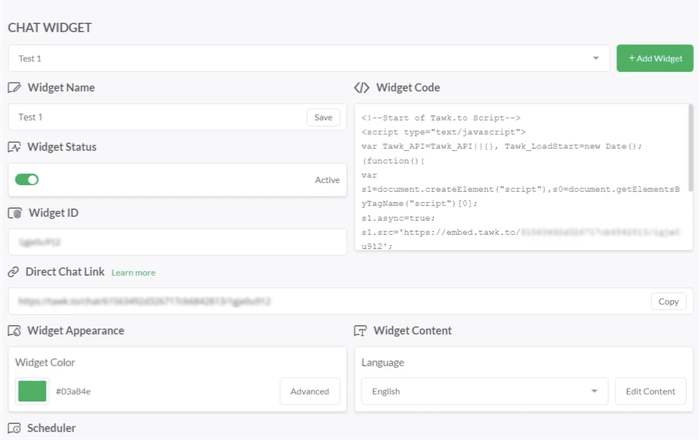
If you use their separate plugin, you won’t have to deal with code snippets, but it’s not as intuitive as WPChat.
You’ll have to go back to your WordPress dashboard and log into your Tawk.to account once again before selecting the property and the widget.
You also get a customizer to design your widget on the Tawk.to website. While it can be more complicated at first, there are some useful design options here.
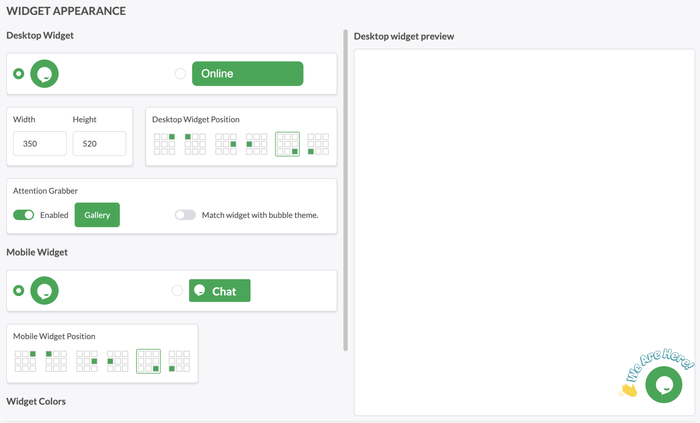
While it’s not terribly difficult, it feels disconnected.
I had to constantly switch between my WordPress dashboard and the Tawk.to website to manage settings, which I found slowed down my workflow.
Winner
WPChat. For day-to-day management, WPChat’s native experience is a clear advantage. You don’t have to leave your website to chat with visitors or change your widget’s design.
Customer Support
Good customer support is like an insurance policy. You hope you don’t need it, but you’re incredibly glad it’s there when you do.
WPChat’s Customer Support
My experience with the WPChat support team was excellent. I reached out with a question about customizing the chat widget and quickly received a helpful, friendly response.
To get instant answers, you can also chat with an AI assistant. Or, you can choose to wait and talk to the support staff instead.
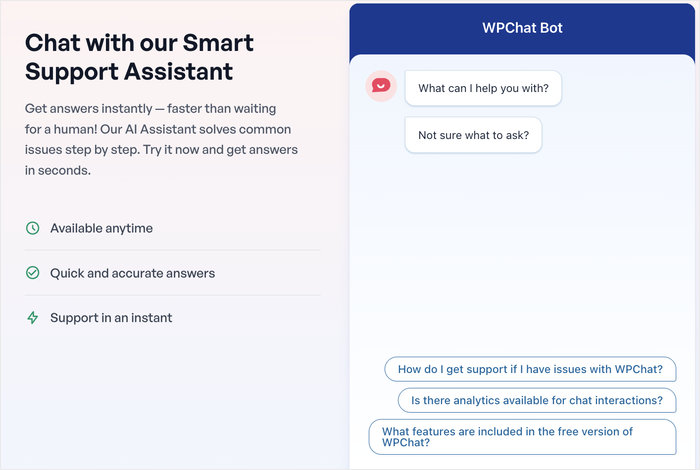
Their support is handled by experts who clearly understand WordPress, which makes a huge difference.
WPChat is also created by the team behind Smash Balloon – the #1 social media feed plugin for WordPress with over 1.75 million users.

This includes some of the biggest brands in the world, which is a sign that your website is in good hands.
Tawk.to’s Customer Support
Tawk.to offers 24/7 live chat support, which is impressive for a free service. The support agents are helpful for general questions about their platform.
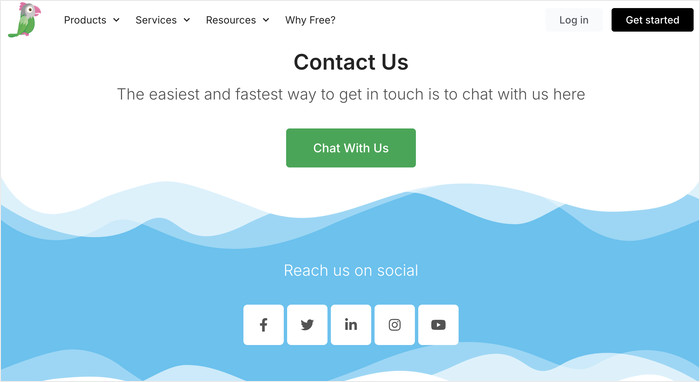
However, because it isn’t a WordPress-specific product, getting help with issues related to your specific theme or plugin conflicts can be more challenging.
Since Tawk.to wasn’t created just for WordPress, some people might prefer WPChat’s support team, who are used to handling WordPress-specific problems.
But if you’re not using WordPress, you’ll be happy with the customer support here, and they’ve got a good track record.
Winner
WPChat. Access to a dedicated, WordPress-savvy support team provides more peace of mind for business owners.
Pricing
Let’s talk about the cost, because it’s a major factor for everyone.
WPChat Pricing Options
WPChat offers a free plan that is perfect for getting started and includes more features than many other paid options in the market.
With just the Basic Plan for $49/year, you can unlock AI search for FAQs, chat agents, customization, analytics, and more.
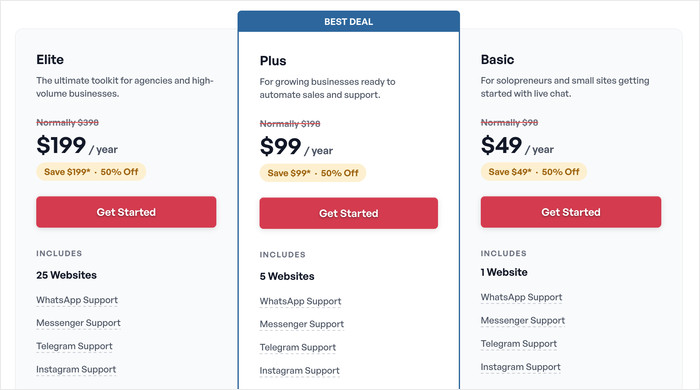
It’s perfect for businesses that want to try out chat support and check how it affects their growth. For even more features, you get other plans as well:
- Plus Plan for $99/year with priority support, chat funnels, more AI search tokens, and support for up to 5 websites.
- Elite Plan for $199/year for all the features, including unlimited FAQs, over 50,000 AI search tokens, support for 25 websites, and more.
The features in the premium versions are designed to help you capture more leads and sales, allowing the plugin to easily pay for itself.
Tawk.to Pricing Options
Tawk.to is famous for being 100% free, and it delivers on that promise for its core software. You can add it to your site and start chatting with visitors without paying anything.
However, the “free” model has its limits. If you want to remove the Tawk.to branding from your chat widget, it costs $348/year.
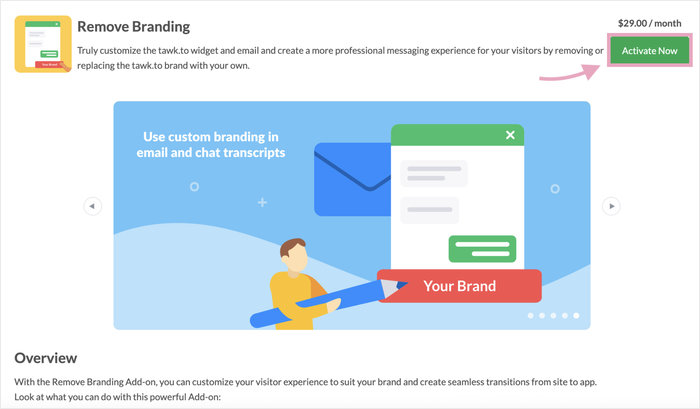
As you can see, just removing the branding costs a lot more than WPChat’s pricing options.
If you need help managing chats, you can hire their agents starting at $1/hour, which can add up quickly.
Ultimately, Tawk.to is free to use, but WPChat provides more value at every level, including its free plan.
Winner
For just the price, Tawk.to wins since all the features are free to use. But when it comes to value for money, WPChat has a lot to offer.
Which One Is Right For You?
Your choice depends on your specific needs and goals.
For the Small Business Owner
I recommend WPChat. While a free tool is tempting, WPChat’s easy-to-use interface and powerful lead generation features provide much better long-term value.
It saves you time and is built to help you convert visitors into customers, which is the top priority for any growing business.
For the Growing Online Store
The clear choice here is WPChat. You can expand to multiple websites, have AI-assisted FAQs, while reaching people on a platform they know and trust.
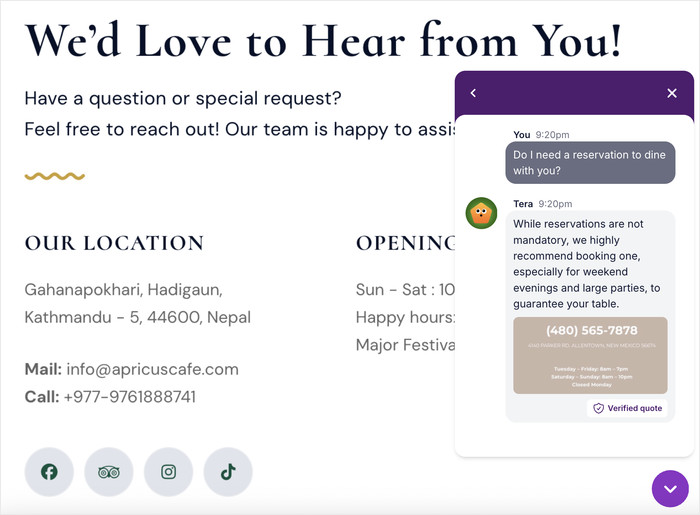
Setting up agents for your support team also allows you to provide amazing customer support, directly increasing your revenue.
For Bloggers and Hobby Websites
In case you simply want to chat with people, Tawk.to wins out here. If you’re happy to keep their branding on your chat widget, you can get a bunch of chat features for free.
While it requires some coding, Tawk.to can be great for blogs that aren’t hosted on WordPress.
WPChat vs. Tawk.to: Our Final Verdict
After comparing both plugins across key areas, WPChat is the clear winner and the best Tawk.to alternative for WordPress.
WPChat provides a superior experience in every way that matters for a business. It’s easier to use, and perfectly integrated with WordPress.
It’s a tool that helps you leverage popular messaging platforms and actively helps you grow your business.
If you’re ready to add a chat solution that saves you time and makes you more money, I highly recommend you get started with WPChat today.
Frequently Asked Questions
Q: Is Tawk.to really 100% free?
A: The core Tawk.to chat software is free to use. However, there are associated costs for certain add-ons. For example, removing their branding from the chat widget is a paid subscription, and you can also pay to hire live agents to manage your chats.
Q: Does WPChat slow down my website?
A: No, WPChat is built with performance in mind. I tested it and found that it is lightweight and well-coded.
It loads asynchronously, meaning it won’t negatively impact your site’s page load times or your site speed scores.
Q: Can I use WPChat to get more leads?
A: Absolutely. WPChat includes powerful features specifically for lead generation. You can set up proactive chat messages to engage visitors on key pages and capture user information like names and emails, even when you’re offline.
Q: Which plugin is easier to set up, WPChat or Tawk.to?
A: WPChat is significantly easier to set up. Since it’s a native WordPress plugin, the entire setup and configuration process happens inside your WordPress dashboard.
Tawk.to requires you to create an account on their external website and then connect it back to WordPress, which is a less direct process.
More Online Marketing Tutorials and Guides
- WhatsApp vs Facebook Messenger: Which Platform Is Best for Your Business?
- Best FAQ Plugins for WordPress Websites (Handpicked)
- How to Add Facebook Messenger Chat to Your WordPress Website
- WordPress Live Chat vs Email: Which Drives More Conversions?
- How to Create a Chat Assistant for Your Website in 5 Steps