Picking the right WhatsApp setup for a small business is genuinely confusing.
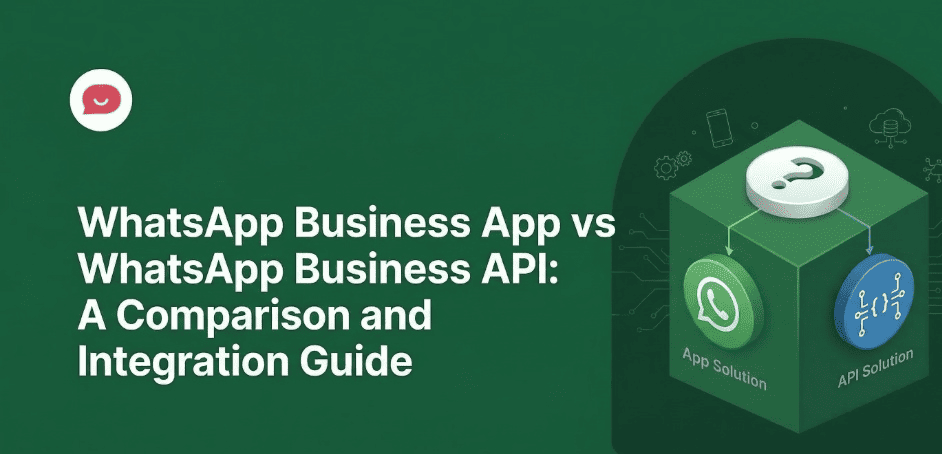
The free WhatsApp Business App and the WhatsApp Business API sound like they’re in the same family, but they’re built for completely different situations.
I’ve spent years helping WordPress site owners figure out their communication stack, so I’ll spare you the runaround.
Want the short version?
The WhatsApp Business App is a free mobile app that works for solopreneurs and tiny teams.
The WhatsApp Business API is a paid, developer-facing platform built for automation and multi-agent support.
If you run a WordPress site and you’re handling more than 50 conversations a month, neither one fits cleanly. That’s the gap WPChat is built for.
This guide covers the actual differences between the two: pricing, features, limits, and the situations where each one makes sense.
In a rush? Here’s a side-by-side:
| Product | Cost | Best For | User Limit | Automation Level | Setup Difficulty |
|---|---|---|---|---|---|
| WhatsApp Business App | Free | Solopreneurs and micro-businesses just getting started with WhatsApp | 1 primary device + 4 linked devices on the free tier (up to 10 devices with WhatsApp Business Premium) | Basic: away messages, quick replies, broadcast lists up to 256 contacts | Very Easy: download and set up in minutes |
| WhatsApp Business API | Per-message fees + BSP platform fees ($50-$5,000+/month depending on volume) | Medium-to-large businesses needing unlimited scale, team inboxes, and deep CRM integration | Unlimited agents via shared team inbox | Advanced: AI chatbots, unlimited broadcasts, CRM sync, automated workflows | Complex: requires a Business Solution Provider (BSP) and technical onboarding |
Why Use WhatsApp for Your WordPress Business?
WhatsApp isn’t a niche tool anymore. 3.3 billion active users and a reported open rate around 98% puts it in a different category from email, where hitting 20% is considered a win.
Here’s why more WordPress site owners are using it for customer communication.
Live chat widgets are session-based. The customer closes the tab, the chat disappears. WhatsApp messages sit as phone notifications and pick back up whenever they return.
It’s also the app people use to text their friends. That changes something psychologically. Reaching out to a business on WhatsApp feels different from filling out a contact form or drafting an email.
When someone messages you on WhatsApp, their number is in your list immediately.
And the response rates bear that out. A notification on a messaging app is harder to scroll past than another email.
What is the WhatsApp Business App?
Meta released the WhatsApp Business App in 2018 as a free mobile app for small businesses that want a professional WhatsApp presence without hiring a developer.
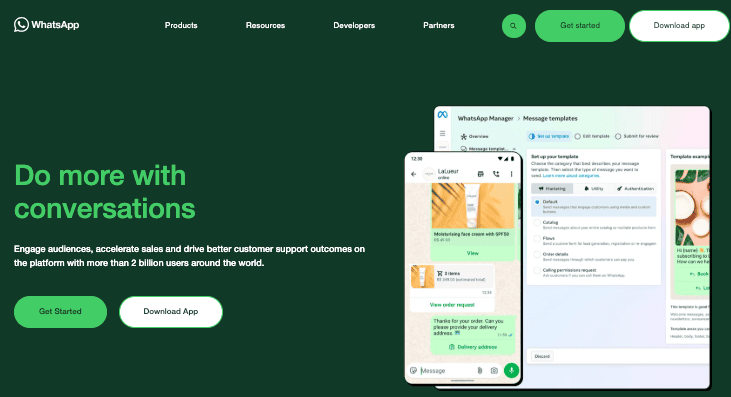
The WhatsApp Business App is regular WhatsApp with a business layer on top. It’s free, takes about ten minutes to set up, and handles what most very small operations actually need. The cracks only show once you’re handling real volume.
Here’s what you get:
- A business profile with your name, description, address, website, and hours. When a customer opens a chat, that’s what they see, which at least tells them they’re not texting a random personal number.
- A product catalog where you can list items with photos, descriptions, and prices. Customers can browse without leaving WhatsApp.
- Auto-messages – contains your greeting for first-time contacts and an away message for when you’re offline.
- Quick replies which are pre-saved responses you fire off with a tap. Pricing, address, return policy, whatever you type out a dozen times a week.
- Broadcast lists – one message, up to 256 contacts, each receiving it as a private direct message rather than a group chat.
- Labels – color-coded tags to sort your chats by status. It’s a rough substitute for a proper CRM, and it holds up until you outgrow it.
WhatsApp Business App Limitations
The app is solid until it isn’t. You usually don’t notice where it breaks down until you’re already past it.
- The 256-contact cap. Seems fine at first. Then your list crosses 500 and you’re manually splitting every announcement into two sends. That gets old fast, and it’s not a one-time thing.
- The saved-number problem. Most people don’t find out about this until something feels off. Broadcasts only reach contacts who’ve saved your number in their phone. If they haven’t, the message never arrives. In practice, that cuts your real delivery rate considerably.
- One account, no structure. The free app supports one primary device plus up to four linked ones (WhatsApp Business Premium raises this to ten), but it’s all the same login. If a team member helps with chats, you’re both inside the same view with no way to assign conversations or track who said what. It’s workable for a short while. Then something slips.
- No connections to anything else. No CRM, no order triggers, no automation of any kind. Every follow-up is typed by hand. Leads exist in your memory or they don’t exist.
The free app is fine. For a solo operator at low volume, it does the job.
The problems only show up when your contact list outgrows the broadcast cap, when a second person needs to jump in on chats, or when you notice leads going quiet because nobody followed up.
What is the WhatsApp Business API?
The WhatsApp Business API (also called the WhatsApp Business Platform or Cloud API) is server-side infrastructure Meta built for businesses running higher volume, automation, or multi-person support.
You don’t download it. There’s no interface to open. It’s a connection layer that links WhatsApp to whatever software you’re already running.
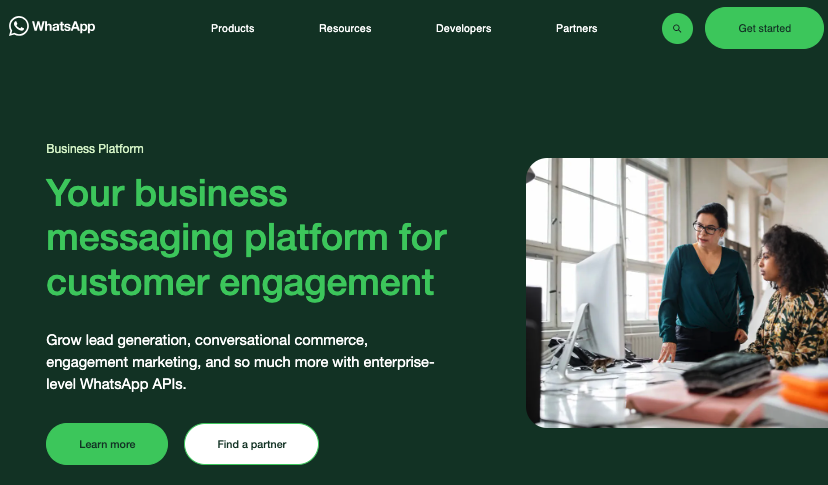
To use it, you either bring in a developer to build a custom integration, or you go through a Business Solution Provider (BSP), which is a third-party platform that sits on top of the API and gives you an actual working interface.
The BSP handles everything underneath. You get the controls without needing to care what’s running them.
If you want more context on how WhatsApp fits into a WordPress marketing setup generally, our WhatsApp business marketing guide for WordPress goes deeper on that.
What the API unlocks
The API isn’t a bigger version of the app. It’s a different thing entirely.
The most immediate difference for teams: each person gets their own login, and conversations route in based on availability, department, or rules you set.
- Automation is where it gets more interesting. You can build flows that handle routine queries without anyone picking up the thread.
- Broadcasts reach your full opted-in list. No 256-contact cap, no requirement that recipients have saved your number first.
- Integration-wise, you can connect directly to Salesforce, HubSpot, WooCommerce, Shopify, and others, and trigger messages based on what customers actually do: abandoned cart, order confirmed, payment overdue.
- The Green Tick puts your verified business name in the chat header even when someone hasn’t saved your contact. It’s a small thing, but people are more likely to open a message from a name than from a random number.
- Analytics are proper analytics: response times, open rates, click-through by template, per-agent performance.
Finally, you can send outbound notifications proactively using pre-approved templates (shipping alerts, reminders, one-time passwords, promotional messages) without waiting for a customer to start the conversation.
What the WhatsApp Business API actually costs in 2026
Most pricing guides I’ve come across either skip the numbers entirely or give ranges so wide they tell you nothing. So: actual figures.
From July 1, 2025, Meta bills per delivered message for business-initiated template messages. The old model billed by conversation. There are four categories, each priced separately.
- Marketing messages (promotional content, offers, announcements) are the most expensive.
- Utility messages like order confirmations and shipping alerts run about 80% cheaper than marketing messages when sent outside a service window, and are completely free when sent within an active 24-hour customer service window.
- Authentication messages (OTPs, verification codes) are the cheapest per message.
- Service conversations, where the customer contacts you first, are free. Meta does not charge for inbound service messages under the current per-message pricing model.
Regional rates for marketing messages:
| Country | Marketing Message Rate | Utility Message Rate |
|---|---|---|
| India | ~$0.019 per message | ~$0.004 per message |
| United States | ~$0.025 per message | ~$0.005 per message |
| United Kingdom | ~$0.053 per message | ~$0.011 per message |
| Germany | ~$0.220 per message | ~$0.044 per message |
| Brazil | ~$0.062 per message | ~$0.012 per message |
| UAE | ~$0.045 per message | ~$0.009 per message |
Note: Per-message rates are approximate and subject to change. Meta updated rates in January 2026 across several markets. Always verify current figures at business.whatsapp.com/products/platform-pricing before budgeting.
Important note for US-based businesses: As of April 1, 2025, Meta has temporarily paused WhatsApp marketing template messages to US phone numbers. There is no confirmed date for when this will be lifted. If you’re primarily targeting US customers, you can still use utility templates, authentication messages, and service conversations without restriction, but outbound promotional campaigns via WhatsApp are not currently available in the US market.
On top of Meta’s fees, you’re also paying your BSP’s platform fee.
Rough totals: a small business at 1,000 messages a month usually lands in the $50–$150 range all in. A larger operation at 100,000 messages can run $2,000–$5,000 or more.
The 24-hour service window is worth understanding before you budget anything. When a customer messages you first, that exchange is free for the next 24 hours, as many replies as you want, no network fees.
Click-to-WhatsApp ads push it to 72 hours. Businesses that design their flows to resolve issues and qualify leads within that window end up paying a lot less than the per-message rates would suggest.
Why most small businesses skip the API
The API is powerful. It’s also complicated to set up and more expensive than it first appears.
I’ve watched small business owners assume it works like the app with extra features, then spend weeks working through a setup process they didn’t see coming.
- Getting started means Meta Business Manager verification, phone number registration, webhook configuration, and template approval. Yes, even before a single message goes out.
Even with a BSP managing the process, that takes days to weeks.
- The per-message costs have a way of adding up faster than budgets expect. 10,000 marketing messages to Germany alone can come to around $2,200 in Meta fees, not counting what your BSP charges.
- And the API has no interface of its own. You need a BSP or a plugin just to have something to log into and manage conversations from. Another cost, another configuration.
Most WordPress business owners end up stuck: the free app isn’t enough anymore, but the full API is more than they need and takes more to run than they have the time or budget for.
That’s the gap WPChat fills.
What is WPChat?
WPChat by Smash Balloon is a WordPress plugin that adds a WhatsApp chat widget with multi-agent support, FAQ automation, and lead-qualifying flows, without requiring the API or paying per message.
It’s made by the Smash Balloon team, which has over 1.75 million active installs across its WordPress plugins.
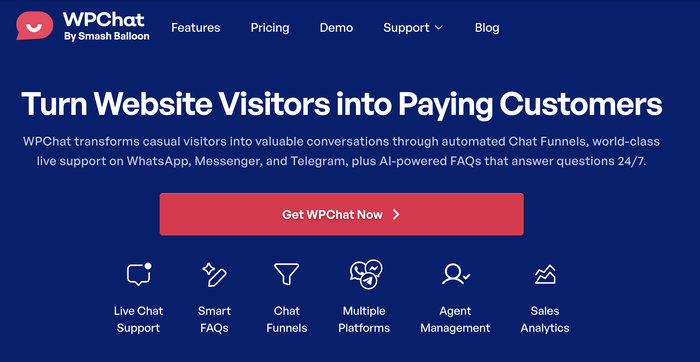
It sits between the two options we’ve covered: more than the free app, less overhead than the full API. Install is free and takes a few minutes. No API keys, no developer. Here’s what I love about it:
1. Multi-agent support
The WhatsApp Business App is single-account. More than one person managing chats means sharing a login.
WPChat handles this without the API.
Each agent gets their own profile on the widget: name, photo, title. When a visitor opens the chat, they see a specific person rather than a generic business account.
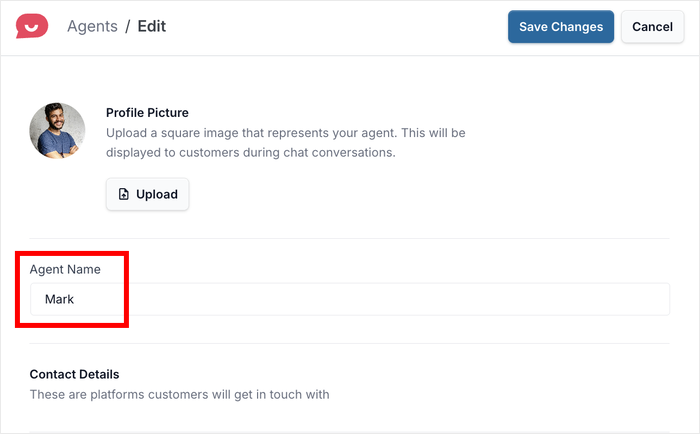
Routing is based on working hours you configure in the plugin. Incoming chats go to agents who are currently online. If your team is offline and someone visits at 11pm, they get an off-hours message with a fallback contact or email option. They don’t just hit nothing.
2. FAQ available 24/7
You can use WPChat to add a 24/7 FAQ bot to your WordPress website. Here’s how an FAQ bot can directly impact your bottom line:
- Round-the-clock availability means your bot is always on, capturing leads and answering questions while you sleep, so no potential customer slips through the cracks.
- Instant answers to common hesitations such as shipping times, return policies and product details remove the friction that stops browsers from becoming buyers.
And when the bot handles the repetitive stuff, you’re free to focus on what actually moves the needle: closing bigger deals and nurturing your most valuable relationships.
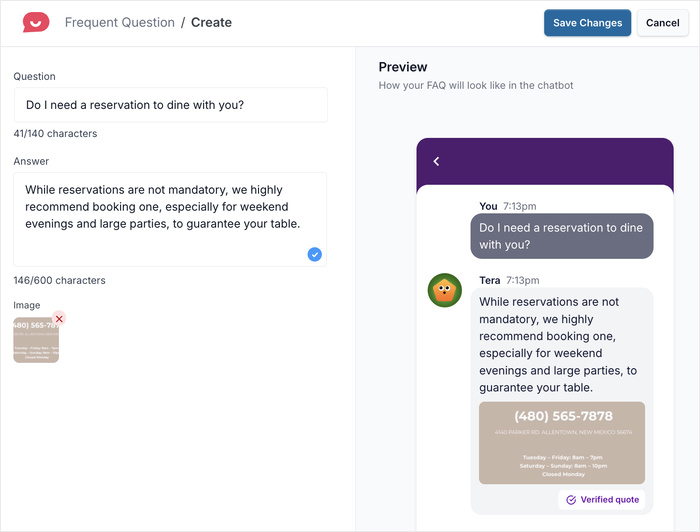
To see how it works, check out our next post on How to Add FAQ Bot to Your Website & Boost Your Sales.
3. Chat Funnels
Chat Funnels are what separates WPChat from a plugin that’s just a WhatsApp button.
Instead of opening a chat directly, visitors answer a short qualifying flow first.
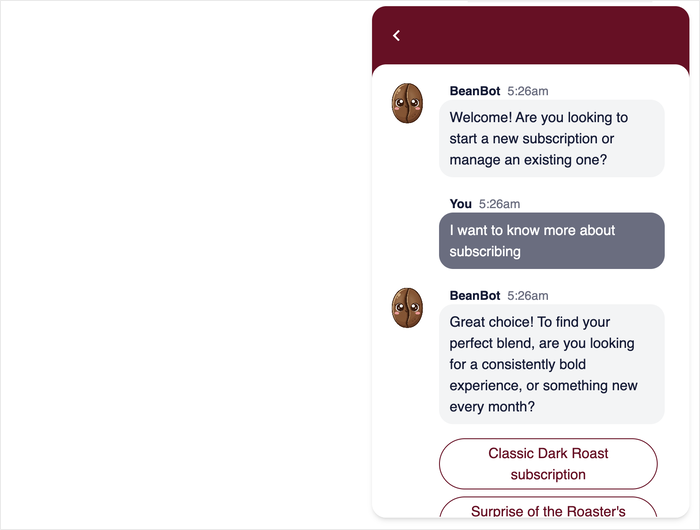
A consulting firm’s site, for example, might ask whether you’re looking for business coaching or tax strategy before connecting you to anyone. You get the right person.
The team doesn’t have to sort through a general inbox to figure out who should respond.
Having WhatsApp Chat Funnels in place means your team only receives conversations from people who’ve already self-qualified.
Interested to do this for your brand? See this helpful article on How to Build Your First Chat Funnel in WPChat.
WPChat Pricing: Which Plan Is Right for You?
| Feature | Free | Basic ($49/yr) | Plus ($99/yr) | Elite ($199/yr) |
|---|---|---|---|---|
| Agent Profiles | 1 | Up to 5 | Up to 10 | Unlimited |
| FAQ Library | 10 | 30 | 100 | Unlimited |
| AI Search Tokens | 10,000 | 25,000 | 50,000 | Unlimited |
| Chat Funnels | — | ✓ | ✓ | ✓ |
| Analytics | Basic | Standard | Advanced | Full |
| License Scope | 1 website | 1 website | 3 websites | 25 websites |
If you’re not sure which plan you want to start with, here’s a short guide:
- Free – for solopreneurs testing the waters. See whether visitors actually use WhatsApp before committing to anything paid.
- Basic or Plus ($49–$99/year) – for small teams at 500+ chats a month who need proper routing, automation, and lead qualification without paying per message.
- Elite ($199/year) – for agencies managing multiple sites. One license covers up to 25 WordPress installations.
WPChat vs. Traditional Live Chat
The structural difference between WPChat and tools like Tidio or Zendesk is straightforward.
Traditional live chat exists only as long as the browser tab does. Close the tab, lock the phone, and the conversation ends.
On the other hand, WhatsApp messages wait as phone notifications until the person is ready.
There’s also the familiarity factor. Customers are already using WhatsApp. No app to install, no new account.
→ Read the full comparison: WhatsApp vs. Live Chat for WordPress
Frequently asked questions: WhatsApp Business vs WhatsApp Business API
Can I use WhatsApp Business for free?
Yes. The app is free. You get a business profile, product catalog, basic auto-replies, and broadcast lists up to 256 contacts. Per-message charges only kick in if you use the API, and those come from Meta plus your BSP.
Do I need a developer to use the WhatsApp Business API?
Not necessarily. The raw API does require technical work, but most businesses access it through a BSP that handles setup. For WordPress users, WPChat gets you multi-agent support, FAQ automation, and lead qualification without the API or any developer involvement. Setup takes a few minutes.
What’s the difference between a WhatsApp Business Account and an Official Business Account?
A standard WhatsApp Business Account shows a grey question mark beside the name. This means the number is linked to a business but hasn’t been verified. An Official Business Account (OBA) shows the Green Tick and your verified business name in the chat header, even for people who haven’t saved your number. OBA status requires the API and passing Meta’s verification review.
How many agents can use WhatsApp Business at the same time?
The free app supports one primary device plus up to four linked ones, all under one login, or up to ten devices with WhatsApp Business Premium. Either way, that’s sharing an account, not multi-agent support.
Is the WhatsApp Business API worth it for a small business?
For most small businesses, no. The API makes sense at high volume, when you need CRM integration, or when Green Tick verification matters for your brand. If you’ve outgrown the free app but don’t need infrastructure at that scale, WPChat is a more practical option: multi-agent support and automation at $49–$199/year, no per-message costs.
What does the WhatsApp Business API cost in 2026?
From July 1, 2025, Meta charges per delivered message for business-initiated templates. Rates vary by message type and country.
Marketing messages range from around $0.019 in India to $0.22 in Germany. Utility messages run about 80% cheaper. Customer-initiated service conversations are free under Meta’s current per-message pricing model, with no stated monthly cap.
BSP platform fees add anywhere from $50 to several thousand per month.
What is the Best WhatsApp Solution for Your WordPress Business?
The WhatsApp Business App is the right starting point for solopreneurs. The API is the right destination for enterprise-scale operations.
For the millions of WordPress businesses in between (and that’s most of you reading this), WPChat is the most practical, cost-effective, and powerful solution available.
You can install WPChat today and have a professional WhatsApp chat widget running on your WordPress site in under 5 minutes.
No API keys. No developer. No per-message fees.
Ready to connect with your website visitors and turn more of them into customers?