When I first started helping businesses build their social media presence, I noticed a pattern.
Nearly every business owner asked me the same question—”Should we use WhatsApp or Facebook Messenger to talk to our customers?”
Both platforms have massive user bases, both promise better customer engagement, and both can integrate with your website.
It depends on where your customers are, how they prefer to communicate, and what kind of business you’re running.
In this guide, I’ll break down the key differences between WhatsApp and Facebook Messenger for business use.
We’ll look at user demographics, features, integration options, and real-world scenarios to help you choose the right platform. By the end, you’ll know exactly which one fits your business needs—no guesswork required.
- WhatsApp vs Facebook Messenger for Business: Quick Answer
- Why Business Messaging Matters in 2026
- WhatsApp for Business: Complete Overview
- Facebook Messenger for Business: Complete Overview
- WhatsApp vs Facebook Messenger: Side-by-Side Comparison
- The Smart Solution: WPChat for WordPress
- Best Practices for Business Messaging
- Final Verdict: WhatsApp, Messenger, or Both?
- Frequently Asked Questions
WhatsApp vs Facebook Messenger for Business: Quick Answer
If you need personal client relationships, choose WhatsApp, but if you need automated sales funnels, choose Messenger.
That’s the simplest way to break it down. WhatsApp feels like a private text message from a friend, while Messenger operates like a marketing machine hooked into the Facebook ad ecosystem.
Use WhatsApp Business If…
- Your customers are global. It’s the dominant app in Europe, Asia, and Latin America.
- Privacy is your priority. The end-to-end encryption builds massive trust with clients handling sensitive info.
- You provide high-touch support. It’s perfect for detailed, 1-on-1 conversations where a human touch closes the deal.
Use Facebook Messenger If…
- Your market is mostly in the US. Messenger still rules North America.
- You run Facebook Ads. You can retarget users who message you, which is a huge advantage for sales.
- You want heavy automation. It supports robust chatbots that can handle thousands of queries without you lifting a finger.
But here’s the secret: you don’t actually have to pick a winner. Using a tool like WPChat works like a “cheat code” for your WordPress site.
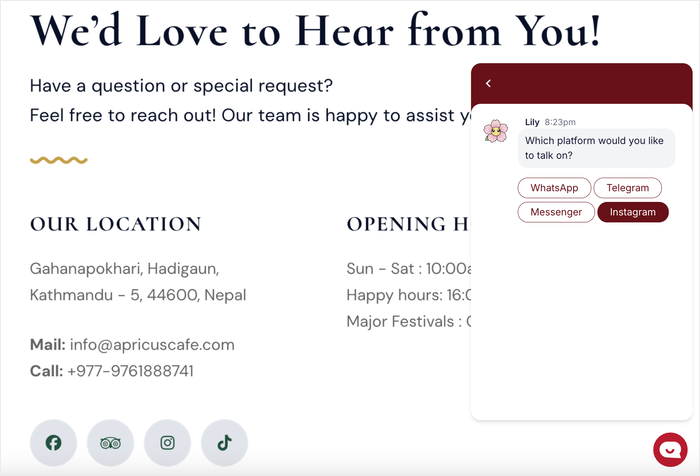
Instead of forcing your visitors to use the app you like, WPChat lets you display both options.
This way, the customer chooses the channel they’re most comfortable with, and you get the lead regardless.
Why Business Messaging Matters in 2026
Email is for records, but messaging is for sales. If you’re still relying solely on contact forms and email autoresponders to capture leads, you’re leaving money on the table because the game has changed completely.
The Shift from Email to Instant Messaging
It’s not just a feeling; the numbers back it up. According to research, WhatsApp messages have a staggering 98% open rate compared to email’s 20%.
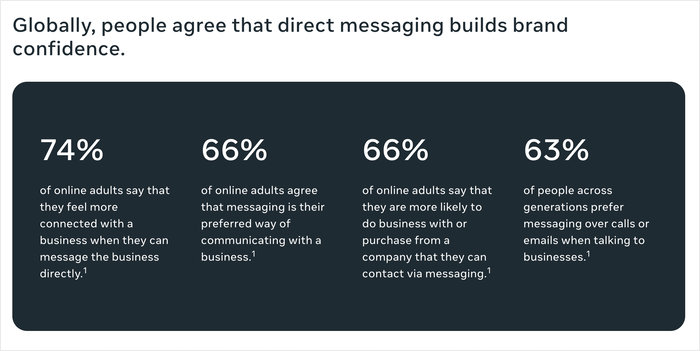
That’s a massive difference. When you send an email, you’re hoping it doesn’t hit the spam folder.
When you send a message, you know they’ll see it. If you’re looking for the best live chat software for small business, prioritizing these high-engagement channels is a no-brainer.
What Small Businesses Gain
The biggest advantage here is speed. Modern customers demand instant gratification.
If they have a question about your pricing or shipping, they won’t wait 24 hours for an email reply—they’ll just go to your competitor who answers instantly.
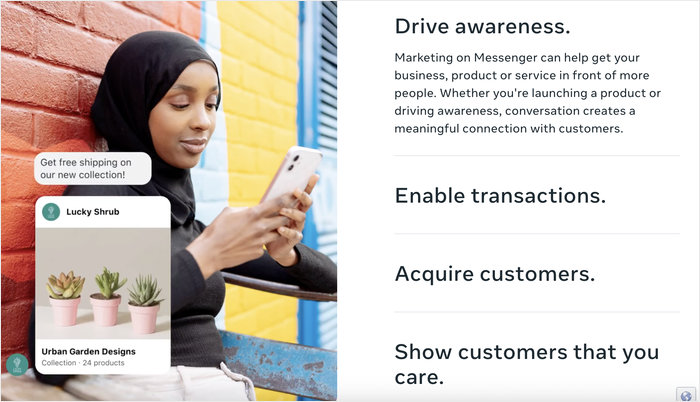
By using messaging apps, you slash response times and drastically increase your conversion rates.
WhatsApp for Business: Complete Overview
WhatsApp Business is a dedicated app built specifically for small business owners to talk privately and securely with customers.
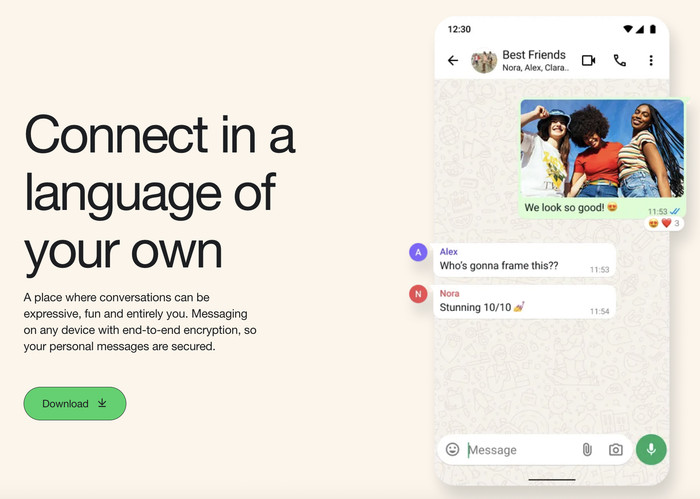
It’s important to clarify that this isn’t the standard WhatsApp you use to text your family. It’s a standalone app owned by Meta that includes specific tools designed to help you organize conversations and showcase products.
Key Features of WhatsApp Business
Unlike the personal app, the business version gives you a “storefront.” You can create catalogs to display your services or products directly in the chat.
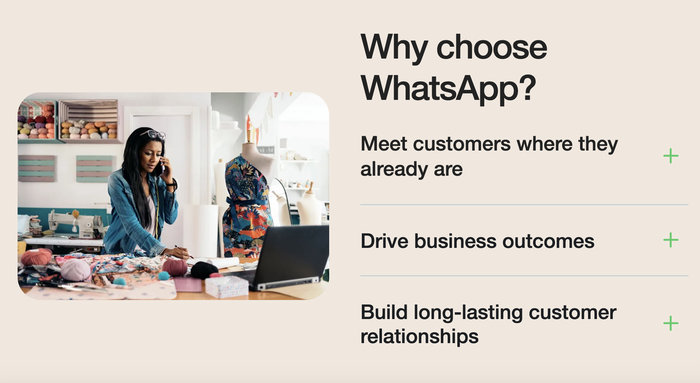
You also get Quick Replies to answer common questions in one tap, and Labels to organize chats (like “New Customer” or “Pending Payment”).
Advantages
The biggest win here is trust. WhatsApp is famous for its end-to-end encryption, meaning nobody—not even Meta—can read your messages.
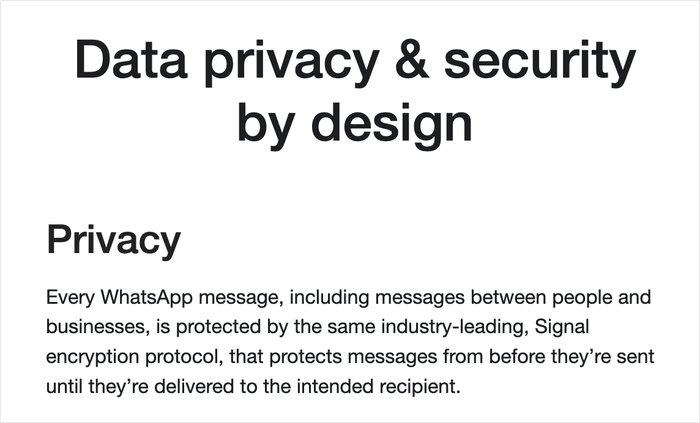
This level of security is why it has massive global adoption, particularly in Europe, Asia, and Latin America. If you have international clients, this isn’t optional; it’s the standard.
Limitations
WhatsApp enforces a strict 24-hour messaging window, meaning if a user doesn’t reply within 24 hours, you can’t just spam them with promotional messages later.
Also, it’s hard to automate at scale. Unless you have the budget to use the WhatsApp API, you’re mostly doing things manually.
Facebook Messenger for Business: Complete Overview
Messenger for Business is the engine of Facebook’s business ecosystem, designed primarily for automation and integration.
Unlike WhatsApp, which lives on your phone number, Messenger lives on your Facebook Business Page.

It’s less about a private chat and more about connecting your social presence to your customer support.
Key Features
This platform shines with its marketing tools. You get powerful chatbots that can handle complex queries automatically.
You can also use Sponsored Messages to re-engage people who have messaged you before, and even set up appointment booking directly within the chat window.
Advantages
If you’re already spending money on Facebook Ads, Messenger is your best friend. The integration is seamless.
You can run “Click-to-Messenger” ads that drop a potential customer right into a sales conversation.
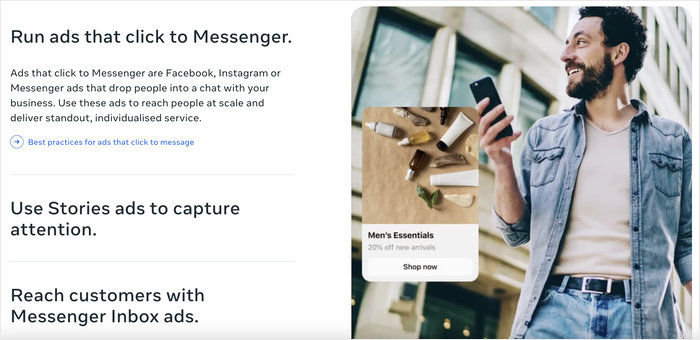
It’s generally better for “cold” leads who might browse your Facebook page but aren’t ready to give you their personal phone number yet.
Limitations
The trade-off is the “personal factor.” Messenger is perceived as less private and secure than WhatsApp.
Because it’s tied to a social profile rather than a phone number, the trust factor can be slightly lower.
WhatsApp vs Facebook Messenger: Side-by-Side Comparison
To make this easy, I’ve broken down the key differences so you can see exactly how they stack up against each other.
| Feature | WhatsApp Business | Facebook Messenger | Winner |
|---|---|---|---|
| User Base | 2.7 Billion+ | ~1.3 Billion | |
| Primary Region | Global (Europe, Asia, LatAm) | North America (US/Canada) | Tie (Depends on Market) |
| Privacy | End-to-End Encryption | Standard Encryption | |
| Automation | Basic (Quick Replies) | Advanced (Chatbots) | Messenger |
| Cost | Free App (API costs money) | Free (Ads cost money) | Tie |
Regional Considerations
This is usually the deciding factor for most of my clients. If you’re targeting customers in the US or Canada, Messenger is still king.
Most Americans have the Facebook app installed and use Messenger as their default utility.
However, if you’re targeting literally anywhere else—Europe, India, Brazil, or Southeast Asia—WhatsApp isn’t just an app; it’s the entire internet for many people.
The Smart Solution: WPChat for WordPress (Why You Don’t Have to Choose)
WPChat unifies these platforms into a single widget, so customers choose their preference, not you.
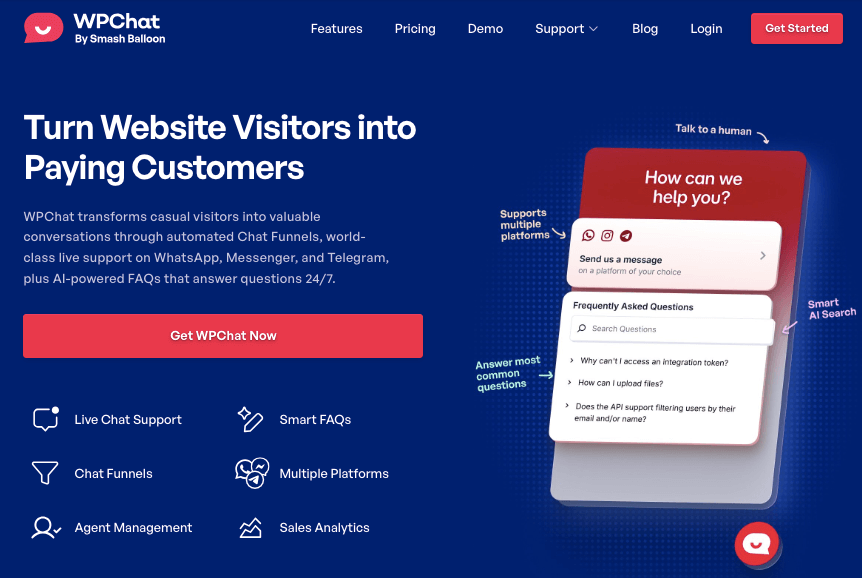
Instead of guessing where your customers want to talk or cluttering your site with multiple chat buttons, WPChat solves the “fragmented communication” problem by putting everything under one roof.
How WPChat Works
It’s surprisingly simple to set up. First, you install the plugin on your WordPress site.
Then, you just add your WhatsApp number and your Facebook Page ID in the settings. Finally, you customize the widget to match your brand colors.
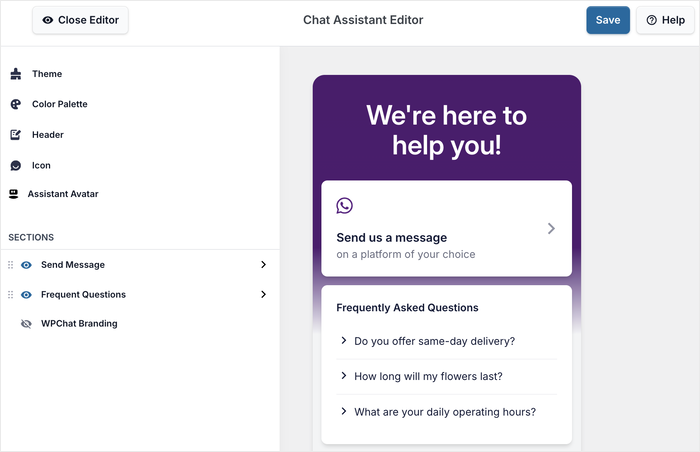
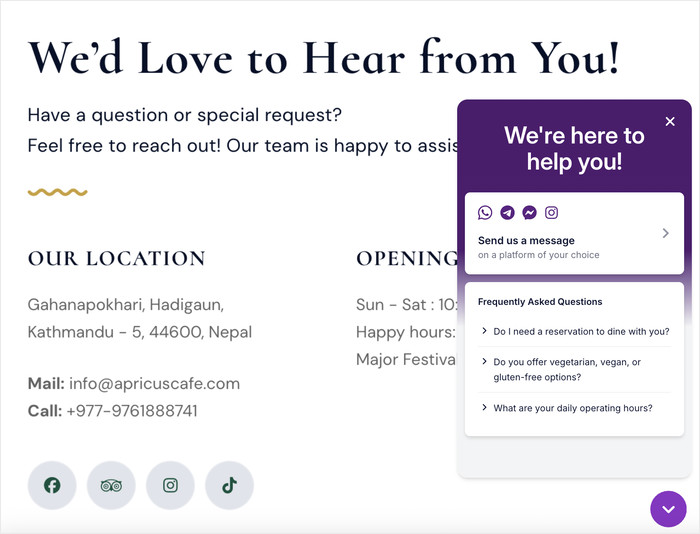
When a visitor clicks the chat icon, they see a menu with both options and can tap the one they already have on their phone.
Key Benefits
The best part is that it looks native to your site. It’s fully optimized for mobile, so it doesn’t block your content or annoy users on small screens.
Plus, it’s not just limited to WhatsApp and Messenger; WPChat also supports Telegram, Viber, and even just a direct phone link, covering all your bases.
WPChat Pricing and Plans
You might think you need a developer to build a custom chat widget like this, but WPChat replaces that complex dev work for a fraction of the cost.
It’s an affordable solution that pays for itself the moment you capture a lead that would have otherwise bounced because they didn’t see their favorite chat app.
Ready to add Messenger and WhatsApp chat to your website? Get your copy of WPChat here!
To learn more, check out this step-by-step guide on how to add online chat to your website using WPChat.
Best Practices for Business Messaging
Speed and tone are more important than the platform itself. You can have the best chat widget in the world, but if you leave a customer on “read” for three days, you’ve lost them.
It’s about how you use the tool, not just which one you install.
Response Time Expectations
There’s an unwritten “10-minute rule” in business messaging. Customers expect a reply almost instantly.
However, we’re all human, and you can’t work 24/7.
That’s why you must be transparent about business hours on your site or set up an auto-reply that tells them exactly when you’ll be back. Managing expectations is just as good as a fast reply.
Message Tone and Professionalism
This is a tricky balance. You don’t want to sound like a stiff corporate robot, but you also shouldn’t be sloppy.
Use emojis sparingly to add warmth, but keep your grammar tight. Treat it like a conversation with a colleague over coffee—respectful, but relaxed.
Privacy and Data Security
Never forget that you are guests in their inbox. Always respect user consent, especially with laws like GDPR in Europe.
Don’t add someone to a marketing list just because they messaged you a support question. Keep the sales pitch for when it’s relevant.
Final Verdict: WhatsApp, Messenger, or Both?
Don’t limit your business. The most successful brands meet customers on the app they are already using.
To summarize: use WhatsApp if your priority is building deep trust and global reach. Use Messenger if you need to scale fast using Facebook Ads and automation.
But in 2026, you shouldn’t be choosing sides. Your customers certainly aren’t. They use both apps every day. The smartest move is to install WPChat right now.
It takes five minutes to set up, and it instantly opens up both channels, ensuring you never miss a sale just because you didn’t have the right app open.
Sign up for WPChat here and start connecting with your website visitors.
Frequently Asked Questions
Q: Do I need separate business accounts for WhatsApp?
A: Yes, you must use the WhatsApp Business App. It’s a separate download from the regular app and allows you to set up your business profile and tools.
Q: Can I use both WhatsApp and Messenger on the same website?
A: Yes, using a plugin like WPChat makes this seamless. It combines them into one floating button so you don’t clutter your interface.
Q: Which platform is better for SEO?
A: Neither directly affects your rankings, but better UX and engagement signals help indirectly. If users stay on your site longer to chat, Google notices that positive behavior.
Q: Is there a free way to add these to WordPress?
A: Manual embedding is possible but messy; WPChat is the professional solution. Manually adding code can slow down your site or break your theme, while a dedicated plugin handles the heavy lifting safely.