You’ve got a visitor on your 10-day Italy itinerary page right now, and they’ve got questions.
Is breakfast included at every hotel?
Can their parent in their seventies handle the walking tour through Cinque Terre?
What happens if their connecting flight out of Madrid gets pushed back a day?
Answer too slowly, and they close the tab and ask a different agency instead.
I write about customer messaging for a living, and travel is one of the few categories where chat matters more than almost anywhere else.
Your contact form makes them wait. What actually gets a nervous, high-consideration buyer to commit is a fast answer on the app already open on their phone, usually WhatsApp.
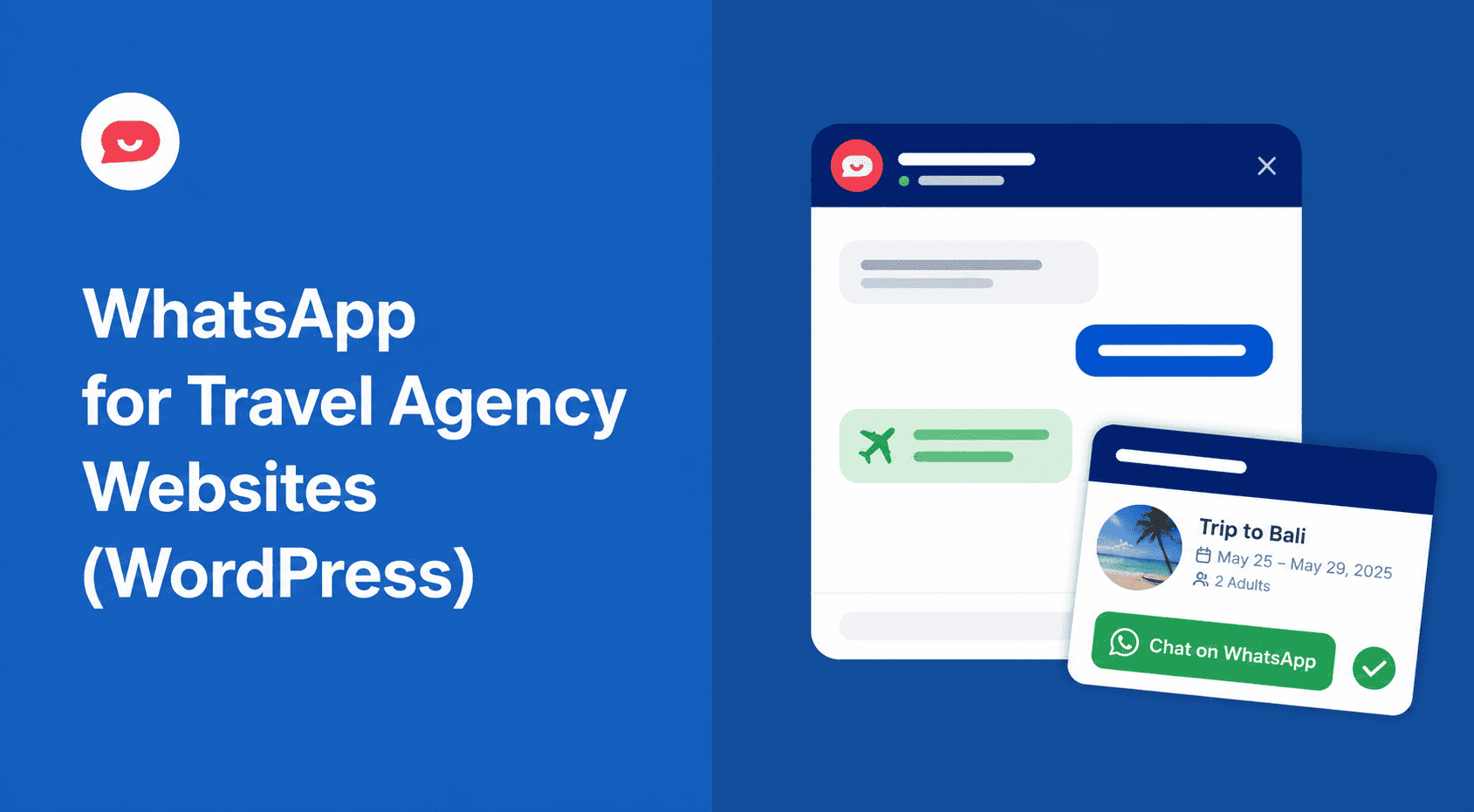
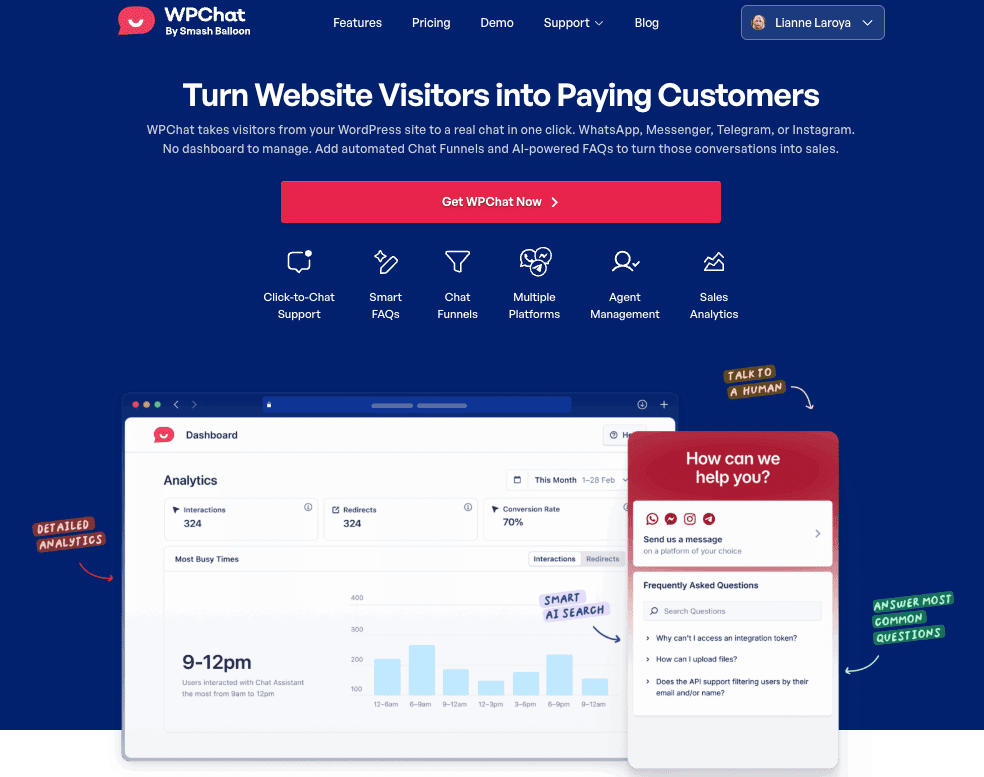
WPChat puts a click-to-WhatsApp button, plus Messenger, Telegram, and Instagram, directly on your travel site. You answer that pre-booking question in the same window they were already browsing in, instead of three days later in an inbox they’ve forgotten about.
How Do I Add WhatsApp Chat to My Travel Agency Website?
Install WPChat, connect your WhatsApp Business number through the setup wizard, and you have a click-to-chat button on your site in about 5 minutes.
No developer, no WhatsApp Business API application.
It works alongside Messenger, Telegram, and Instagram from the same widget, and an international traveler reaches you on whichever app they already have open.
Here’s exactly how I’d set it up for a travel agency.
The Questions Travel Buyers Ask Before Booking
Travel is a big-ticket purchase.
Nobody hands over a deposit on a package tour without knowing what they’re actually buying, and a static FAQ page buried three clicks deep doesn’t answer fast enough to matter.
Before they book with you, they’re usually asking:
- What’s actually included in the price: flights, hotels, transfers, meals?
- Is this itinerary realistic for my age or fitness level?
- What’s the cancellation or change policy?
- Do you handle visa arrangements for this destination?
- Can this package be customized?
A contact form can’t answer any of these in the moment.
By the time your reply lands in their inbox, they’ve either booked somewhere else or lost the urge entirely.
Where to Place the Chat Widget on a Travel Site
Where the widget shows up matters as much as whether it exists. I’d place it in four spots, each answering a different kind of question:
- Tour and package detail pages. The buying decision actually happens here. This is where the widget should work hardest.
- Destination pages. Visitors are warm but not committed. They’re comparing Portugal against Croatia, not ready to book either one.
- Checkout or booking pages. One unanswered question at this stage kills the whole booking.
- Homepage. For visitors arriving from search or a referral with no specific page in mind yet.
WPChat’s page-level targeting lets you show different greetings, or different chat funnels, depending on which of these a visitor lands on.
I’ve written a full breakdown of where to place a WhatsApp widget if you want to go deeper than travel specifically.
Add WhatsApp Chat to Your Travel Site
Answer pre-booking questions on WhatsApp, Messenger, Telegram, or Instagram, all from one WordPress plugin. Try it risk-free with the 14-day money-back guarantee.
Add WPChat to My SiteSetting Up WPChat for a Travel Agency
Here’s what I’d actually do, in order.
1. Install WPChat and connect WhatsApp.
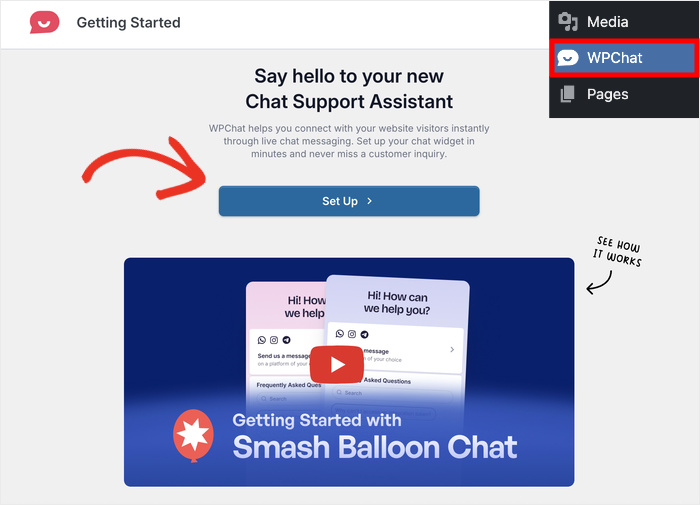
WhatsApp is the default messaging app across the markets where a lot of travel agencies do their heaviest business: Spain, Italy, most of Latin America, and much of the Middle East. Connect your WhatsApp Business number first.
2. Connect Instagram DM if you market through Instagram.
A lot of travel content lives there, in destination photos and reel tours. If that’s where you post, add the Instagram connector too.
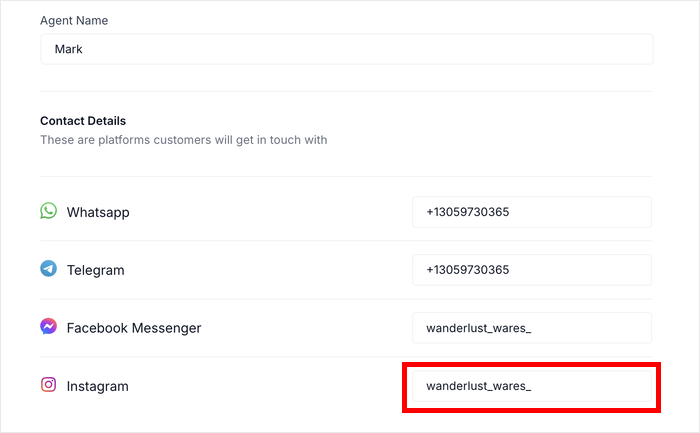
Someone who found you through an Instagram reel can message you instantly without switching apps.
3. Write destination-specific greeting messages.
Worried this means building a custom flow for every tour? It doesn’t.
Set a different greeting per page: “Hi! Looking at our Italy tours? Happy to answer any questions.”
It’s the difference between a generic bot greeting and one that reads like someone actually looked at what the visitor was looking at.
4. Set up FAQ funnels for your most common pre-booking questions.
This is where the real time savings show up, and it’s worth its own section.
A Pre-Booking FAQ Funnel for Travel Agencies You Can Copy
Here’s a funnel structure I’d copy directly for a package tour inquiry page:
Bot: “Hi! Interested in this tour? I can answer your questions.”
Visitor picks one: What’s included? / Customization options / Cancellation policy / Speak to someone
Each option delivers a specific, accurate answer pulled straight from your FAQ content, not a generic “someone will be in touch.” The last option routes straight into a live WhatsApp conversation with an agent.
What I’ve noticed with funnels like this: the value isn’t really the automation.
It’s that the same handful of objections that come up on every inquiry get handled the same way, every time, at 2am on a Tuesday, without anyone typing the same answer for the fortieth time.
Why WhatsApp Works for Travel Bookings
For years, the assumption was that a contact form or a booking-platform inbox was enough.
It isn’t, not for a purchase this size.
WhatsApp has more than 2 billion users worldwide, and it’s the default messaging app across Latin America, most of Europe, and the Middle East, the exact markets where a lot of travel agencies do their heaviest volume.
Messages there get read fast, usually within minutes, because it’s the same app someone’s already using to text their family. A quote request sitting in a booking-platform inbox for six hours is a quote request going to whichever agency answered first.
The conversation also survives past the visit. A contact form dies the second the tab closes.
A WhatsApp thread is still sitting in someone’s phone the next morning, which is part of why click-to-chat tends to capture leads that a form quietly loses.
Using WhatsApp for Post-Booking Support Too
You’ll get the most out of WPChat if you don’t stop using it once a deposit’s paid.
Post-booking questions like packing lists, local tipping norms, or a rescheduled flight come through the same WhatsApp thread the pre-booking conversation started in.
Setting availability hours so the widget shows honest offline status matters here too. It keeps the relationship warm through the trip and pulls a chunk of “quick question” traffic out of your support inbox.
WPChat isn’t an In-Dashboard Live Chat Tool
Here’s the plain version: WPChat takes a visitor from your travel site into a real conversation in one click, on WhatsApp, Messenger, Telegram, or Instagram. No dashboard to manage.
If you’ve shopped for chat tools before, you’ve probably seen the live chat platforms: a widget that opens a chat window right on your site, with a dashboard your team answers from inside another login.
WPChat isn’t that.
The conversation happens where your customer already is, on the messaging app they already use, not in a hosted console someone has to remember to check between phone calls.
That also means no per-agent monthly fee eating into a small team’s margins.
Already running a booking widget or a different chat tool? Switching isn’t the rebuild it sounds like, since WPChat is a WordPress plugin, not a hosted platform. It installs alongside whatever else is already on the site.
WPChat is built by the team behind Smash Balloon, trusted across more than 1.75 million WordPress sites. That’s not a travel-specific number, but it’s the support infrastructure a small agency is relying on when picking a plugin over a SaaS subscription.
I’ve laid out the full comparison between WhatsApp and live chat if you want the deeper breakdown.
FAQs on Using WhatsApp Chat for Travel Agencies
Can I use WPChat if I take bookings through a third-party platform?
Yes. WPChat isn’t tied to your booking or payment system, it’s a chat widget that sits on top of your WordPress pages. Whether bookings finalize through a booking plugin, a third-party reservation system, or a manual quote process, the WhatsApp button and FAQ funnels work the same way.
How do I handle chats in multiple languages?
Write your greeting and FAQ content in each language you need, per page, since WPChat doesn’t auto-translate conversations. If your site runs on WPML, WPChat’s compatible with it, so each translated tour page can carry its own language-matched greeting. For Arabic, Hebrew, Persian, or Urdu-speaking travelers, the widget also supports full right-to-left layout.
What if I’m a small agency with only 1-2 staff?
That’s most of who WPChat’s built for. The Basic plan covers up to 5 agent profiles, so even a two-person agency has room for both owners plus a seasonal hire, each with their own name and photo in the widget. Agent scheduling means the widget shows honest availability instead of pretending to be staffed 24/7.
Can I connect WPChat to Instagram for travel content visitors?
Yes. Instagram click-to-chat is one of WPChat’s four platform connectors, alongside WhatsApp, Messenger, and Telegram, included on every plan. It’s a natural fit for travel, since a lot of destination discovery happens through Instagram reels, and a visitor who found your Bali package through one can DM straight from the same headspace instead of hunting for a contact form.
Start Answering Pre-Booking Questions Now
Someone’s on your Italy itinerary page right now with a question.
Whether they book depends on how fast you answer, and a contact form isn’t fast enough for a purchase this size. A WhatsApp button, a few FAQ funnels, and destination-specific greetings close that gap, without adding another dashboard for your team to check.
WPChat sets up in about 5 minutes and comes backed by a 14-day money-back guarantee, so there’s no real reason to keep testing it against a slow contact form.
Stop Losing Bookings to Slow Replies
Add a WhatsApp button to your travel site today. It’s backed by a 14-day money-back guarantee, so there’s nothing to lose by trying it.
Add WPChat to My Travel Site