WhatsApp Business Marketing: The Complete Beginner’s Guide (2026)

Updated on February 27, 2026
|
Written by Lianne Laroya Lianne Laroya
WhatsApp Business Marketing: The Complete Beginner’s Guide (2026)

Are you looking for a way to use WhatsApp business marketing to connect with your customers that actually gets responses?

I’ve been helping small business owners improve their customer communication for years, and I’ve seen firsthand how WhatsApp Business marketing transforms the way businesses interact with their customers.

Here’s the thing:

While you’re sending emails that sit unread in inboxes for days, your competitors are having real-time conversations on WhatsApp — closing deals, answering questions, and building relationships that turn one-time buyers into loyal customers.

In this complete guide, I’ll walk you through everything you need to know about WhatsApp Business marketing, from understanding what it is and why it works, to implementing specific strategies that turn website visitors into customers.

No technical jargon, no overwhelming tactics, just practical steps you can implement this week.

The best part?

You don’t need to be a marketing expert or tech wizard. If you can text your friends, you can use WhatsApp for your business. Let me show you how.

In This Article

Why WhatsApp Business Marketing in WordPress?

WhatsApp Business marketing isn’t just another channel to master. It’s changing how small businesses communicate with customers.

With over 3.3 to 3.5 billion monthly active users worldwide and a 98% open rate, WhatsApp has become the most direct line to your customers.

For WordPress site owners specifically, this creates an incredible opportunity to transform passive website visitors into active conversations.

Here’s why WordPress and WhatsApp work so well together:

  • Turn Contact Forms into Conversations: Instead of asking visitors to fill out lengthy forms and wait 48 hours for a response, you can offer instant communication. I’ve seen conversion rates jump 3-5x when businesses replace traditional contact forms with WhatsApp chat buttons.
  • Mobile-First Meets Mobile-Native: With 62–64% of web traffic coming from mobile devices, your WordPress visitors are already on their phones. WhatsApp lets them communicate the way they naturally do. No fighting with tiny form fields or autocorrect.
  • Easy Integration Without Developers: WordPress makes it incredibly simple to add WhatsApp to your site through plugins like WPChat. No coding required. Just a few clicks and you’re ready to start conversations.
  • Build Real Relationships at Scale: Email feels transactional. WhatsApp feels personal. You can manage hundreds of customer relationships while maintaining that one-on-one connection that builds loyalty and drives repeat business.

Why Trust WPChat?

At WPChat, we’re on a mission to help WordPress site owners improve their customer communication and turn website visitors into meaningful conversations.

WPChat was built by the experienced team behind Smash Balloon, which is trusted by over 1.75 million WordPress websites worldwide.

We understand the challenges you face: limited time, tight budgets, and the overwhelming number of marketing tactics competing for your attention.

That’s why we focus on solutions that are genuinely helpful, easy to implement, and deliver measurable results.

Our mission is simple: empower WordPress site owners to have better conversations with their customers.

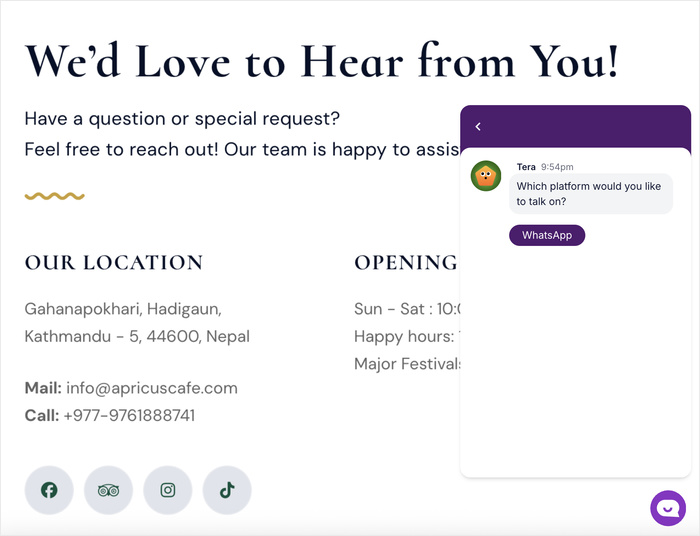
whatsapp business marketing example

WhatsApp Business marketing aligns perfectly with that mission, and we’re excited to show you exactly how to make it work for your business.

What Is WhatsApp Business Marketing?

WhatsApp Business marketing is the practice of using WhatsApp’s messaging platform to have real-time, one-on-one conversations with your customers, turning your website visitors into warm leads and loyal buyers through instant, personal communication.

Unlike traditional marketing that broadcasts messages to masses, WhatsApp marketing focuses on genuine dialogue that builds trust and drives action through the world’s most-used messaging app.

What are the Different Types of WhatsApp for Business?

There are actually 3 different versions of WhatsApp, and knowing which one you need will save you a lot of headaches:

FeatureRegular WhatsAppWhatsApp Business AppWhatsApp Business API
PurposePersonal messagingSmall business communicationEnterprise-level automation
CostFreeFreePaid
Business ProfileNoYes (with address, hours, website)Yes (advanced)
Automated MessagesNoYes (greetings, away messages, quick replies)Yes (full chatbot automation)
Multiple UsersOne device onlyOne device (plus web/desktop)Unlimited team members
Broadcast ListsYes (256 contacts max)Yes (256 contacts max)Unlimited
AnalyticsNoBasic message statisticsAdvanced analytics & reporting
Product CatalogNoYes (up to 500 products)Yes (unlimited)
CRM IntegrationNoNoYes
Best ForPersonal useSolopreneurs & small teamsLarge companies with high volume

My recommendation: Start with the WhatsApp Business App (the free one).

It has everything you need to get started: automated greetings, business profile, product catalog, and basic analytics.

You can always upgrade to the Business API later if you grow to the point where you need multiple team members responding simultaneously or want advanced automation. For most small business owners reading this guide, the WhatsApp Business App is perfect.

Why WhatsApp Marketing Works

I know you’ve heard promises about “the next big marketing channel” before. Every year there’s a new platform that’s supposed to revolutionize how you connect with customers.

So let me show you the specific numbers that convinced me WhatsApp is different, and why it’s particularly powerful for small business owners who can’t afford to waste time on tactics that don’t work.

The Open Rate That Changes Everything

98% of WhatsApp messages get opened, compared to just 20% for email.

Think about what this means in practical terms: if you send 100 messages via WhatsApp, 98 people will actually see it.

With email, 80 of those messages disappear into spam folders, get buried under promotional tabs, or simply get ignored.

For small business owners with limited time and resources, this difference is massive. Every message you send actually reaches your customer.

I’ve found that this open rate holds true even for business messages.

When I send a follow-up question to a potential customer on WhatsApp, I can expect a response within hours.

That same message sent via email? I might wait days, or never hear back at all.

The reason is simple: WhatsApp notifications appear prominently on your phone’s lock screen, while email notifications get lost among dozens of other apps competing for attention.

Response Speed That Builds Trust

Average WhatsApp response time: 90 seconds vs. 47 hours for email.

When customers get answers in minutes instead of days, they feel valued. That feeling converts to sales.

I’ve seen businesses close deals in a 15-minute WhatsApp conversation that would have taken a week of back-and-forth emails, if the customer even stuck around that long.

Here’s what actually happens:

A potential customer visits your website, has a question about your product or pricing, and clicks your WhatsApp button.

  • Within 2 minutes, you respond with a helpful answer.
  • Within 10 minutes, you’ve addressed their concerns and shared exactly what they need.
  • Within 15 minutes, they’re ready to buy. This speed creates momentum that email simply can’t match.

The trust factor is real. When customers can reach you quickly and get real answers, they perceive your business as more reliable and professional.

You’re not hiding behind automated email responses or making them wait. You’re accessible, human, and helpful: three qualities that turn skeptical browsers into paying customers.

Mobile-First Means Customer-First

73% of web traffic comes from mobile devices, and WhatsApp is a native mobile experience.

I want you to check your Google Analytics right now (I’ll wait).

Look at your mobile traffic percentage.

If you’re like most businesses, the majority of your website visitors are on their phones.

Now think about what you’re asking those mobile visitors to do: fill out a contact form with tiny text boxes, fight with autocorrect, and type out their question on a small keyboard.

WhatsApp eliminates all of that friction.

Your mobile visitors can tap one button and instantly start a conversation using the messaging app they already use 23+ times per day.

They can type naturally, send voice messages if typing is inconvenient, or even share photos of what they’re asking about.

It’s the difference between forcing customers to adapt to your preferred communication method and meeting them where they’re already comfortable.

Real-World WhatsApp Business Use Cases

Here’s how different types of businesses use WhatsApp, with specific scenarios and real conversation flows.

Find your business type below and see how WhatsApp fits into your actual day-to-day operations.

E-Commerce & Online Stores

If you’re selling products online, WhatsApp can reduce cart abandonment and increase average order values.

With tools like WPChat, adding WhatsApp chat assistant to your WordPress store takes just minutes, and the impact is immediate.

Here are four specific scenarios I’ve seen work incredibly well:

1. Product Questions & Recommendations

A customer is looking at a product on your site but unsure about sizing, color options, or whether it’s right for their needs.

Instead of abandoning the cart to “think about it,” they click your WPChat WhatsApp button and ask.

You respond in 2 minutes with sizing guidance, photos of the product in different lighting, or even a quick video showing how it works.

The customer orders immediately because their hesitation has been removed.

I’ve tested this scenario dozens of times, and the conversion rate for customers who ask a question via WhatsApp is 3-4x higher than customers who email the same question.

2. Order Updates

You can send shipping notifications, delivery confirmations, and tracking updates via WhatsApp instead of email.

The open rate difference is staggering: customers actually see these updates instead of having to dig through their inbox wondering where their package is.

You can even include a direct link to track their shipment or a quick message like “Your order arrives tomorrow! Any questions about setting it up?”

3. Abandoned Cart Recovery

Here’s a message that works: “Hi [Name], I noticed you left some items in your cart. I wanted to check if you had any questions I could help with?”

This approach is helpful, not pushy. You’re offering assistance, not just reminding them to buy.

4. Post-Purchase Support

Send a proactive message 2-3 days after delivery: “Your order arrived! How’s everything? Any issues with setup or questions about using it?”

This simple check-in accomplishes three things: it catches problems before they turn into returns, it shows you care (building loyalty), and it opens the door for upsells or referrals from happy customers.

Service Businesses (Consultants, Coaches, Agencies)

For service-based businesses, WhatsApp solves the biggest bottleneck: the endless back-and-forth of scheduling and qualification.

Adding WPChat to your WordPress website means prospects can reach you instantly from any page: your services page, your about page, or your blog posts.

Here’s how it works in practice:

1. Appointment Scheduling Without the Email Tag

When a prospect expresses interest by clicking your WPChat button, move the conversation forward immediately: “Let me send you my calendar link so you can pick a time that works for you.”

Share the link, they book instantly, and you can confirm via WhatsApp: “Got it! I’ve blocked out Tuesday at 2pm for our call. Looking forward to it!”

No more “Does Thursday work?” followed by “Actually, can we do Friday instead?” spread over three days.

2. Consultation Booking With Pre-Qualification

Before someone books a consultation with you, you want to know if they’re a good fit.

On WhatsApp, you can ask qualifying questions naturally: “What’s your biggest challenge right now?” or “What’s your timeline for getting this project started?”

Their answers tell you whether to prioritize this consultation or not. I’ve found this reduces no-shows by about 30% because people who answer questions feel more invested in the call.

WordPress Site Owners & Bloggers

If you’re running a WordPress blog, membership site, or online course platform, WhatsApp creates opportunities that traditional comment sections and contact forms simply can’t match.

1. Course Support for Online Educators

If you’re selling online courses through WordPress, offering WhatsApp support creates a premium experience.

Students can ask questions as they work through your material, and you can help them overcome obstacles in real-time.

2. Membership Community Building

Use WhatsApp to create VIP groups for your paying members. Share exclusive content, answer questions, and facilitate peer-to-peer connections.

Members feel like they’re part of an inner circle, which dramatically increases retention and reduces churn.

SaaS & Software Products

If you’re selling software, plugins, or digital tools (like many of you reading this on a WordPress site), WhatsApp is incredibly powerful for onboarding and retention.

1. Onboarding Assistance for New Users

The first hour after someone signs up is critical.

Offer live WhatsApp support during that crucial onboarding period: “Just saw you signed up! I’m here on WhatsApp if you get stuck during setup. What are you hoping to accomplish with [product]?”

This proactive outreach prevents the frustration that leads to immediate cancellations. I’ve found that users who get help during onboarding have a 2x higher chance of becoming paying customers.

2. Feature Questions

Instead of making users submit support tickets and wait 24 hours for a response, offer WhatsApp support for common questions.

“How do I integrate with my email platform?” or “Can this work with my existing setup?”

These questions get answered in real-time, keeping users engaged instead of frustrated.

Based on my experience testing WhatsApp across all these business types, the pattern is clear: the faster you can move from anonymous website visitor to named person in a conversation, the higher your conversion rate.

How to Get Started with WhatsApp Business Marketing

Now comes the practical part: actually setting this up. I’ve broken down the entire process into six clear steps, each with specific time estimates and action items.

You can work through these at your own pace, but I recommend completing Steps 1-4 in your first week so you can start having conversations with potential customers immediately.

Step 1 – Get a Dedicated Business Phone Number

Time needed: 15-30 minutes

The best way to do this is to get a second SIM card in your existing phone: Most modern smartphones support dual SIM (either physical or eSIM). Cost: $10-30/month for the phone plan.

This is the most convenient option because you carry one device but have separate numbers for personal and business WhatsApp accounts.

For more details, check out our helpful guide on how to get a WhatsApp business number here.

Step 2 – Download and Set Up Your Business Profile

Time needed: 10 minutes

Download the WhatsApp Business App (not regular WhatsApp) from the App Store or Google Play.

During setup, you’ll verify your business phone number and create your business profile. This profile is what customers see when they message you, so take time to fill it out completely.

What to include in your profile:

Business name: Use the name customers know you by. If you’re a solopreneur, this might be your personal name or your business name.

Business description: One clear sentence about what you do and who you help. Example: “We help small business owners add live chat to their WordPress websites through simple plugins and personalized support.”

Business category: Choose the category that best describes your business. This helps WhatsApp categorize you and can make you more discoverable in the future.

Business hours: List your actual availability. If you respond Monday-Friday 9am-5pm, say that. Setting accurate hours manages customer expectations and prevents frustration when you don’t respond immediately at midnight.

Website URL: Link to your WordPress site. This gives customers a way to learn more about you and provides credibility.

Make sure your website also has a clear way for visitors to start a WhatsApp conversation (that’s where WPChat comes in).

Business location: Include your address if you have a physical location customers visit. If you’re online-only, you can leave this blank or list your city/region for local credibility.

Business email: Provide an email address for formal communications. Some customers will need to send contracts, invoices, or detailed documentation via email even if they prefer WhatsApp for quick conversations.

Profile photo: Use your business logo or a professional photo of yourself if you’re a solopreneur. Make sure the image is clear and recognizable even as a small thumbnail.

Copy-paste template for your business description: “[Your Business Name] helps [target audience] achieve [specific benefit] through [your method/product]. [Optional: Add your unique value proposition in one sentence.]”

Example: “WPChat helps WordPress site owners turn website visitors into conversations through easy-to-install live chat that connects to WhatsApp. No coding required, setup takes 5 minutes.”

Step 3 – Set Up Your Automated Messages

Time needed: 15 minutes

WhatsApp Business App lets you create automated messages.

These messages ensure customers get immediate acknowledgment even when you’re not available, which builds trust and manages expectations.

1. Greeting Message (appears when someone starts a new chat with you):

This is your first impression. Make it warm, personal, and guide people toward sharing what they need.

Template: “Hi! Thanks for reaching out to [Business Name]. I’m [Your Name] and I’m here to help. What brings you to our site today?”

The key is making it conversational, not robotic. Avoid corporate-speak like “Thank you for contacting us. A representative will be with you shortly.” That defeats the whole purpose of WhatsApp’s personal feel.

2. Away Message (appears when you’re offline or outside business hours):

This manages expectations and prevents frustration when you can’t respond immediately.

Template: “Thanks for your message! I’m currently away from my desk, but I’ll respond within [X hours/by tomorrow morning]. Our business hours are [days and times]. If you need immediate assistance, you can [alternative contact method or resource link].”

I’ve found that people appreciate knowing when to expect a response much more than they mind waiting. Uncertainty is what creates frustration, not reasonable wait times.

Step 4 – Add WhatsApp to Your WordPress Website

Time needed: 5-10 minutes

This is where visitors become conversations. You’ve set up WhatsApp Business on your phone, but if people don’t know you’re available on WhatsApp, they won’t use it.

Adding a prominent WhatsApp chat button to your WordPress website is the bridge that connects interested visitors to real conversations with you.

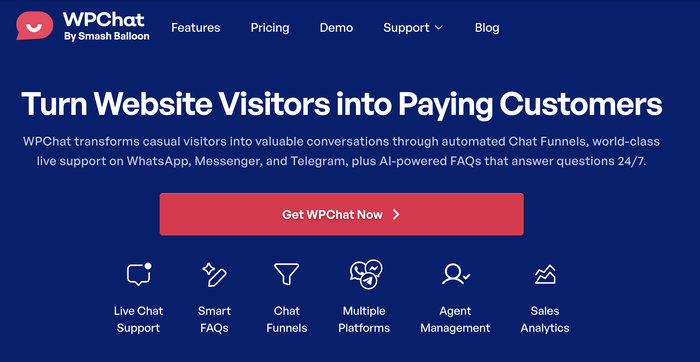
The best solution: WPChat by Smash Balloon

WPChat is hands-down the easiest and most effective way to add WhatsApp to your WordPress site.

wpchat homepage with features

It was built specifically for WordPress users who want professional results without technical complexity. No coding required, no API headaches, just a clean chat widget that works.

Why WPChat is perfect for WhatsApp marketing:

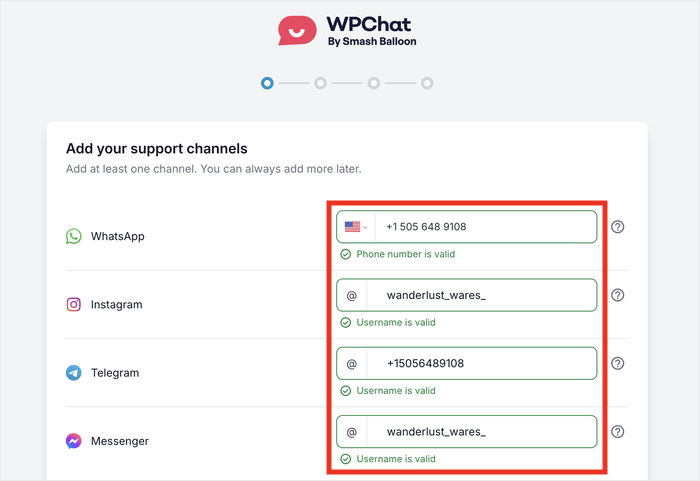
  • 5-minute setup: Install the plugin, enter your WhatsApp number, customize the appearance, and you’re live. I’ve helped complete beginners set this up in under 10 minutes.
  • Multiple chat agents: Add different team members with their own WhatsApp numbers, profile pictures, and names. This makes your support feel personal and professional, even as you scale.
  • Smart visibility controls: Choose exactly which pages display the chat button. Show it on your pricing page and product pages or display it site-wide for maximum availability.
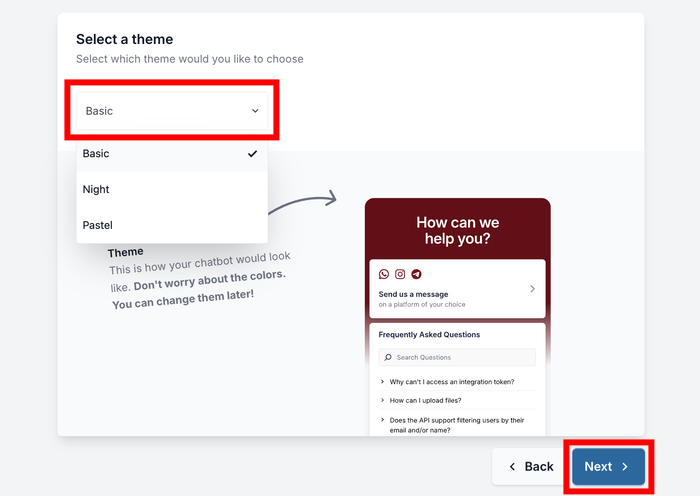
  • Custom branding: Match the chat widget to your website’s design with customizable colors, themes, and messaging.
  • Built-in FAQs: Visitors can browse common questions before starting a chat, which saves you time answering repetitive questions and helps customers get instant answers 24/7.

How it works in practice:

A visitor lands on your WordPress site looking at your services. They have a quick question about pricing or compatibility.

Instead of hunting for a contact form or your email address (which most people won’t bother doing), they see your WPChat widget floating in the corner: “Need help? Chat with us on WhatsApp.”

They click the button, see your greeting message and available chat agents, choose who to talk to, and boom — they’re in a WhatsApp conversation with you.

The entire flow takes 10 seconds and feels completely natural!

That visitor who might have left your site is now having a real conversation that could lead to a sale.

Beyond just WhatsApp:

While we’re focusing on WhatsApp in this guide, WPChat also integrates with Facebook Messenger chat, Telegram, and Instagram chat.

This means you can offer visitors multiple ways to reach you through their preferred messaging platform, all from one simple chat plugin. As you grow, you can add these channels without changing your entire setup.

Want the complete step-by-step walkthrough?

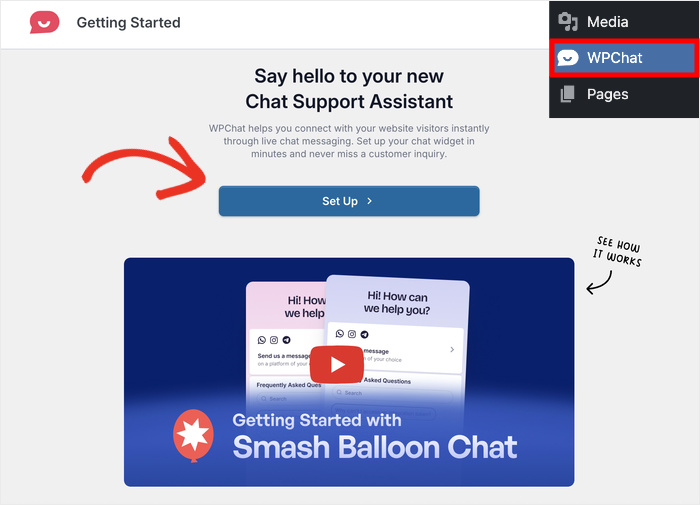
I’ve created a detailed guide with screenshots showing exactly how to set up WPChat on your WordPress site: How to Add WhatsApp Chat to Your WordPress Website (Complete Guide).

Once you’ve added WPChat to your site, test it yourself.

Open your website on your phone, click the chat button, and make sure it opens WhatsApp correctly with your business number.

This quick test ensures everything’s working before you start promoting your WhatsApp availability to visitors.

Pro tip: After adding WPChat, update your website’s key pages to mention that visitors can reach you instantly on WhatsApp.

Add a line to your About page: “Questions? Click the chat button to reach us on WhatsApp. We typically respond within 15 minutes.”

This subtle prompt encourages people to actually use the feature.

With WPChat installed and configured, you now have a professional WhatsApp chat system on your WordPress site!

Every visitor who has a question can reach you instantly, and you can respond from your phone wherever you are.

This is the foundation of effective WhatsApp marketing, so it’s super easy for interested people to start a conversation with you.

Step 5 – Create Your Messaging Strategy

Time needed: 1-2 hours

Before you start getting WhatsApp messages, you need a plan for how you’ll handle them. Spend an hour or two upfront creating your strategy, and you’ll save dozens of hours of confusion later.

Decision #1 – Response Time Commitment

How quickly will you respond during business hours?

I recommend committing to within 30 minutes during your posted business hours.

This is fast enough to capture interest while the visitor is still engaged, but reasonable enough that you’re not chained to your phone.

What about after hours?

This is where WPChat’s Smart FAQ system becomes invaluable.

Instead of making customers wait until morning for simple questions like “What’s your return policy?” or “Do you ship internationally?”, the AI-powered FAQs provide instant answers 24/7, even while you sleep.

Decision #2 – Set Up Your Smart FAQs

Instead of answering the same questions repeatedly, create a comprehensive FAQ library that WPChat’s AI can use to provide instant answers.

Start with your top 10-15 most common questions by reviewing your recent email inbox and identifying patterns.

Common FAQ categories to cover:

  • Product/Service Information: “What features are included?” “What’s the difference between plans?” “Do you offer custom solutions?”
  • Pricing & Payment: “How much does it cost?” “What payment methods do you accept?” “Do you offer refunds?”
  • Shipping & Delivery: “Do you ship internationally?” “How long until my order arrives?” “What are shipping costs?”
  • Technical Support: “How do I reset my password?” “How do I access my purchase?” “What are the system requirements?”
  • Policies: “What’s your return policy?” “How do refunds work?” “Is my information secure?”

Here’s what makes WPChat’s FAQ system so powerful: the AI understands variations of questions.

If your FAQ says “What are your delivery timeframes?” but a customer types “How long until I get my stuff?”, WPChat recognizes they’re asking the same thing and shows the right answer instantly.

Want to see exactly how to set this up? Check out this detailed tutorial: How to Add an FAQ Bot to Your Website.

Decision #3 – Create Chat Funnels for Proactive Guidance

The most time-consuming support interactions are the ones where you’re going back and forth trying to understand what the customer actually needs.

Chat Funnels solve this by proactively guiding visitors through common scenarios.

Think of Chat Funnels as automated conversation flows that answer questions before they’re even asked.

For example:

New visitor funnel: “Welcome! Are you looking for [Product A], [Product B], or do you have a question about something specific?”

Based on their choice, you can automatically provide relevant information.

Pricing page funnel: “Trying to decide which plan is right for you? I can help! What’s your main goal: [Option 1], [Option 2], or [Option 3]?”

This guides them toward the right solution without requiring your personal attention.

These proactive funnels handle the qualification and education process automatically, so when you do engage personally with a customer, they’re already informed and closer to making a decision.

Step-by-step setup instructions: How to Build Your First Chat Funnel in WPChat (Step-by-Step Guide).

Decision #4 – Handoff Process for Conversions:

What happens when someone is ready to buy, book, or start? Create a clear path from WhatsApp chat to conversion:

For e-commerce: “Ready to order? Here’s the direct link to add it to your cart: [link]. Let me know if you have any issues at checkout!”

For service bookings: “Perfect! Here’s my calendar link to book your [service]: [link]. After you book, I’ll send a confirmation via WhatsApp with all the details.”

For software/SaaS: “Let’s get you set up! Here’s your signup link: [link]. Once you create your account, I’ll send you a quick setup guide via WhatsApp to get you started.”

Step 6 – Launch, Measure, and Optimize

Ongoing process

You’ve set everything up. Now it’s time to launch and learn from real conversations. Here’s what to focus on during your first few weeks and months:

Week 1 – Focus on Response Quality and Speed:

Your only goals this week are ensuring your Smart FAQs are working correctly and responding quickly to questions that require personal attention.

Track these basic metrics:

  • Number of new conversations started
  • How many questions were answered automatically by FAQs vs. requiring your personal response
  • Your average response time for personalized questions
  • Number of conversations that led to a qualified lead, sale, or booking

Don’t worry about optimization yet. Just get comfortable with the workflow and see how much time the automated features are already saving you.

Week 2-4 – Identify Patterns and Fill Gaps:

After a few weeks, you’ll notice patterns emerging. WPChat Pro’s Analytics Dashboard shows you exactly what’s happening:

  • Which FAQs are customers viewing most frequently?
  • What questions are you still getting manually that should be added to your FAQ library?
  • Which Chat Funnels are converting best?
  • What time of day do most messages arrive?
  • Which pages generate the most conversations?

Use these insights to refine your FAQ library, create better Chat Funnels, and adjust your team’s availability schedule to match peak demand times.

The analytics show you:

MetricWhat It Tells YouHow to Use It
Total Chat Interactions & ConversionsOverall support volume and how chat impacts salesTrack growth trends and measure ROI
Top FAQsWhich questions customers ask most frequentlyPrioritize and improve your most-used FAQ content
Chat Funnel PerformanceWhere visitors drop off or convert in your funnelsRefine messaging to improve conversion rates
Peak Chat Times & Busiest DaysWhen customers are most activeSchedule team coverage during high-traffic hours

Month 2+ – Optimize and Scale:

Now you can start optimizing based on real data:

  • Expand your FAQ library: Add FAQs for any questions you’re still answering manually. The goal is to automate 70-80% of common questions.
  • Refine Chat Funnels: Test different messaging approaches and see which converts better. The analytics show you exactly where visitors drop off.
  • Adjust visibility rules: If certain pages generate lots of low-quality conversations, consider hiding the chat widget there and focusing on high-intent pages.
  • Create broadcast lists: For engaged customers who’ve had positive experiences, consider adding them to a WhatsApp broadcast list for exclusive offers (with permission, of course).
  • Train your team: Share insights from the analytics about common objections or questions so everyone provides consistent, helpful responses.

Deep dive into optimization: How WPChat’s AI-Powered Features Save Hours on Customer Service Every Week

The beautiful thing about WhatsApp marketing powered by WPChat is that it compounds over time.

Your FAQ library gets more comprehensive, your Chat Funnels get more effective, and you reclaim more hours every week.

Most WordPress site owners I work with report saving 10-15 hours per week once their WPChat system is fully optimized.

That’s 10-15 hours you get back to spend on content creation, marketing, product development, or simply having a life outside your business.

That’s the real power of combining WhatsApp’s personal touch with WPChat’s intelligent automation.

Final Thoughts: WhatsApp Marketing is About Relationships, Not Reach

If you started this article skeptical that WhatsApp could actually work for your business, I completely understand.

But here’s what makes WhatsApp marketing fundamentally different from every other channel demanding your attention: you’re already using it in your personal life.

You’re not learning a new skill. You’re bringing your natural communication style to your business.

The businesses winning with WhatsApp aren’t the ones blasting thousands of people with sales messages.

They’re the ones having genuine, helpful conversations that build trust over time.

You don’t need to master every strategy in this guide today. Start small and build momentum:

This week: Get your dedicated WhatsApp Business number and set up your profile. It takes 15 minutes and costs almost nothing.

Next week: Add WPChat to your WordPress site so visitors can actually reach you on WhatsApp. The setup takes 5 minutes, and you’ll start having conversations immediately.

Week three: Create your first 5-10 Smart FAQs for the questions you answer most often. Let WPChat’s AI handle these automatically while you focus on complex, high-value conversations.

Week four: Set up your first Chat Funnel to guide visitors proactively. Test it on your highest-traffic page and watch how it qualifies leads before they even message you personally.

That’s it!

Four weeks from now, you’ll have a complete WhatsApp marketing system that turns website visitors into warm conversations, provides instant support 24/7, and saves you hours every week on repetitive questions.

Ready to start turning website visitors into WhatsApp conversations?

Get Started with WPChat Now »