Tidios kostenloser Plan funktioniert, bis er es nicht mehr tut. Die Gesprächsgrenze wird erreicht, eine Funktion wandert hinter eine Paywall und plötzlich kostet das Tool, um das Sie Ihren Support-Ablauf aufgebaut haben, 25 $/Monat, um es weiter nutzen zu können.
WPChat ist die Alternative, die die meisten WordPress-Website-Besitzer noch nicht in Betracht gezogen haben. Kein Drittanbieter-Konto, keine Gesprächslimits, kein Upgrade-Druck.
Aber „keine Limits“ ist leicht gesagt, also habe ich beide Tools nebeneinander verglichen, um zu überprüfen, was Sie tatsächlich bekommen und was Sie aufgeben.
Welches Plugin verlangsamt Ihre Website? Wie gehen Sie mit Offline-Zeiten um, ohne für Chatbot-Automatisierung zu bezahlen?
Diese Aufschlüsselung deckt all das ab, damit Sie dieses Mal die richtige Entscheidung treffen können, ohne erneut migrieren zu müssen.
- WPChat vs Tidio: Das schnelle Urteil
- Was der kostenlose Plan tatsächlich bietet
- Direkter Funktionsvergleich
- Benötigt WPChat ein Cloud-Konto?
- Speichert WPChat Ihre Konversationen?
- Welches Plugin verlangsamt Ihre Website stärker?
- Sie haben 3 Chat-Agenten: Welchen Plan benötigen Sie tatsächlich?
- Umgang mit Offline-Zeiten ohne Bezahlung für Chatbot-Automatisierung
- WPChat vs Tidio: Welches sollten Sie wählen?
- WPChat vs Tidio: Welches sollten Sie wählen?
WPChat vs Tidio: Das schnelle Urteil
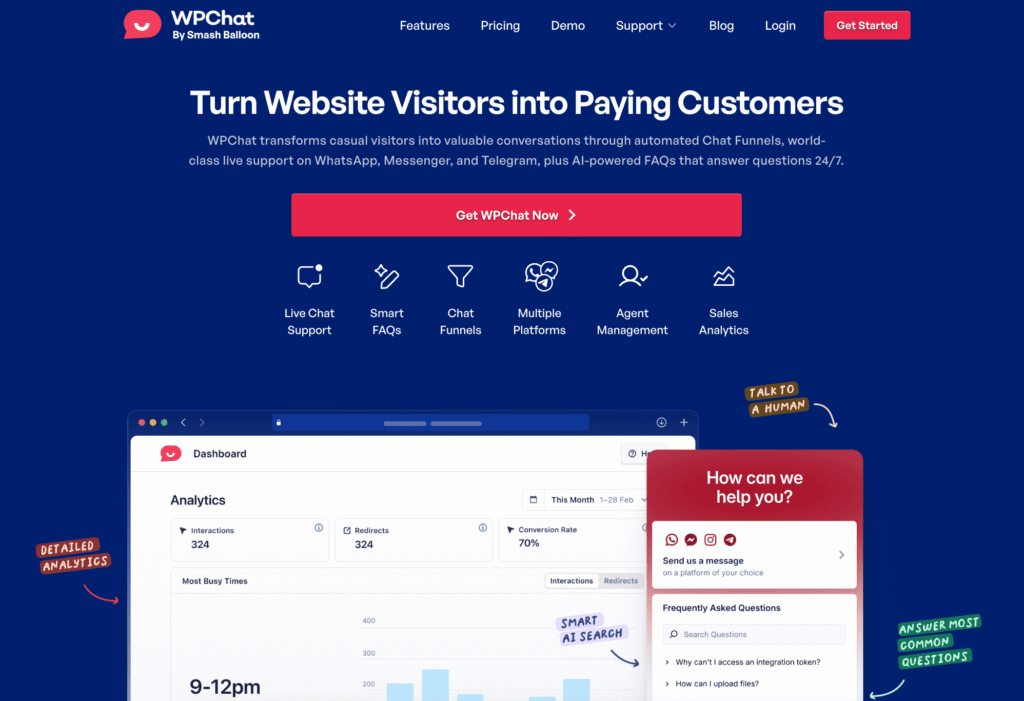
Wählen Sie WPChat, wenn: Sie eine leichtgewichtige Chat-Lösung wünschen, die hochgradig vertrauenswürdige und beliebte Messaging-Apps nutzt, um die Chat-Funktion zu verwalten. Es wurde speziell für WordPress entwickelt und die gesamte Einrichtung dauert nur wenige Minuten.
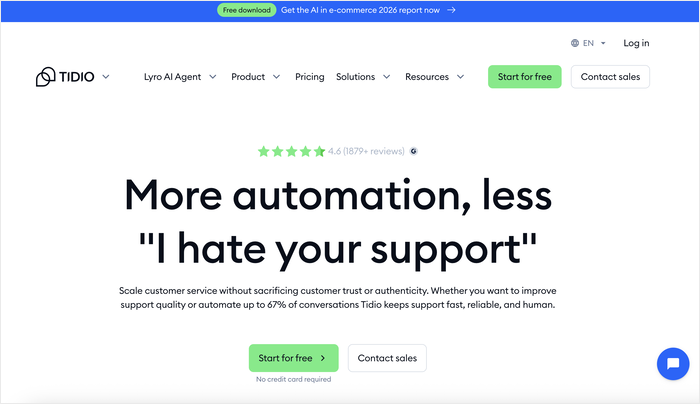
Wählen Sie Tidio, wenn: Sie eine voll ausgestattete Kundensupport-Suite mit KI-Chatbots, E-Mail-Marketing und Multi-Channel-Inbox-Management benötigen. Tidio ist leistungsstark, aber diese Leistung bringt eine Lernkurve und einen entsprechenden Preis mit sich.
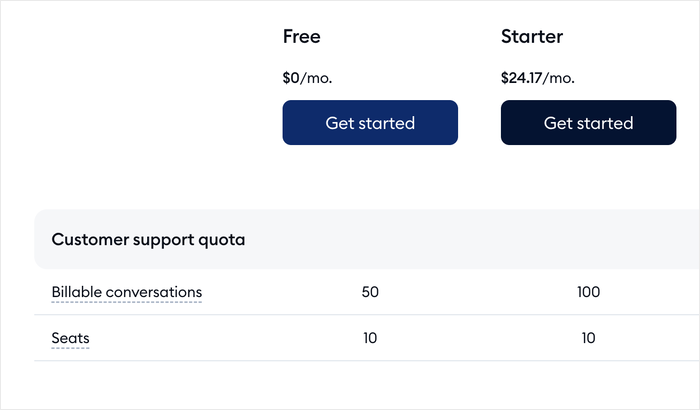
Hier ist die ehrliche Wahrheit: Tidios kostenloser Plan beschränkt Sie auf 50 Live-Chat-Konversationen pro Monat und sperrt die besten Automatisierungsfunktionen hinter kostenpflichtigen Stufen ab 24,17 $/Monat. Für eine kleine WordPress-Website oder einen Blog ist diese Grenze schnell erreicht.
WPChat hält es einfach. Echtzeit-Chat, einfache Einrichtung und keine künstlichen Limits, die darauf ausgelegt sind, Sie zu einem Upgrade zu drängen.
Fazit: Wenn Sie eine WordPress-Website betreiben und einfach nur zuverlässigen, unkomplizierten Live-Chat benötigen, ist WPChat die intelligentere Wahl.
Wenn Sie einen vollständigen E-Commerce-Supportbetrieb skalieren und Lyro AI und CRM-Integrationen benötigen, ist Tidio seinen Preis wert.
Noch nicht sicher? Lesen Sie weiter. Wir vergleichen Funktionen, Preise und reale Leistung nebeneinander.
Was der kostenlose Plan tatsächlich bietet
Der Moment, in dem die meisten Tidio-Free-Nutzer an eine Wand stoßen, ist nicht schleichend. Sie erstellen einen Chatbot-Ablauf, um häufige Fragen zu beantworten oder Leads über Nacht zu erfassen, dann pausiert das Limit von 100 Besuchern pro Monat die Automatisierung.
Der menschliche Chat hat sein eigenes separates Limit: 50 abrechenbare Konversationen pro Monat, was bedeutet, dass der Zähler stoppt, sobald Sie 50 Chats beantwortet haben, bis zum nächsten Zyklus.
Beide Limits können Sie unabhängig voneinander ins Stolpern bringen, und keines davon wird ohne ein Upgrade nach Bedarf zurückgesetzt.
Insgesamt funktioniert der kostenlose Plan als Ausgangspunkt, aber aktive Websites stoßen tendenziell schneller als erwartet auf mindestens eine Grenze.
Direkter Funktionsvergleich
Live-Chat-Kernfunktionen
Die nachstehende Tabelle deckt die Funktionen ab, die im täglichen Chat am wichtigsten sind. Jede Zelle spiegelt wider, was der kostenlose Plan bietet, sofern nicht anders angegeben.
| Merkmal | WPChat | Tidio |
|---|---|---|
| Echtzeit-Chat | Enthalten | Enthalten |
| Vordefinierte Antworten | Enthalten | Enthalten |
| Besucheranalysen | Enthalten | Enthalten |
| Offline-Nachrichten erfassen | Enthalten | Enthalten |
| Chat-Agenten-Weiterleitung | Enthalten | Enthalten |
| Dateifreigabe | Nicht verfügbar | Nur kostenpflichtig |
Dateifreigabe ist als kostenpflichtige Funktion bei Tidio verfügbar, aber bei WPChat nicht. Für die meisten Kleinunternehmer-Konversationen reicht Text aus.
Chatbot und Automatisierung
Regelbasierte Chatbots folgen einfacher Wenn/Dann-Logik. KI-gesteuerte Chatbots interpretieren Absichten und beantworten offene Fragen, ohne dass Sie jeden Pfad im Voraus festlegen müssen.
Klingt nützlich, bis Sie die Grenze von 100 Besuchern pro Monat im kostenlosen Plan erreichen. Sobald Flows 100 Besucher erreicht hat, stoppt die Ausführung für den Rest des Zyklus.
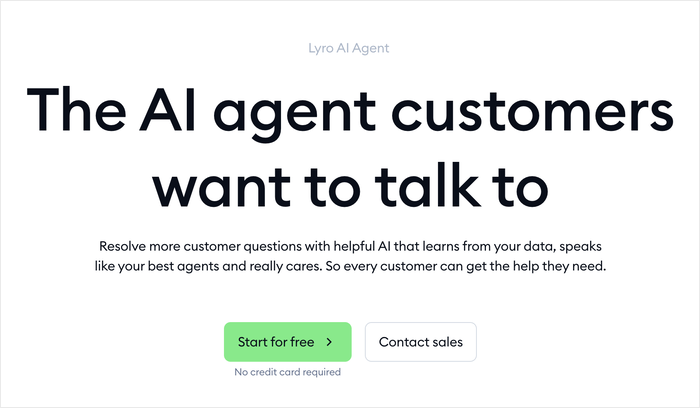
Eine Website mit 25 bis 30 täglichen Besuchern kann dieses Limit in der ersten Woche ausschöpfen. Wenn die Obergrenze erreicht ist, schaltet sich der Bot ab. Besucher sehen nichts.
Die Entfernung dieser Obergrenze beginnt bei 24,17 $/Monat. Tidio's Lyro AI befindet sich auf einer separaten, höheren Preisstufe zusätzlich dazu.
WPChat überspringt die übermäßigen Kosten, indem es Benutzern ermöglicht, leistungsstarke Chat-Funnels mit voreingestellten Fragen und Antworten zu erstellen.
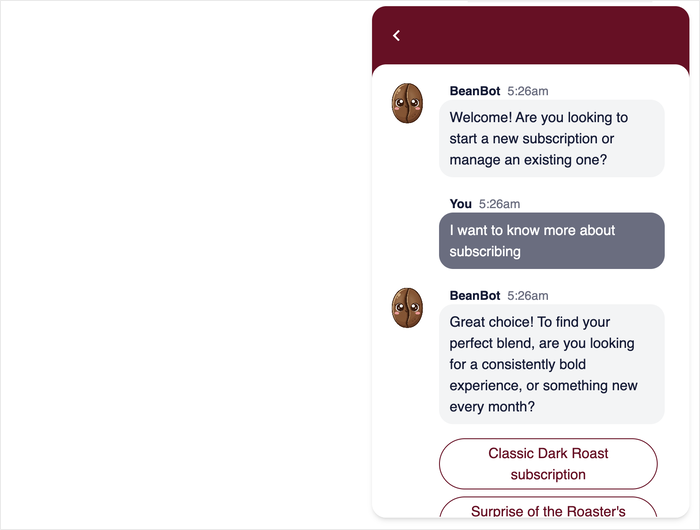
Auf diese Weise können Sie Benutzer durch den Funnel führen, um nützliche Informationen zu erhalten, Leads zu generieren und sie auf die Konversion vorzubereiten.
Integrationen und E-Commerce
WPChat
- WooCommerce: Verbindet sich mit Ihrem Shop und zeigt Bestellkontexte in aktiven Chats an
- Facebook: Unterstützt die Messaging-App für die Social-Media-Plattform Nr. 1 mit einer riesigen Nutzerbasis
- Instagram: Verbindet sich mit Ihren Instagram-DMs, sodass Besucher, die auf Ihr Chat-Widget tippen, Sie über die App erreichen können, die sie bereits verwenden.
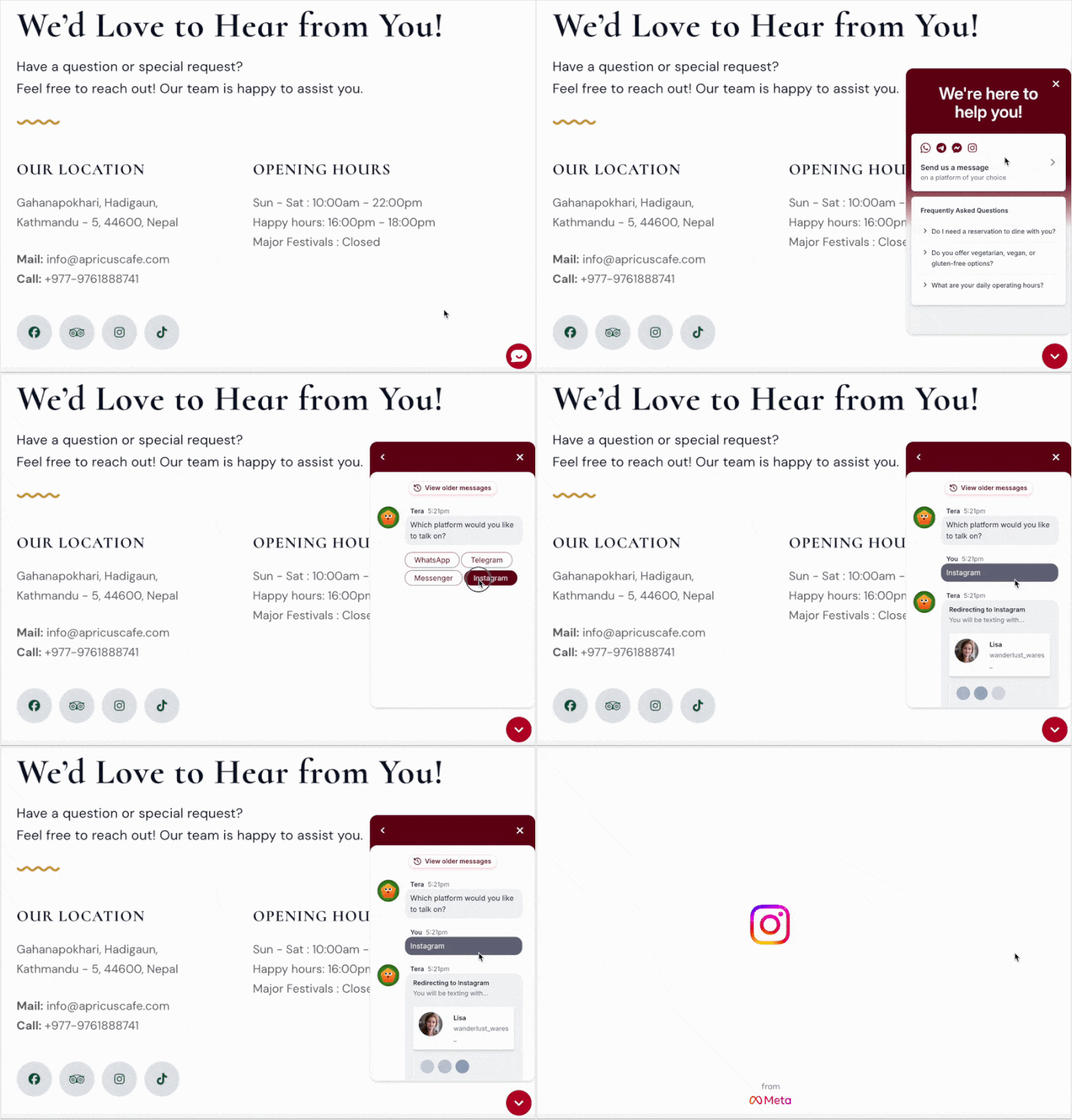
- Telegram: Verknüpft Ihr Chat-Widget mit Telegram, sodass Besucher Ihnen über eine beliebte und sichere Messaging-App schreiben können.
- WhatsApp: Leitet Konversationen an WhatsApp weiter, die größte Chat-Plattform, damit Besucher Sie erreichen können, ohne ein neues Konto erstellen oder ein neues Tool lernen zu müssen.
Tidio
- WooCommerce: Wiederherstellung abgebrochener Warenkörbe, Abfrage des Bestellstatus und Produktempfehlungen basierend auf dem Surfverhalten, alles auf kostenpflichtigen Tarifen
- Shopify: Native Integration (Hinweis: WPChat ist nur für WordPress und funktioniert nicht auf Shopify)
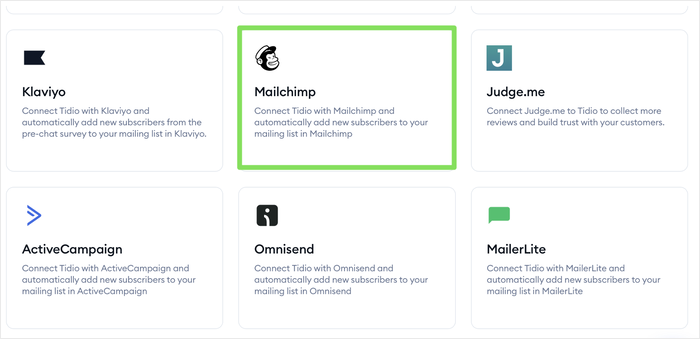
- Mailchimp: Fügt Chat-Kontakte basierend auf Gesprächsauslösern zu E-Mail-Listen hinzu
- ActiveCampaign: Synchronisiert Kontakte und wendet Tags basierend auf Chat-Aktivitäten an
- HubSpot CRM: Verfügbar auf höheren kostenpflichtigen Tarifen
- Zapier: Nur kostenpflichtige Tarife
WPChat ist für WordPress-Websites konzipiert, die zuverlässigen Chat ohne den Aufwand wünschen. Tidio ist für Teams konzipiert, die Chat als Teil eines breiteren Marketing- oder CRM-Stacks wünschen und bereit sind, dafür zu bezahlen.
Wenn Ihr Workflow über Mailchimp, ActiveCampaign oder ein CRM läuft, leisten die Integrationen von Tidio echte Arbeit.
Wenn Sie jedoch eine WordPress-Website betreiben, auf der Live-Chat Ihr primärer Kundenkontaktpunkt ist, ist der fokussierte Ansatz von WPChat eine Stärke, keine Einschränkung.
Keine unnötigen Integrationen, keine kostenpflichtigen Tarife, die die wirklich wichtigen Funktionen verbergen.
Benötigt WPChat ein Cloud-Konto?
Nein, und das ist der Sinn der Sache. WPChat leitet Benutzer an Chat-Plattformen weiter, die sie bereits nutzen (wie WhatsApp oder Messenger), anstatt Konversationen auf Ihrem Server oder einem Drittanbieter-Dashboard zu hosten.
Es ist kein Cloud-Konto erforderlich, keine Infrastruktur zu verwalten und keine Besucherdaten, die irgendwo liegen, das Sie nicht kontrollieren.
Tidio verfolgt den entgegengesetzten Ansatz. Jeder Chat läuft über die Cloud von Tidio, sodass der Konversationsverlauf, die Besucherprofile und die Kontaktdaten auf deren Servern gespeichert werden.
Das ist nicht grundsätzlich schlecht (es ermöglicht Funktionen wie Chatverlauf und Analysen), aber es bedeutet, dass Sie wichtige Daten an Tidio übergeben.
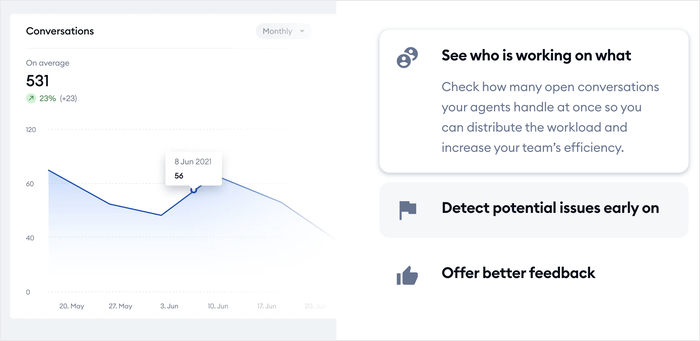
Wenn Sie eine schlanke Website betreiben und nicht den Aufwand für die Verwaltung der Datenpraktiken eines weiteren SaaS-Tools betreiben möchten, hält WPChat die Dinge einfach.
Speichert WPChat Ihre Konversationen?
WPChat speichert überhaupt keine Transkripte, und das ist beabsichtigt. Da die Konversationen in der Messaging-App (WhatsApp, Messenger usw.) stattfinden, lebt der Chatverlauf dort, wo diese App ihn speichert, auf dem Gerät des Benutzers oder in seinem Messaging-Konto.
Für Website-Besitzer bedeutet dies keine überladene Datenbank, keine zu verwaltenden Aufbewahrungslimits und keinen Anbieter, der zwischen Ihnen und Ihren Konversationen sitzt.
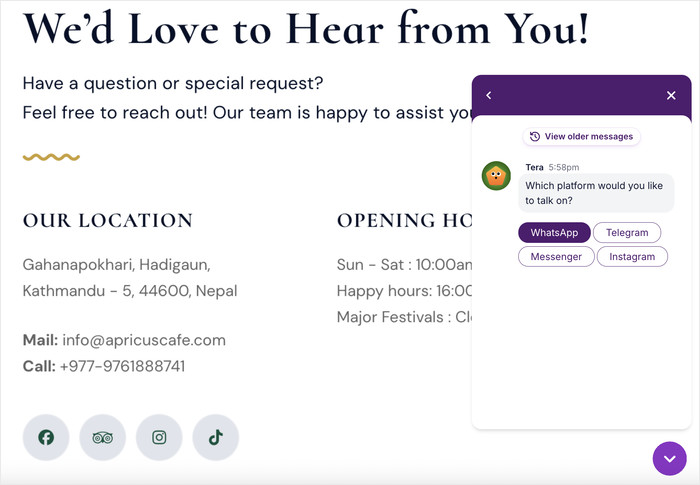
Und wenn Sie Konversationen überprüfen müssen, können Sie dies über die Messaging-App tun, die Ihre Besucher verwenden möchten.
Tidio verfolgt den entgegengesetzten Ansatz und protokolliert Konversationen in seiner Cloud, sodass Sie einen vollständigen Verlauf in Ihrem Dashboard erhalten. Das ist nützlich für Support-Teams, bedeutet aber auch, dass Ihre Besucherdaten auf den Servern von Tidio liegen.
Wenn ein leichtgewichtiges Setup ohne Daten-Overhead für Ihre Website richtig klingt, passt WPChat. Wenn Sie ein zentralisiertes Konversationsprotokoll benötigen, möchten Sie stattdessen eine gehostete Lösung wie Tidio.
Welches Plugin verlangsamt Ihre Website stärker?
Der Geschwindigkeitsunterschied beginnt damit, wo jedes Plugin seinen Code lädt.
WPChat hält die Dinge leicht und einfach. Das Widget ist ein lokaler Button, der auf Ihrem Server liegt. Kein externer SDK wird im Hintergrund geladen, kein Drittanbieter-Skript wartet auf eine Verbindung.
Die Weiterleitung zu WhatsApp oder Messenger erfolgt erst, wenn ein Besucher tatsächlich darauf klickt.
Andererseits ist Tidio Cloud-basiert. Jeder Seitenbesuch löst eine JavaScript-Anfrage an die externen Server von Tidio aus.
Dieser Unterschied zeigt sich auf vier spezifische Arten:
- Skript-Herkunft: Externe Skripte erfordern eine DNS-Auflösung und einen Verbindungs-Handshake, bevor ein einziges Byte geladen wird. Lokale Skripte überspringen diesen Schritt.
- Skript-Lade-Reihenfolge: Skripte von Drittanbietern können andere Seitenelemente verzögern. WordPress-native Skripte werden in der von Ihnen gesteuerten Warteschlange geladen.
- Verzögerung beim Auslösen des Widgets: Beide Plugins ermöglichen es Ihnen, das Chat-Widget erst nach dem Laden des Hauptinhalts zu verzögern. WPChat ist einfacher zu laden, während Tidio immer noch zuerst die externe Verbindung benötigt.
- Mobile Auswirkungen: Mobile Verbindungen spüren die Latenz von Drittanbieter-Skripten stärker als Desktop. Ein 4G-Nutzer in einem langsamen Netzwerk ist stärker betroffen als jemand mit Glasfaser.
Möchten Sie Ihre eigene Website messen? Installieren Sie das kostenlose Query Monitor Plugin.
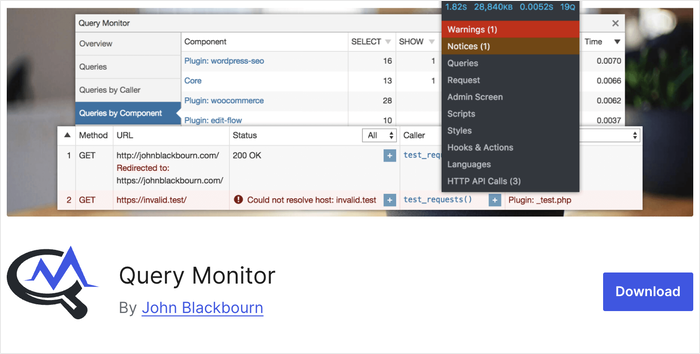
Laden Sie eine Seite mit aktiviertem Chat-Widget, öffnen Sie dann Query Monitor über die WordPress-Admin-Leiste. Das Panel für HTTP-API-Aufrufe zeigt genau an, welche Anfragen gesendet werden, wohin sie gehen und wie lange jede dauert.
Wenn Ihre PageSpeed-Werte bereits gut sind und der Traffic gering ist, ist dieser Unterschied möglicherweise nicht spürbar.
Aber wenn Core Web Vitals für Ihr SEO wichtig sind, ist ein Chat-Widget, das von Ihrem eigenen Server geladen wird, ein externes Skript weniger, das erklärt werden muss.
Sie haben 3 Chat-Agenten: Welchen Plan benötigen Sie tatsächlich?
Stellen Sie sich einen kleinen WooCommerce-Shop mit drei Support-Mitarbeitern vor, die während der Geschäftszeiten abwechselnd im Live-Chat sind.
Eine Person kümmert sich um den Vormittag, eine um den Nachmittag und eine dritte springt an geschäftigen Tagen ein. Niemand braucht KI. Niemand braucht Automatisierungsabläufe. Sie brauchen nur drei Agenten, die sich anmelden und Kunden beantworten können.
Hier sind die tatsächlichen Kosten dieses Szenarios auf jeder Plattform.
WPChat
WPChat ist selbst gehostet, daher zählt kein Anbieter die Sitze. Sie fügen Agentenkonten über Ihre WordPress-Administration hinzu, und jeder Sitz ist kostenlos.
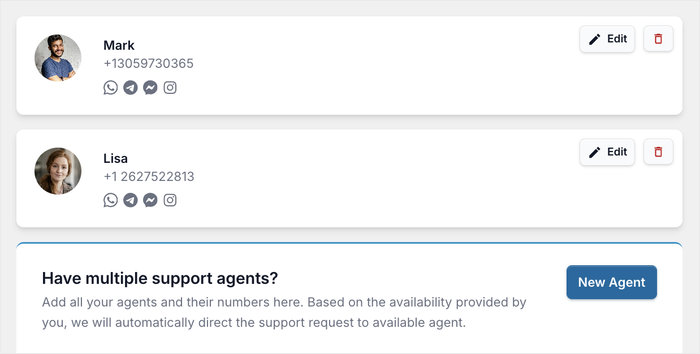
Drei Agenten kosten genauso viel wie ein Agent: nichts. Es gibt keine kostenpflichtige Stufe, um zusätzliche Benutzer freizuschalten, keine Abrechnung pro Sitz und keine Obergrenze, die greift, wenn sich Ihre zweite oder dritte Person anmeldet.
Tidio
Tidios kostenloser Plan beinhaltet bis zu 10 Operator-Sitze, sodass drei Agenten ohne Upgrade passen. Das Limit, das ein Upgrade erzwingt, sind tatsächlich die Konversationen: Der kostenlose Plan begrenzt Sie auf 50 abrechenbare Konversationen pro Monat.
Sobald Sie diese überschreiten, benötigen Sie den Starter-Plan für 24,17 $/Monat für 100 Konversationen oder Growth ab 49,17 $/Monat für 250 oder mehr.
Kostenvergleich
| Szenario | WPChat | Tidio |
|---|---|---|
| 3 Agenten, geringes Volumen | Kostenlos | Kostenlos |
| 3 Agenten, über 50 Konversationen/Monat | Kostenlos | 24,17 $/Monat |
| 3 Agenten, über 100 Konversationen/Monat | Kostenlos | 49,17 $/Monat+ |
Für ein Dreierteam, das nur Live-Chat benötigt, eliminiert WPChat die monatliche Rechnung vollständig, unabhängig von der Auslastung, mit der Sie zu tun haben.
Umgang mit Offline-Zeiten ohne Bezahlung für Chatbot-Automatisierung
Die meisten Besitzer kleiner Websites können kein Live-Chat-Widget rund um die Uhr besetzen. Wenn Sie ein schlankes Team führen, wird es Stunden geben, in denen niemand angemeldet ist.
Sowohl die kostenlosen Pläne von WPChat als auch von Tidio ermöglichen es Ihnen, diese Lücke zu schließen, ohne einen Cent für Chatbot-Automatisierung auszugeben. Hier sind drei Taktiken, die heute funktionieren.
1. Verbindung zu Social-Media-Chat-Apps (WPChat)
WPChat verfolgt einen anderen Ansatz für die Offline-Abdeckung: Anstatt eine Formulareingabe zu erfassen und darauf zu hoffen, dass Besucher auf eine E-Mail-Antwort warten, verbindet es Ihr Chat-Widget mit Ihren vorhandenen Social-Media-Messaging-Apps.
Wenn ein Besucher eine Nachricht sendet, landet diese in der von Ihnen verknüpften Plattform, wie Facebook Messenger oder WhatsApp, und der Gesprächsverlauf bleibt dort gespeichert.
Das bedeutet, dass Nachrichten nicht verschwinden, wenn ein Besucher den Tab schließt, und Sie können von Ihrem Telefon aus antworten, wann immer Sie verfügbar sind, genauso wie Sie auf jede Social-Media-Nachricht antworten würden.
2. Anzeige der Geschäftszeiten
Die Einstellung von Geschäftszeiten veranlasst das Widget, sich nur dann anzuzeigen, wenn ein Agent tatsächlich antworten kann. Wenn Sie offline sind, blendet sich das Widget automatisch aus oder wechselt in den Offline-Status.
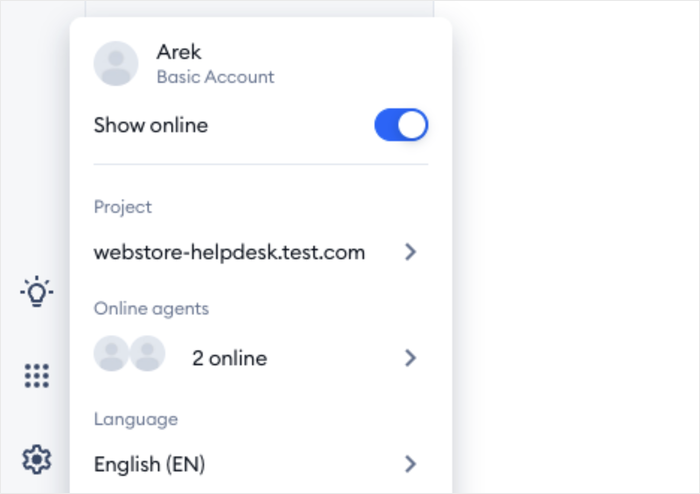
Das ist wichtig, denn ein Widget, das um 2 Uhr morgens „Chatten Sie mit uns“ anzeigt, obwohl niemand zuschaut, beschädigt das Vertrauen, anstatt es aufzubauen.
In WPChat können Sie für jeden Agenten verfügbare Stunden einrichten. Das Plugin weist Nachrichten automatisch zu und gleicht dabei die Arbeitslast Ihres Support-Personals aus.
In Tidio können Sie die Einstellungen verwenden, um Ihre verfügbaren Stunden für jeden Wochentag einzugeben.
Sobald eingestellt, wechselt das Widget von selbst den Status. Besucher sehen eine ehrliche Nachricht anstelle einer Aufforderung, die ins Leere führt.
3. Offline-Nachrichten-Erfassungsformular (Tidio)
Ein Offline-Nachrichtenformular ersetzt das Chat-Widget, wenn keine Agenten verfügbar sind.
Anstatt ein totes Widget zu sehen, geben Besucher ihre Frage ein und senden ihre E-Mail. Sie erhalten eine Benachrichtigung; sie erhalten eine Antwort, wenn Sie wieder da sind.
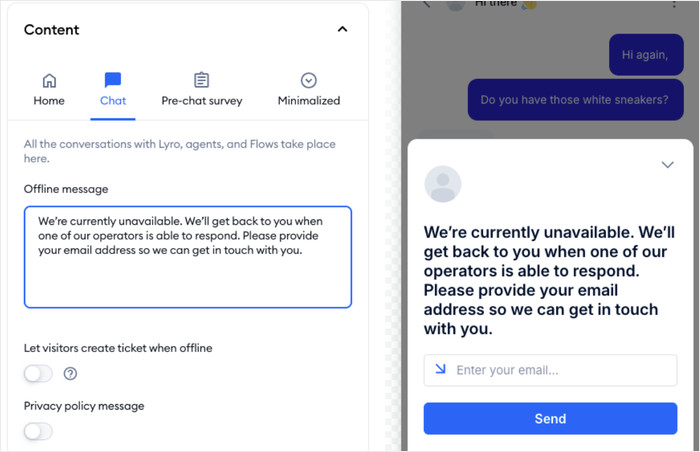
Sie können Tidio so konfigurieren, dass Name, E-Mail und Nachricht erfasst werden. Der kostenlose Plan unterstützt dies und deckt das häufigste Szenario ab: ein Besucher, der eine Frage hat und bereit ist zu warten, wenn Sie ihm eine Möglichkeit geben, diese zu hinterlassen.
WPChat vs Tidio: Welches sollten Sie wählen?
Wählen Sie WPChat, wenn:
- Sie Live-Chat ohne monatliche Abonnementgebühr wünschen
- Sie mehr als einen Support-Agenten haben und keine Gebühren pro Sitzplatz zahlen möchten
- DSGVO-Konformität oder Datenresidenz ein Anliegen sind
- Sie möchten, dass Besucher Sie über vertrauenswürdige Chat-Apps erreichen, die sie täglich bereits nutzen, wie WhatsApp oder Facebook Messenger
- Sie keine Chatbot-Automatisierung benötigen, sondern nur ein zuverlässiges Chat-Fenster

Wählen Sie Tidio, wenn:
- Sie einen WooCommerce-Shop betreiben und eine Wiederherstellung abgebrochener Warenkörbe in den Chat integriert haben möchten
- Sie eine Shopify-Integration für Ihren Online-Shop benötigen und keine WordPress-Plugins verwenden können
- Sie bereit sind, höhere Kosten für eine voll ausgestattete SaaS-Lösung zu zahlen
WPChat vs Tidio: Welches sollten Sie wählen?
Wenn Sie eine WordPress-Website betreiben und einfach nur zuverlässigen Chat ohne monatliche Rechnung benötigen, ist WPChat die einfache Wahl.
Besucher erreichen Sie über Apps, die sie bereits nutzen, und Sie antworten von Ihrem Telefon aus, so wie Sie auf jede Nachricht antworten würden.
Tidio ist sinnvoll, wenn Sie den vollen Umfang benötigen: KI-Chatbots, Wiederherstellung abgebrochener Warenkörbe, CRM-Integrationen und eine zentrale Inbox. Das ist ein echter Anwendungsfall, aber auch ein echtes Preisschild, sobald Ihr Volumen wächst.
Mit WPChat können Sie es in wenigen Minuten einrichten und ein Chat-Widget auf Ihrer Website bereit haben.
Bereit, mit Website-Besuchern zu chatten? Starten Sie noch heute mit WPChat!