ربط وإعداد فيسبوك ماسنجر
آخر تحديث في 13 نوفمبر 2025
يمكنك ربط حساب Facebook Messenger الخاص بك بـ WPChat حتى يتمكن العملاء من الوصول إليك عبر هذه المنصة. اتبع الخطوات أدناه لتمكين وتهيئة Facebook Messenger لوكلائك.
الخطوة 1: تمكين Facebook Messenger في WPChat
- من لوحة تحكم WordPress الخاصة بك، انتقل إلى WPChat > الوكلاء.
- انقر فوق الزر إعدادات الوكيل في الزاوية العلوية اليمنى.
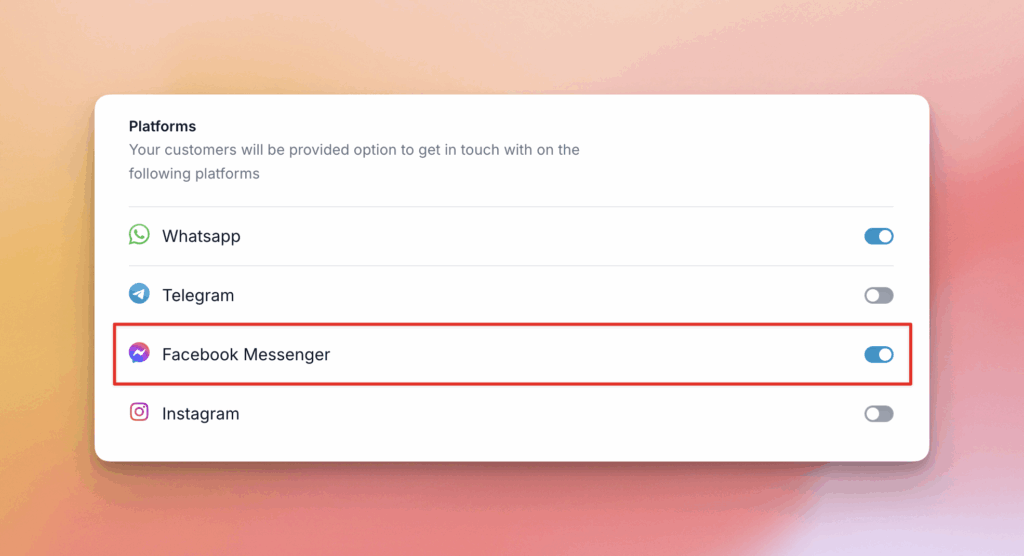
- ضمن قسم المنصات، تأكد من تشغيل خيار Facebook Messenger قيد التشغيل.
الخطوة 2: إضافة تفاصيل Facebook Messenger إلى وكيل
- في صفحة الوكلاء، انقر فوق تحرير لوكيل موجود، أو انقر فوق إضافة وكيل جديد لإنشاء واحد.
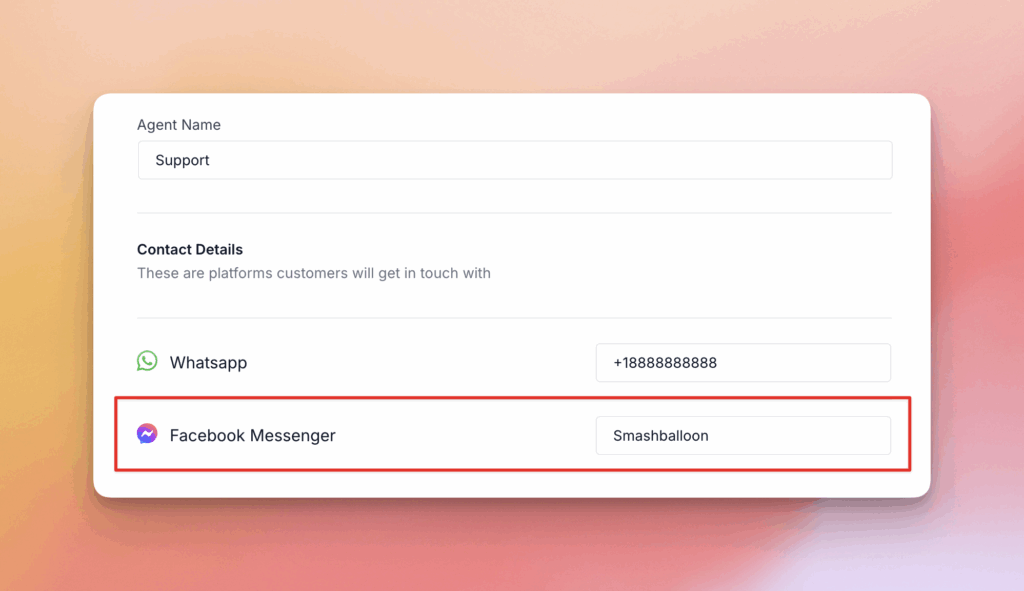
- في قسم تفاصيل الاتصال، ابحث عن حقل Facebook Messenger.
- أدخل اسم مستخدم Facebook Messenger الخاص بالوكيل.
- انقر فوق حفظ التغييرات لتطبيق تحديثاتك.
ملاحظة
إذا لم تكن متأكدًا من تفاصيل الاتصال الخاصة بك على فيسبوك ماسنجر، فافتح تطبيق فيسبوك ماسنجر على هاتفك، أو قم بزيارة messenger.com، وسيظهر اسم المستخدم الخاص بك ضمن قسم التفضيلات.