عندما بدأت لأول مرة في مساعدة الشركات على بناء تواجدها على وسائل التواصل الاجتماعي، لاحظت نمطًا.
سألني كل صاحب عمل تقريبًا نفس السؤال - "هل يجب أن نستخدم واتساب أم فيسبوك ماسنجر للتحدث مع عملائنا؟"
تتمتع كلتا المنصتين بقواعد مستخدمين ضخمة، وكلاهما يعد بتفاعل أفضل مع العملاء، وكلاهما يمكن دمجه مع موقعك على الويب.
يعتمد الأمر على مكان وجود عملائك، وكيف يفضلون التواصل، ونوع العمل الذي تديره.
في هذا الدليل، سأوضح الاختلافات الرئيسية بين واتساب وفيسبوك ماسنجر للاستخدام التجاري.
سننظر في التركيبة السكانية للمستخدمين والميزات وخيارات التكامل وسيناريوهات العالم الحقيقي لمساعدتك في اختيار المنصة المناسبة. بحلول النهاية، ستعرف بالضبط أي منها يناسب احتياجات عملك - دون الحاجة إلى التخمين.
- واتساب مقابل فيسبوك ماسنجر للأعمال: إجابة سريعة
- لماذا تهم رسائل الأعمال في عام 2026
- واتساب للأعمال: نظرة عامة كاملة
- ماسنجر فيسبوك للأعمال: نظرة عامة كاملة
- واتساب مقابل فيسبوك ماسنجر: مقارنة جنبًا إلى جنب
- الحل الذكي: WPChat لـ WordPress
- أفضل الممارسات لمراسلة الأعمال
- الحكم النهائي: واتساب، ماسنجر، أم كلاهما؟
- أسئلة متكررة
واتساب مقابل فيسبوك ماسنجر للأعمال: إجابة سريعة
إذا كنت بحاجة إلى علاقات شخصية مع العملاء، فاختر واتساب، ولكن إذا كنت بحاجة إلى مسارات مبيعات آلية، فاختر ماسنجر.
هذه هي أبسط طريقة لتقسيم الأمر. يبدو واتساب وكأنه رسالة نصية خاصة من صديق، بينما يعمل ماسنجر كآلة تسويق مرتبطة بالنظام البيئي لإعلانات فيسبوك.
استخدم واتساب للأعمال إذا...
- كان عملاؤك عالميين. إنه التطبيق المهيمن في أوروبا وآسيا وأمريكا اللاتينية.
- كانت الخصوصية هي أولويتك. التشفير من طرف إلى طرف يبني ثقة هائلة مع العملاء الذين يتعاملون مع معلومات حساسة.
- كنت تقدم دعمًا عالي المستوى. إنه مثالي للمحادثات التفصيلية الفردية حيث تضمن اللمسة الإنسانية إتمام الصفقة.
استخدم فيسبوك ماسنجر إذا...
- كان سوقك في الغالب في الولايات المتحدة. لا يزال ماسنجر هو المسيطر في أمريكا الشمالية.
- كنت تدير إعلانات فيسبوك. يمكنك إعادة استهداف المستخدمين الذين يراسلونك، وهذا ميزة ضخمة للمبيعات.
- كنت ترغب في أتمتة مكثفة. يدعم روبوتات محادثة قوية يمكنها التعامل مع آلاف الاستفسارات دون أن ترفع إصبعًا.
ولكن إليك السر: ليس عليك في الواقع اختيار فائز. استخدام أداة مثل WPChat يعمل مثل "رمز غش" لموقع ووردبريس الخاص بك.
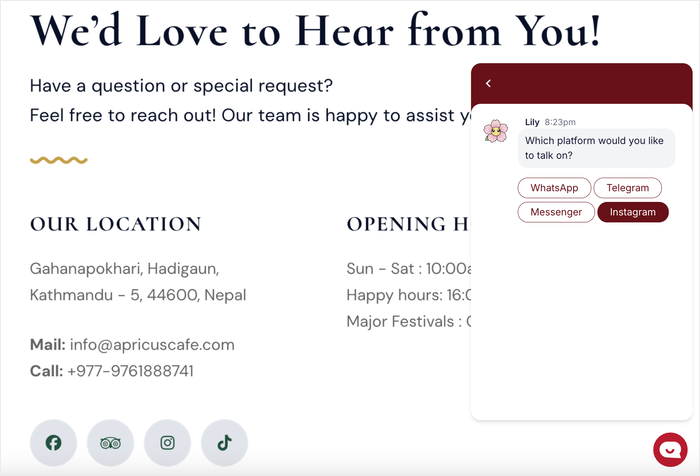
بدلاً من إجبار زوارك على استخدام التطبيق الذي تفضله، يتيح لك WPChat عرض كلا الخيارين.
بهذه الطريقة، يختار العميل القناة التي يشعر أنها أكثر راحة بالنسبة له، وتحصل على العميل المحتمل بغض النظر.
لماذا تهم رسائل الأعمال في عام 2026
البريد الإلكتروني للسجلات، ولكن الرسائل للمبيعات. إذا كنت لا تزال تعتمد فقط على نماذج الاتصال ورسائل البريد الإلكتروني التلقائية لالتقاط العملاء المحتملين، فأنت تترك المال على الطاولة لأن اللعبة قد تغيرت تمامًا.
الانتقال من البريد الإلكتروني إلى المراسلة الفورية
إنه ليس مجرد شعور؛ الأرقام تدعم ذلك. وفقًا للأبحاث، تتمتع رسائل واتساب بمعدل فتح مذهل يبلغ 98٪ مقارنة بـ 20٪ للبريد الإلكتروني.
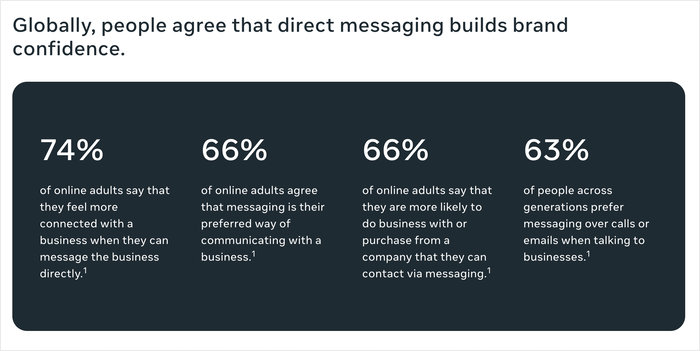
هذا فرق هائل. عندما ترسل بريدًا إلكترونيًا، فأنت تأمل ألا يصل إلى مجلد البريد العشوائي.
عندما ترسل رسالة، فإنك تعلم أنهم سيراها. إذا كنت تبحث عن أفضل برنامج دردشة مباشر للشركات الصغيرة، فإن إعطاء الأولوية لقنوات المشاركة العالية هذه أمر بديهي.
ما تكسبه الشركات الصغيرة
الميزة الأكبر هنا هي السرعة. يطالب العملاء المعاصرون بالإشباع الفوري.
إذا كان لديهم سؤال حول التسعير أو الشحن الخاص بك، فلن ينتظروا 24 ساعة للرد على البريد الإلكتروني - سيذهبون ببساطة إلى منافسك الذي يجيب على الفور.
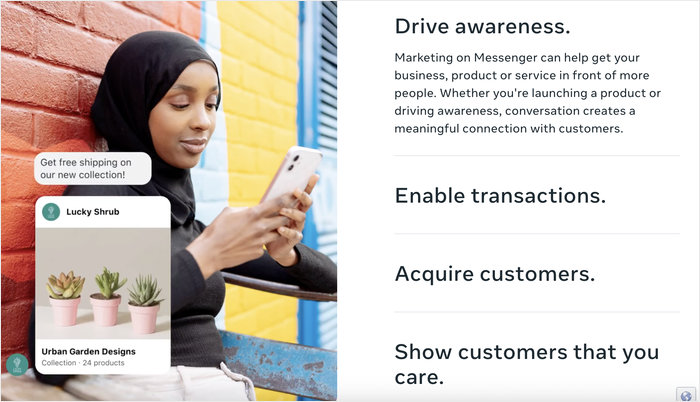
باستخدام تطبيقات المراسلة، تقلل أوقات الاستجابة وتزيد بشكل كبير من معدلات التحويل الخاصة بك.
واتساب للأعمال: نظرة عامة كاملة
واتساب للأعمال هو تطبيق مخصص تم بناؤه خصيصًا لأصحاب الشركات الصغيرة للتحدث بشكل خاص وآمن مع العملاء.
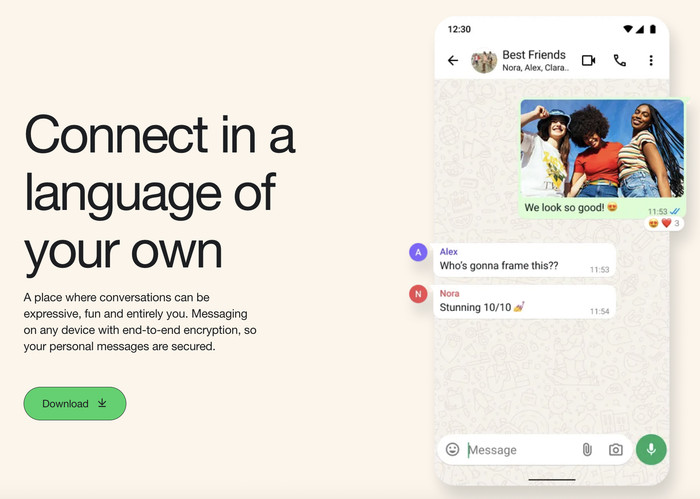
من المهم توضيح أن هذا ليس واتساب القياسي الذي تستخدمه لمراسلة عائلتك. إنه تطبيق مستقل مملوك لشركة Meta يتضمن أدوات محددة مصممة لمساعدتك في تنظيم المحادثات وعرض المنتجات.
الميزات الرئيسية لواتساب للأعمال
على عكس التطبيق الشخصي، يمنحك إصدار الأعمال "واجهة متجر". يمكنك إنشاء كتالوجات لعرض خدماتك أو منتجاتك مباشرة في الدردشة.
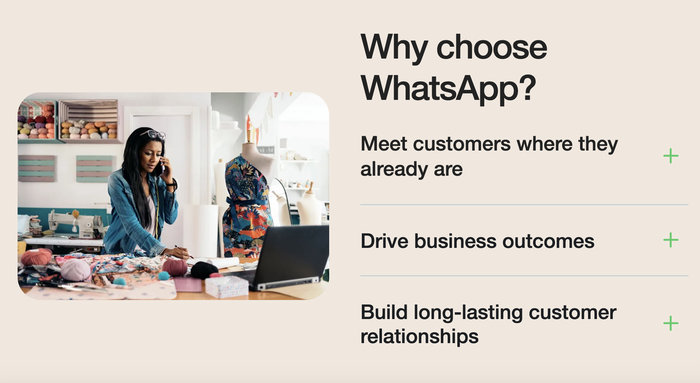
تحصل أيضًا على ردود سريعة للإجابة على الأسئلة الشائعة بنقرة واحدة، وتصنيفات لتنظيم المحادثات (مثل "عميل جديد" أو "في انتظار الدفع").
المزايا
أكبر مكسب هنا هو الثقة. يشتهر واتساب بتشفيره من طرف إلى طرف، مما يعني أنه لا يمكن لأحد - ولا حتى Meta - قراءة رسائلك.
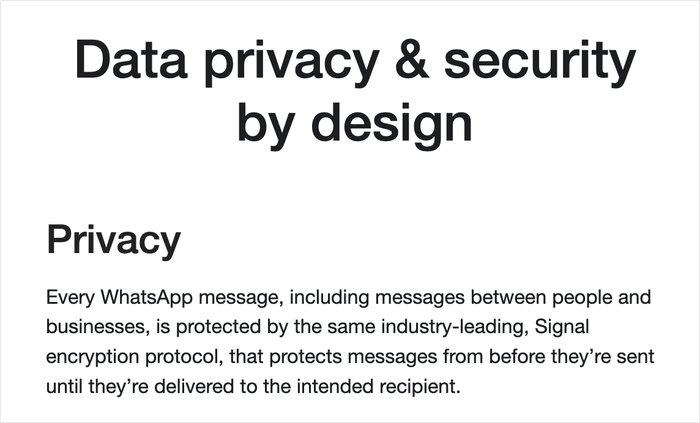
هذا المستوى من الأمان هو سبب انتشاره العالمي الهائل، خاصة في أوروبا وآسيا وأمريكا اللاتينية. إذا كان لديك عملاء دوليون، فهذا ليس اختياريًا؛ إنه المعيار.
القيود
يفرض واتساب نافذة مراسلة صارمة مدتها 24 ساعة، مما يعني أنه إذا لم يرد المستخدم في غضون 24 ساعة، فلا يمكنك ببساطة إرسال رسائل ترويجية إليه لاحقًا.
أيضًا، من الصعب الأتمتة على نطاق واسع. ما لم يكن لديك الميزانية لاستخدام واجهة برمجة تطبيقات واتساب (API)، فأنت تقوم بمعظم الأشياء يدويًا.
ماسنجر فيسبوك للأعمال: نظرة عامة كاملة
ماسنجر للأعمال هو محرك النظام البيئي التجاري لفيسبوك، مصمم بشكل أساسي للأتمتة والتكامل.
على عكس واتساب، الذي يعتمد على رقم هاتفك، يعتمد ماسنجر على صفحة أعمال فيسبوك الخاصة بك.

إنه يتعلق بشكل أقل بالدردشة الخاصة وأكثر بالربط بين تواجدك الاجتماعي ودعم العملاء الخاص بك.
الميزات الرئيسية
تتفوق هذه المنصة في أدوات التسويق الخاصة بها. تحصل على روبوتات محادثة قوية يمكنها التعامل مع الاستعلامات المعقدة تلقائيًا.
يمكنك أيضًا استخدام الرسائل الدعائية لإعادة إشراك الأشخاص الذين راسلوك من قبل، وحتى إعداد حجز المواعيد مباشرة داخل نافذة الدردشة.
المزايا
إذا كنت تنفق بالفعل أموالًا على إعلانات فيسبوك، فإن ماسنجر هو أفضل صديق لك. التكامل سلس.
يمكنك تشغيل إعلانات "النقر إلى ماسنجر" التي توصل العميل المحتمل مباشرة إلى محادثة مبيعات.
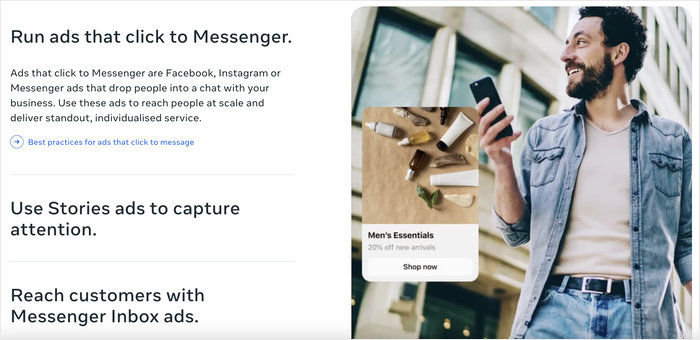
إنه بشكل عام أفضل للعملاء المحتملين "الباردين" الذين قد يتصفحون صفحتك على فيسبوك ولكنهم ليسوا مستعدين لإعطائك رقم هاتفهم الشخصي بعد.
القيود
المقايضة هي "العامل الشخصي". يُنظر إلى ماسنجر على أنه أقل خصوصية وأمانًا من واتساب.
نظرًا لأنه مرتبط بملف تعريف اجتماعي بدلاً من رقم هاتف، يمكن أن يكون عامل الثقة أقل قليلاً.
واتساب مقابل فيسبوك ماسنجر: مقارنة جنبًا إلى جنب
لجعل هذا الأمر سهلاً، قمت بتقسيم الاختلافات الرئيسية حتى تتمكن من رؤية كيف تتناسب تمامًا مع بعضها البعض.
| الميزة | واتساب للأعمال | فيسبوك ماسنجر | الفائز |
|---|---|---|---|
| قاعدة المستخدمين | 2.7 مليار+ | ~1.3 مليار | واتساب |
| المنطقة الأساسية | عالمي (أوروبا، آسيا، أمريكا اللاتينية) | أمريكا الشمالية (الولايات المتحدة/كندا) | تعادل (يعتمد على السوق) |
| الخصوصية | التشفير من طرف إلى طرف | التشفير القياسي | واتساب |
| الأتمتة | أساسي (ردود سريعة) | متقدم (روبوتات الدردشة) | ماسنجر |
| التكلفة | تطبيق مجاني (واجهة برمجة التطبيقات تكلف المال) | مجاني (الإعلانات تكلف المال) | تعادل |
اعتبارات إقليمية
هذا هو العامل الحاسم عادةً لمعظم عملائي. إذا كنت تستهدف العملاء في الولايات المتحدة أو كندا، فلا يزال ماسنجر هو الملك.
معظم الأمريكيين لديهم تطبيق فيسبوك مثبت ويستخدمون ماسنجر كأداة افتراضية لهم.
ومع ذلك، إذا كنت تستهدف أي مكان آخر حرفيًا - أوروبا أو الهند أو البرازيل أو جنوب شرق آسيا - فإن واتساب ليس مجرد تطبيق؛ إنه الإنترنت بأكمله للكثير من الناس.
الحل الذكي: WPChat لـ WordPress (لماذا لا تحتاج إلى الاختيار)
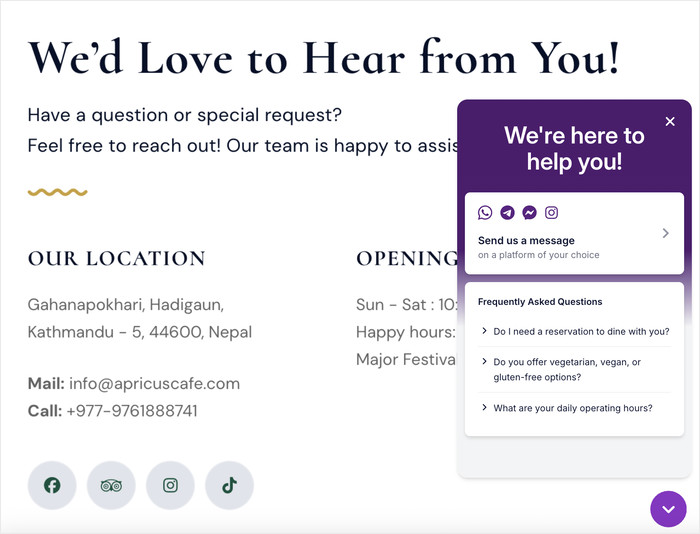
WPChat يوحد هذه المنصات في عنصر واجهة مستخدم واحد، لذا يختار العملاء تفضيلاتهم، وليس أنت.
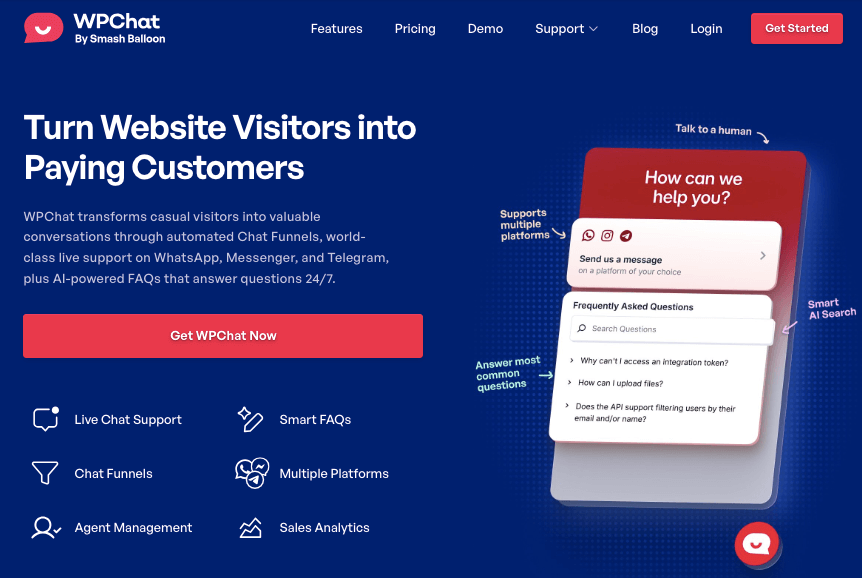
بدلاً من تخمين المكان الذي يريد عملاؤك التحدث إليه أو ازدحام موقعك بأزرار دردشة متعددة، يحل WPChat مشكلة "الاتصال المجزأ" من خلال وضع كل شيء تحت سقف واحد.
كيف يعمل WPChat
إنه بسيط بشكل مدهش في الإعداد. أولاً، تقوم بتثبيت المكون الإضافي على موقع WordPress الخاص بك.
بعد ذلك، ما عليك سوى إضافة رقم WhatsApp الخاص بك ومعرف صفحة Facebook في الإعدادات. أخيرًا، تقوم بتخصيص عنصر واجهة المستخدم لمطابقة ألوان علامتك التجارية.
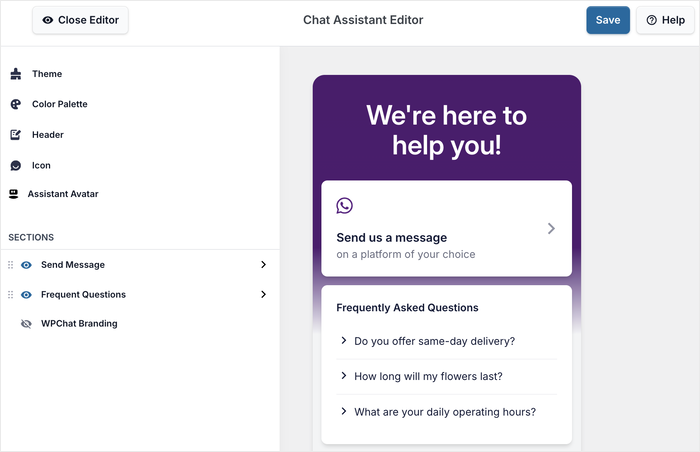
عندما ينقر الزائر على أيقونة الدردشة، يرى قائمة تحتوي على كلا الخيارين ويمكنه النقر على الخيار الموجود بالفعل على هاتفه.
الفوائد الرئيسية
أفضل ما في الأمر هو أنه يبدو أصليًا لموقعك. إنه مُحسَّن بالكامل للجوال، لذا فهو لا يحظر المحتوى الخاص بك أو يزعج المستخدمين على الشاشات الصغيرة.
بالإضافة إلى ذلك، فهو لا يقتصر على WhatsApp و Messenger فقط؛ يدعم WPChat أيضًا Telegram و Viber، وحتى رابط هاتف مباشر، مما يغطي جميع احتياجاتك.
أسعار وخطط WPChat
قد تعتقد أنك بحاجة إلى مطور لإنشاء أداة دردشة مخصصة مثل هذه، ولكن WPChat يحل محل هذا العمل التطويري المعقد بتكلفة أقل بكثير.
إنه حل ميسور التكلفة يعوض عن نفسه في اللحظة التي تلتقط فيها عميلاً محتملاً كان سينصرف لولا ذلك لأنه لم يرَ تطبيق الدردشة المفضل لديه.
هل أنت مستعد لإضافة دردشة Messenger و WhatsApp إلى موقعك؟ احصل على نسختك من WPChat هنا!
لمعرفة المزيد، اطلع على هذا الدليل خطوة بخطوة حول كيفية إضافة دردشة عبر الإنترنت إلى موقعك باستخدام WPChat.
أفضل الممارسات لمراسلة الأعمال
السرعة والنبرة أهم من المنصة نفسها. يمكنك الحصول على أفضل أداة دردشة في العالم، ولكن إذا تركت عميلاً على "تمت القراءة" لمدة ثلاثة أيام، فقد خسرته.
الأمر يتعلق بكيفية استخدام الأداة، وليس فقط أي أداة تقوم بتثبيتها.
توقعات وقت الاستجابة
هناك "قاعدة الـ 10 دقائق" غير المكتوبة في مراسلة الأعمال. يتوقع العملاء ردًا فورًا تقريبًا.
ومع ذلك، كلنا بشر، ولا يمكنك العمل على مدار الساعة طوال أيام الأسبوع.
لهذا السبب يجب أن تكون شفافًا بشأن ساعات العمل على موقعك أو إعداد رد تلقائي يخبرهم بالضبط متى ستعود. إدارة التوقعات جيدة مثل الرد السريع.
نبرة الرسالة والاحترافية
هذا توازن صعب. لا تريد أن تبدو كروبوت شركة جامد، ولكن لا يجب أن تكون مهملًا أيضًا.
استخدم الرموز التعبيرية باعتدال لإضافة الدفء، ولكن حافظ على قواعد نحوية قوية. تعامل مع الأمر كما لو كانت محادثة مع زميل حول فنجان قهوة - محترمة، ولكن مريحة.
الخصوصية وأمن البيانات
لا تنس أبدًا أنك ضيف في صندوق الوارد الخاص بهم. احترم دائمًا موافقة المستخدم، خاصة مع قوانين مثل اللائحة العامة لحماية البيانات (GDPR) في أوروبا.
لا تضف شخصًا إلى قائمة تسويقية لمجرد أنه أرسل لك سؤال دعم. احتفظ بعرض المبيعات عندما يكون ذلك مناسبًا.
الحكم النهائي: واتساب، ماسنجر، أم كلاهما؟
لا تقيد عملك. العلامات التجارية الأكثر نجاحًا تلتقي بالعملاء على التطبيق الذي يستخدمونه بالفعل.
لتلخيص الأمر: استخدم WhatsApp إذا كانت أولويتك هي بناء الثقة العميقة والوصول العالمي. استخدم Messenger إذا كنت بحاجة إلى التوسع بسرعة باستخدام إعلانات Facebook والأتمتة.
ولكن في عام 2026، لا يجب أن تختار جانبًا. عملاؤك بالتأكيد لا يفعلون. إنهم يستخدمون كلا التطبيقين كل يوم. الخطوة الأكثر ذكاءً هي تثبيت WPChat الآن.
يستغرق الإعداد خمس دقائق، ويفتح كلا القناتين على الفور، مما يضمن لك عدم تفويت أي عملية بيع لمجرد أنك لم يكن لديك التطبيق المناسب مفتوحًا.
اشترك في WPChat هنا وابدأ في التواصل مع زوار موقعك.
أسئلة متكررة
س: هل أحتاج إلى حسابات عمل منفصلة لـ WhatsApp؟
ج: نعم، يجب عليك استخدام تطبيق WhatsApp Business. إنه تنزيل منفصل عن التطبيق العادي ويسمح لك بإعداد ملف تعريف عملك وأدواتك.
س: هل يمكنني استخدام كل من WhatsApp و Messenger على نفس موقع الويب؟
ج: نعم، استخدام إضافة مثل WPChat يجعل هذا الأمر سلسًا. فهي تجمع بينهما في زر عائم واحد حتى لا تزدحم واجهتك.
س: أي منصة أفضل لتحسين محركات البحث (SEO)؟
ج: لا تؤثر أي منهما بشكل مباشر على ترتيبك، ولكن تجربة المستخدم الأفضل وإشارات التفاعل تساعد بشكل غير مباشر. إذا بقي المستخدمون على موقعك لفترة أطول للدردشة، فإن Google تلاحظ هذا السلوك الإيجابي.
س: هل هناك طريقة مجانية لإضافة هذه إلى WordPress؟
ج: التضمين اليدوي ممكن ولكنه فوضوي؛ WPChat هو الحل الاحترافي. يمكن أن يؤدي إضافة التعليمات البرمجية يدويًا إلى إبطاء موقعك أو كسر السمة الخاصة بك، بينما تتعامل الإضافة المخصصة مع العبء الثقيل بأمان.